



TL;DR
Choosing a B2C customer service AI free trial means looking beyond headline features. The right AI customer support tool should handle repetitive customer queries, work across the channels you use, and know when to hand over to human agents. A free trial lets you test those capabilities against real support workflows before committing.
Customer support teams are dealing with more customer queries, more channels, and higher expectations around response times. AI can take some of the pressure off by handling repetitive work, helping agents respond faster, and keeping support moving when ticket volumes spike.
But B2C support comes with an extra consideration: your support team is often speaking directly on behalf of your brand. An inaccurate AI answer, clumsy response, or poorly handled handoff can affect more than a single support ticket. It can shape how a customer sees the company.
That makes choosing AI customer support software less about finding the tool with the longest list of AI features and more about finding one that fits the way your team actually works. You need to be able to test it with real customer queries, your existing knowledge, the channels you use, and the points where human agents need to take over.
BlueTweak takes a gradual approach to AI adoption. Teams can start with AI assistance behind the scenes, introduce AI-generated drafts and recommendations for human approval, and expand into customer-facing AI as they build confidence. A free trial gives you the opportunity to test that progression before making a wider commitment.
What Makes B2C Customer Service AI Different?
B2C customer service AI is AI software that helps consumer-facing support teams manage customer interactions, from repetitive questions and support tickets to more complex conversations that require human assistance.
The basic technology isn’t necessarily different from AI used in other support environments. The difference is the operating context.
B2C support can involve large volumes of customer queries arriving across email, chat, voice, social messaging, or other channels. Customers expect quick, consistent answers, and those answers are often a direct reflection of the brand. 91% of consumers prioritize friendliness and empathy in service, so a poorly handled interaction isn't just an inefficient support ticket; it can affect customer satisfaction and the customer's wider experience with the company. Instant response times can also reduce cart abandonment during shopping, giving B2C teams a commercial reason to consider AI alongside the operational benefits.
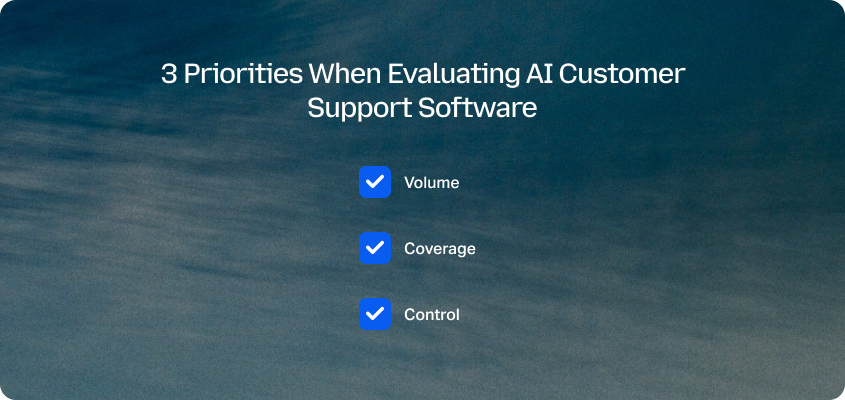
That creates three priorities when evaluating AI customer support software:
- Volume: Can the AI handle repetitive customer queries without adding work for your support team?
- Coverage: Can it support the channels, languages, and types of customer interactions you actually receive?
- Control: Can your team control what the AI says, monitor its performance, and bring in human agents when a conversation needs more judgment?
The third point matters particularly when AI is customer-facing. An AI answer that looks fine in a product demo still needs to work when a customer asks an unusual question, provides incomplete information, or needs help with something outside the knowledge base.
That’s why the most useful AI customer service tools aren’t necessarily the ones that automate the most from day one. They give support teams a way to introduce AI where it makes sense, measure what happens, and widen its role as confidence grows.
What To Look For In B2C Customer Service AI
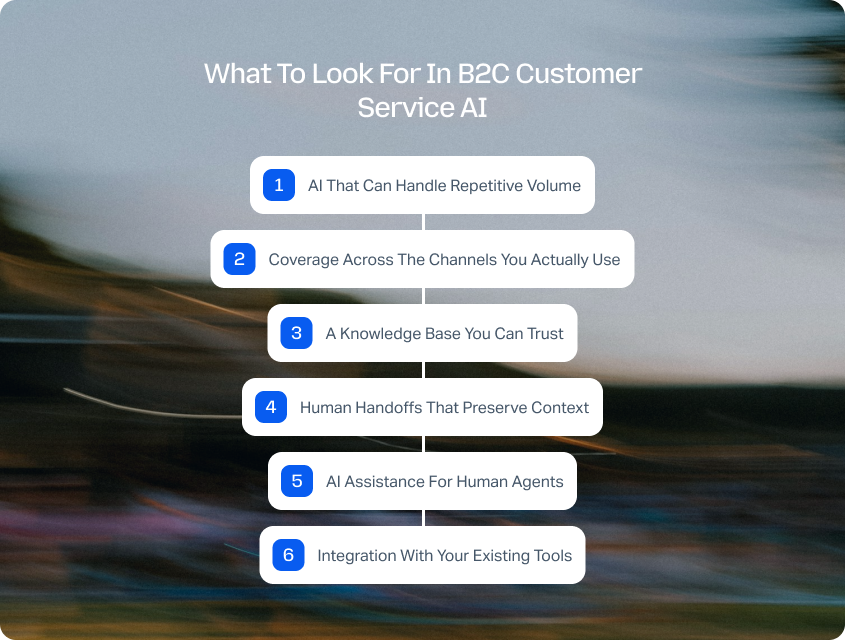
The right B2C customer service AI should fit your existing support operation, handle high-volume interactions reliably, and give your team control over how AI is used.
When comparing AI customer support tools, it’s easy to get distracted by a long list of powerful AI capabilities or advanced features. A more useful approach is to look at whether the platform provides the core features your team needs for reliable support, then consider where AI can improve the way those features work within your actual customer service operation.
1. AI That Can Handle Repetitive Volume
B2C teams often deal with the same types of customer queries repeatedly: order updates, delivery questions, account issues, returns, cancellations, and other straightforward requests. Your AI tool should be able to identify these patterns and handle appropriate queries without creating additional work for human agents. For online retailers in particular, these queries often spike around promotions and delivery windows, which is why choosing the right ecommerce customer service software matters as much as the AI layered on top of it.
Look at how the tool performs with your actual ticket volume, rather than relying on a product demo. Can it maintain response quality when hundreds or thousands of similar queries arrive? Can it distinguish a routine request from one that needs human attention?
2. Coverage Across The Channels You Actually Use
Customers don't necessarily care which channel your support team prefers. They may move between email, basic live chat, voice, WhatsApp, social messaging, or other channels depending on the situation. Even something as simple as a chat widget can become an important part of the customer experience if customers use it to get quick answers.
Your AI customer support software should therefore work across the channels that matter to your customers, while preserving the context of the conversation. Multilingual support may also be important if you serve customers across multiple markets.
3. A Knowledge Base You Can Trust
AI is only as useful as the information it has available to answer customer questions. Look for a knowledge base that can act as a reliable source of truth, with clear controls over which information AI can use.
This is particularly important for customer-facing AI. The system should be able to ground its answers in your approved policies, product information, and support content rather than simply generating an answer that sounds plausible.
4. Human Handoffs That Preserve Context
Not every customer query should be resolved by AI. When a conversation needs human judgment, the handoff should be seamless, with the agent receiving the relevant conversation history and context.
That means testing the handoff during your trial, too. Does the human agent know what the customer has already asked? Can they see what the AI has told them? Can they take over without making the customer repeat the same information?
5. AI Assistance For Human Agents
Customer-facing AI isn't the only way to use AI in support. AI assistance can work behind the scenes by summarizing conversations, classifying tickets, analyzing sentiment, translating messages, surfacing relevant knowledge, or drafting responses for agents to review.
These features can be useful even if you're not ready to deploy AI agents. They also give your team a way to build familiarity with AI while keeping humans in control of customer-facing interactions.
6. Integration With Your Existing Tools
Finally, consider how the AI fits into your existing support operation. An AI tool that requires agents to constantly switch between systems can add complexity rather than remove it.
Look for integrations with the customer service software, knowledge base, CRM, commerce platform, and other systems your team already relies on. The aim should be to make AI part of the workflow, rather than another tool sitting alongside it.
Why Start With AI Assistance Before AI Agents?
AI assistance lets support teams introduce automation behind the scenes before giving AI responsibility for customer-facing conversations.
There’s no requirement to move from manual support to fully autonomous AI in one step. In fact, a gradual approach can make it easier to understand where AI works well, where human judgment is still needed, and what your team needs to change before expanding automation.
You might start with invisible AI that classifies tickets, summarizes conversations, detects sentiment, or surfaces relevant knowledge. From there, you can introduce AI-generated drafts that human agents review before sending. Once your team has confidence in the technology and its knowledge base, you can begin testing customer-facing AI on lower-risk, repetitive queries.
According to industry projections, AI will handle 80% of common customer service issues autonomously by 2029. That doesn't mean every support team should aim to automate 80% of its interactions. It does show why having a path from AI assistance to customer-facing automation can matter when choosing a platform.
This progression also gives you more opportunities to measure what happens at each stage. You can compare response times, handling time, resolution rates, customer satisfaction, and agent feedback before deciding where to expand AI's role.
For B2C support, that control matters. A tool that can automate everything isn't necessarily useful if your team can't see what it's doing or intervene when something goes wrong.
How To Test AI Customer Support Software During A Free Trial
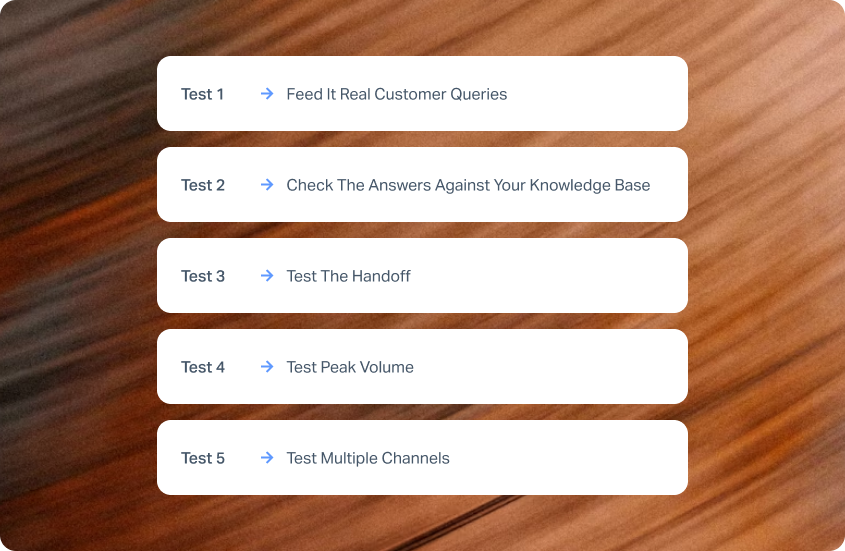
The most useful AI customer support trials let you test the technology against real customer queries, workflows, channels, and escalation points.
A free trial shouldn't just be an opportunity to click through a dashboard and try a chatbot. Use it to answer a more important question: could this AI actually work within your support operation?
Test 1: Feed It Real Customer Queries
Take a representative sample of your existing customer queries, including straightforward requests, unusual questions, and examples that previously required human judgment.
See which queries the AI can handle confidently and where it struggles. Pay particular attention to whether it understands customer intent rather than simply matching keywords.
Test 2: Check The Answers Against Your Knowledge Base
Test the AI against information your team knows to be correct. Does it use your approved knowledge? Does it give consistent answers when customers phrase the same question differently? Does it know when the information isn't available?
This is where you can identify whether the AI is genuinely grounded in your customer support content or simply producing convincing-sounding answers.
Test 3: Test The Handoff
Deliberately give the AI queries that should reach a human agent. Check whether the escalation happens at the right point and whether the agent receives enough context to continue the conversation without starting again.
Test 4: Test Peak Volume
If possible, test the system with a larger volume of queries rather than evaluating it one conversation at a time. B2C support can change dramatically during product launches, promotions, seasonal peaks, or unexpected service issues.
The question isn't just whether the AI can answer correctly. It's whether it can maintain that performance when demand increases.
Test 5: Test Multiple Channels
Finally, test the channels your customers actually use. An AI tool may perform well in chat but offer a very different experience across email or voice.
Look at whether the AI maintains consistent information and brand voice across channels, and whether customer context follows the conversation when a human agent needs to step in. If you already use customer feedback tools, compare feedback from AI-assisted interactions with your existing support benchmarks to see whether the experience is improving as well as becoming more efficient.
What Should You Measure During An AI Customer Support Trial?
Measuring an AI customer support trial means looking at operational performance, customer outcomes, and agent experience rather than AI activity alone.
It's easy to get impressed by an AI tool that answers questions quickly or resolves a large number of conversations. But speed and automation aren't the whole picture. You need to know whether the AI is actually improving your support operation.
As Radu Dumitrescu, BlueTweak's Head of Presale & Digital Transformation, puts it:
“Most organisations don't struggle with choosing features; they struggle with connecting them in a way that actually improves outcomes.”
That means defining the measures that matter before you start testing. AI reduces service costs and resolution times by 20% on average, while AI can boost issue resolution rates by 15%. Those figures shouldn't be treated as a guarantee for your own support operation, but they illustrate the kinds of outcomes worth measuring during a trial.
Depending on your support operation, these might include:
You don't need to track every possible AI metric. Start with the measures your team already uses to understand support performance, then look at how those measures change when AI is introduced.
That gives you a much clearer picture of whether the technology is improving customer support, rather than simply doing more work.
Free Trial vs. Free Plan: What Should You Actually Compare?
A free trial gives you temporary access to a product's capabilities, while a free plan provides ongoing access with limits that vary by provider.
The distinction comes into play when you're evaluating AI customer support or help desk software; a free-forever plan might look appealing because there's no time limit, but it may restrict the things you actually need to test, such as ticket volume, AI features, integrations, analytics, automation, or customer-facing AI.
A free trial can give you a better picture of what the product can actually do before you move onto paid plans. Just check what's included: some providers offer generous trials, while others limit access to certain advanced features or reserve key capabilities for paying customers.
Before starting a trial, check:
- Ticket volume: Can you test enough real customer queries to get meaningful results?
- Channels: Are the channels you need included?
- AI features: Can you test the AI capabilities you'd actually use?
- Integrations: Can you connect the systems your support team already relies on?
- Analytics: Can you measure performance during the trial?
- Human handoff: Can you test the transition between AI and human agents?
- Customer-facing AI: Can you test it safely before putting it in front of customers?
- Pricing: Where do paid plans start, and which features are included at each tier?
The aim isn't to find the longest free trial or the most generous free plan. It's to find a way to evaluate the product properly before you commit to using it across your customer support operation.
What Should You Do After Your B2C Customer Service AI Free Trial?
The results of an AI customer support trial should help you decide where AI can add value, where human agents are still needed, and whether the tool is ready for a wider rollout. Checking out free tools or signing up for a free trial is the best way of exploring their possibilities.
You don't need to automate every customer interaction to get value from AI. If your trial shows that AI can reliably handle a particular type of customer query, that's a useful starting point. You can then expand into other use cases as your team becomes more confident.
Look at the results alongside feedback from the people using the system every day. Support agents may spot problems that aren't obvious in your performance data, while customers can tell you whether AI-assisted interactions actually feel faster, clearer, and more helpful.
It's also worth identifying where AI shouldn't be used yet. Sensitive issues, unusual requests, or conversations that require judgment may still be better handled by human agents. A successful trial doesn't have to prove that AI can replace those interactions. It needs to show where AI can make the overall support operation better.
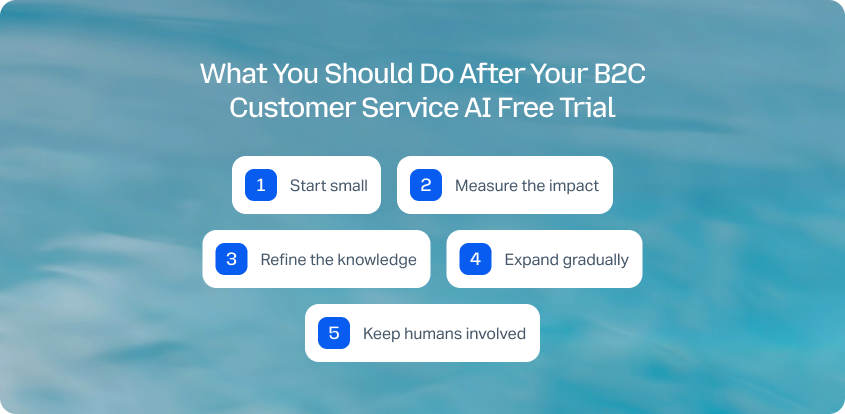
From there, you can build a more deliberate rollout:
- Start small: Choose repetitive, lower-risk customer queries where AI can make an immediate difference.
- Measure the impact: Track resolution, handling time, customer satisfaction, and agent feedback.
- Refine the knowledge: Use failed or escalated conversations to improve the information AI relies on.
- Expand gradually: Introduce AI to more complex queries or additional channels when the results support it.
- Keep humans involved: Give agents clear visibility and a straightforward way to take over when needed.
The aim isn't to automate as much as possible. It's to build an AI-supported customer service operation that works for your customers and your support team.
Try BlueTweak Free For 14 Days
BlueTweak's 14-day free trial gives support teams a way to explore an AI-powered customer service platform before committing to a wider rollout.
There's no credit card required and no strings attached. You can explore the platform independently and put its core functionality through its paces.
Start by testing the parts of your support operation where AI could make the biggest difference. You might use AI assistance to summarize conversations, classify tickets, translate messages, surface relevant knowledge, or help agents draft responses. From there, you can explore more customer-facing automation where it makes sense.
Because BlueTweak brings AI assistance, omnichannel support, knowledge management, and customer-facing conversational AI into an all in one platform, you can test different levels of AI adoption rather than evaluating a single chatbot in isolation. Its conversational AI can handle routine voice and chat requests while remaining grounded in the Knowledge Base and escalating to human agents with context when needed.
The best way to decide whether an AI customer support tool is right for your team is to put it through your own workflows, with your own customer queries, and your own definition of good support.
Start your 14-day BlueTweak free trial and see what AI could do for your customer support operation.
How To Choose The Right B2C Customer Service AI
The best B2C customer service AI is one that fits your support operation, improves the customer experience, and gives your team control over how and where AI is used.
There's no single best AI tool for every support team. A small team may need user-friendly help desk software, basic automation, an intuitive ticketing system, and basic analytics, while a larger operation may need advanced automation, voice support, detailed analytics, and AI resolution across multiple channels.
The important thing is to look beyond individual AI features. Consider how the platform handles customer data, past conversations, ticket management, and your knowledge base. Look at whether it offers seamless integration with your existing tools, a shared inbox or other core support features, and enough analytics to understand what's actually happening.
It's also worth considering how much of the AI you want customers to see. AI copilots and AI drafts can give human agents personalized assistance without changing the customer experience overnight. Customer-facing AI can then take on suitable queries, provide self-service, and offer faster responses as your team builds confidence.
Whether you're comparing established AI customer support tools such as Fin AI, Freddy AI, or Lyro AI, or looking at newer platforms with native AI capabilities, the same principle applies: test the technology against your own customer expectations before you commit.
A free trial gives you that opportunity. Instead of choosing based on a feature list, you can see how the AI handles your customer queries, uses your training data and knowledge, works across your channels, and supports your agents in delivering reliable, seamless support.
The result should be a support operation where AI handles the work it is suited to, human agents remain available when customers need them, and the technology helps your team enhance customer satisfaction rather than simply automate more conversations.
If you're ready to explore what that could look like for your team, book a BlueTweak demo to see how AI assistance, customer-facing AI, and human support can work together in one platform.

As Head of Digital Transformation, Radu looks over multiple departments across the company, providing visibility over what happens in product, and what are the needs of customers. With more than 8 years in the Technology era, and part of BlueTweak since the beginning, Radu shifted from a developer (addressing end-customer needs) to a more business oriented role, to have an influence and touch base with people who use the actual technology.



