



TL;DR
A multi-brand help desk lets support teams manage customer service for several brands, departments, or markets from one system, without treating every operation as identical. Instead of maintaining a separate help desk for each brand or combining everything into one shared inbox, teams can keep brand-specific workflows, knowledge, and permissions while sharing the underlying support infrastructure. This guide explains what to look for in a multi-brand help desk and how a single system can make multi-brand customer service easier to manage, measure, and scale.
Supporting one brand is relatively straightforward. Supporting several brands from the same customer service operation is a different challenge.
Each brand may have its own tone of voice, customer expectations, products, policies, workflows, and service levels. You may also have agents who support one brand exclusively, teams that work across several brands, or departments that need access to different customer information. As the operation grows, keeping those differences under control can become difficult.
The obvious solution is often to give each brand its own help desk. That keeps things separate, but it can also mean managing multiple systems, duplicating knowledge, switching between platforms, and pulling together reports from different sources just to understand overall support performance.
The alternative is to put everything into one shared system. That's easier to manage, but without the right controls, brands and departments can quickly become blurred together. Agents may see information they don't need, workflows can become overly standardized, and reporting may not give leaders a clear view of how each brand is performing.
BlueTweak takes a different approach with a multi-brand help desk: one underlying support operation with the flexibility to keep brands, teams, and markets appropriately separate. The right platform can give agents the context they need for each customer while giving support leaders a single view of the operation.
What Is a Multi-Brand Help Desk?
A multi-brand help desk is a customer service platform that lets one support organization manage interactions for multiple brands within a single system, while keeping brand-specific workflows, knowledge, permissions, and reporting appropriately separated.
This setup is useful for more than companies with several consumer brands. It can also support organizations with multiple business units, regional operations, departments, or client accounts managed by a shared customer service team.
The important distinction is that multiple brands don't necessarily need multiple systems. A multi-brand setup brings those operations together where there are clear efficiencies in doing so, while preserving the separation needed to deliver the right customer experience for each brand.
For example, a company might have three brands supported by the same contact center. Agents could use the same core platform to handle email, chat, and voice interactions, while each brand has its own routing rules, service processes, customer-facing content, and access permissions.
This creates a more connected support operation without requiring every brand to operate in exactly the same way.
The same principle can apply to departments. A customer service team, technical support team, and billing team might all work from the same platform, but each can have different queues, workflows, permissions, and escalation processes. That's why the concept extends beyond a multi-brand help desk to a broader multi-department help desk model.
Why Supporting Multiple Brands Gets Complicated
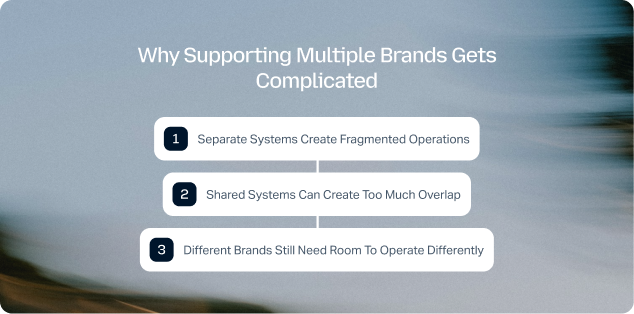
Managing several brands from one support operation can create complexity long before ticket volumes become a problem. The more brands, markets, and departments a team supports, the more decisions need to be made about who handles which customers, what information they can access, which processes they follow, and how performance is measured.
Separate Systems Create Fragmented Operations
Giving every brand its own help desk keeps customer conversations neatly separated, but it also creates multiple systems to administer and maintain.
Agents who support more than one brand may need to switch between platforms throughout the day. Knowledge may need to be maintained in several places, workflows have to be configured repeatedly, and integrations may need to be managed separately for each instance.
Reporting can become particularly difficult. If each brand has its own system, getting a complete picture of support performance means bringing data together from multiple sources. That can make it harder to compare brands, spot broader trends, or understand how the support operation is performing as a whole.
Shared Systems Can Create Too Much Overlap
The alternative is to put every brand into one help desk and treat them as one operation. While this reduces the number of systems to manage, it can introduce a different set of problems.
Not every brand will have the same customer policies, service levels, routing rules, or escalation processes. Agents may also need access to different customer information depending on which brand or department they support.
Without sufficient separation, a shared system can therefore create confusion for both agents and customers. The right workflow may not be applied to the right conversation, reporting can become difficult to interpret, and there's a greater risk of exposing brand-specific information to people who don't need it.
Different Brands Still Need Room to Operate Differently
The challenge isn't simply keeping brands separate. It's finding the right balance between shared infrastructure and brand-specific operations.
Some parts of customer service benefit from being centralized. A common platform, connected customer data, shared reporting framework, and consistent approach to knowledge management can make the entire operation easier to manage.
Other areas need more flexibility. A luxury brand may have different service expectations from a value-focused brand. A regional team may need different workflows from a global support team. A technical support department may need different escalation rules from a billing team.
A multi-brand help desk needs to accommodate both sides of that equation.
One Help Desk or One for Each Brand?
For organizations managing multi-brand customer service, the choice often comes down to how much separation they need versus how much they want to centralize. There's no shortage of help desk software that can support multiple teams or inboxes, but that's not necessarily the same as providing native multi-brand functionality.
A separate instance can make sense when brands operate almost entirely independently. But when the same support organization, agents, or leadership team spans multiple brands, maintaining several systems can create unnecessary work.
A shared help desk can solve some of that complexity, but only if it can distinguish between the operations it brings together.
That's the key difference between a help desk for multiple brands and simply putting several brands into the same queue. A multi-brand setup should allow teams to share the infrastructure that makes sense to share, while controlling the parts of the customer service operation that need to remain distinct.
What Should a Multi-Brand Help Desk Be Able to Do?
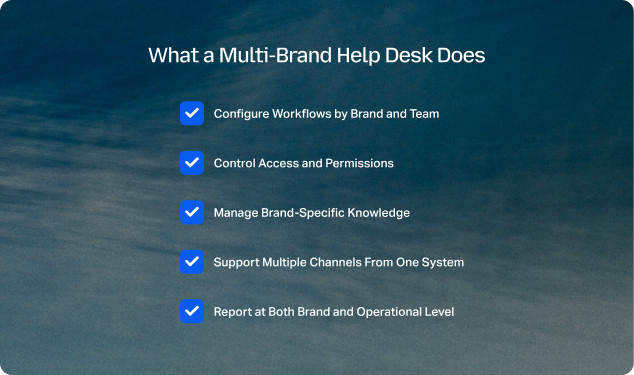
A multi-brand help desk should give support teams centralized infrastructure without forcing every brand or department into the same workflows, permissions, or customer experience.
When evaluating platforms, look for capabilities that support both sides of the operation.
1. Configure Workflows by Brand and Team
Different brands may need different routing rules, SLAs, queues, escalation paths, and processes. A platform should let support leaders configure those workflows without creating a completely separate environment for every brand.
This becomes even more important when departments operate differently within the same brand. A technical support team, for example, may need a different escalation process from a billing team, even when both work from the same help desk.
2. Control Access and Permissions
Centralizing multiple brands shouldn't mean giving every agent access to everything.
Role-based permissions can help ensure agents see the brands, teams, customer information, and tools relevant to their work. This makes a shared system easier to manage while maintaining the separation that individual brands and departments require.
3. Manage Brand-Specific Knowledge
Agents need accurate information for the brand they're supporting. Product details, policies, returns processes, service terms, and customer-facing language may all vary between brands.
A strong multi-brand setup should therefore make it easy to manage knowledge centrally while controlling which content applies to each brand, team, or market. This reduces the risk of agents using the wrong information and makes it easier to keep support content current.
4. Support Multiple Channels From One System
Customers don't necessarily contact different brands through the same channels. One brand may rely heavily on email and chat, while another generates more voice or social interactions.
A multi-brand help desk should bring those conversations into the same underlying operation without losing the context of the individual brand. This allows agents to work across channels while support leaders retain visibility into where conversations originate and how each brand is performing.
5. Report at Both Brand and Operational Level
Reporting is one of the biggest advantages of getting multi-brand architecture right. Support leaders should be able to drill down into individual brands, teams, markets, and channels, while still seeing the broader picture.
That could mean comparing CSAT between brands, monitoring response times by department, identifying changes in ticket volume, or understanding how the entire support operation is performing.
Without this level of flexibility, teams can end up choosing between detailed brand-level reporting and a useful view of overall performance. A well-designed multi-brand help desk should provide both.
Multi-Brand Customer Service Doesn't Mean Identical Customer Service
Centralizing support shouldn't mean making every brand follow exactly the same customer service model. The value of a multi-brand help desk is that it lets organizations standardize the infrastructure behind support while giving individual brands enough flexibility to operate in ways that make sense for their customers.
For example, several brands might share the same ticketing system, analytics framework, agent workspace, and core knowledge governance. At the same time, each brand can maintain its own tone of voice, workflows, service levels, escalation rules, and customer-facing processes.
This balance can also make it easier to introduce company-wide standards without forcing every brand into the same mold. Support leaders can define common practices around quality, reporting, security, and governance while individual teams retain control over the areas that affect their customer experience.
For organizations expanding through acquisition, launching new brands, or supporting different markets, that flexibility can be particularly useful. New operations can be added to the existing support environment without requiring the entire customer service model to be rebuilt.
How a Multi-Department Help Desk Fits Into the Same Model
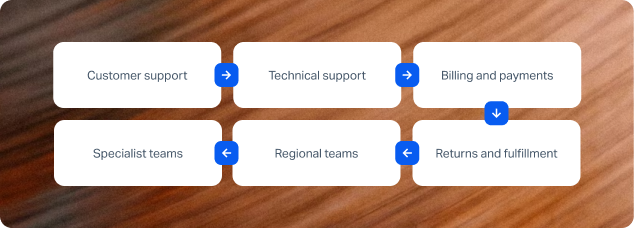
The same approach can work when an organization needs to manage multiple departments as well as multiple brands. A multi-department help desk gives different teams a shared support platform while allowing each department to manage the queues, workflows, permissions, and information relevant to its role.
A single customer service operation might include:
- Customer support: General questions, orders, account issues, and other customer requests.
- Technical support: Product troubleshooting, technical issues, and specialist escalations.
- Billing and payments: Invoices, refunds, payment questions, and account changes.
- Returns and fulfillment: Returns, exchanges, delivery issues, and order-related requests.
- Regional teams: Support teams responsible for particular countries, languages, or markets.
- Specialist teams: Teams handling VIP customers, complex cases, complaints, or other higher-priority work.
These teams don't necessarily need separate help desk software. They may benefit from working within the same underlying platform, particularly when customers or agents need to move between departments.
The important part is being able to define boundaries within that shared environment. A billing agent shouldn't need the same access as a technical support specialist, and a regional team may need a different knowledge set or workflow from a global customer service team.
When brands and departments are managed together, those controls become even more important. An organization could, for example, support several brands across multiple regions, with different departments assigned to each one. The help desk needs to understand those relationships so that the right conversations reach the right people with the right context.
What Does Multi-Brand Support Look Like in Practice?
A multi-brand help desk becomes most useful when it reflects how the support organization actually operates. Instead of creating an isolated environment for every brand, teams can use one platform while defining the boundaries that matter at brand, team, and department level.
This can be particularly valuable for BPOs and customer service organizations supporting multiple clients. Agents may work across different brands or projects, while each client still needs its own workflows, reporting, permissions, and customer experience.
BlueTweak supports this model by allowing multiple brands and teams to be configured within the same platform. Organizations can maintain brand-specific workflows and knowledge while giving support teams a shared workspace for managing customer interactions.
The result is a single operational layer without requiring every brand to be treated as if it were the same business.
For support leaders, that also changes how performance can be viewed. Instead of collecting data from separate help desk instances, teams can analyze individual brands, departments, or teams while retaining visibility across the wider support operation.
That matters when the purpose of centralization isn't simply to reduce the number of systems. It's to create a support operation that's easier to manage, easier to measure, and easier to scale.
“When you're supporting multiple brands, the challenge is finding the right balance between consistency and flexibility. You need a shared platform that gives teams visibility across the operation, but each brand still needs the freedom to manage its own workflows, knowledge, and customer experience. That's where a true multi-brand setup can make a real difference.” — Radu Dumitrescu, Head of Presale & Digital Transformation, BlueTweak
BlueTweak in Action: Conectys
Conectys is a good example of why multi-brand support needs more than a collection of separate help desk instances. As a global BPO, it manages customer service operations for multiple clients, making it important to keep client and brand operations appropriately separated while still giving teams a shared platform for managing interactions and data.
BlueTweak enabled Conectys to manage these operations within a single environment, with the flexibility to support different client requirements while bringing reporting and customer service data together. That gave the organization greater visibility across its operations without requiring every client to be managed through a completely separate system.
The results demonstrate the operational impact of that approach. Conectys achieved a 40% increase in reporting efficiency, a 35% improvement in customer satisfaction scores, and a 25% reduction in resolution times after implementing BlueTweak.
The example is particularly relevant for organizations managing several brands because the challenge is rarely just handling more tickets. It's being able to maintain the distinctions between brands while giving support leaders a reliable view of what is happening across the entire operation.
How to Choose the Right Multi-Brand Help Desk
Choosing a multi-brand help desk requires looking beyond whether a platform can technically create multiple queues or inboxes. The more important question is whether it can support the way your brands, teams, and departments actually operate.
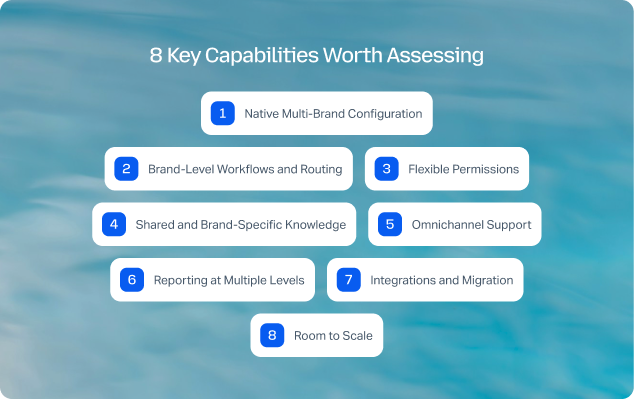
Here are eight key capabilities worth assessing.
1. Native Multi-Brand Configuration
Look for a platform that supports multiple brands within the same environment rather than relying on workarounds or disconnected instances. You should be able to define brand-level settings without duplicating the entire support operation.
2. Brand-Level Workflows and Routing
Each brand may have different priorities, SLAs, escalation paths, and routing rules. Check whether these can be configured independently while remaining part of the same underlying system.
3. Flexible Permissions
Agents should have access to the brands, departments, customer data, and functionality they need without automatically seeing everything in the platform. Role-based permissions are particularly important when teams work across several brands or clients.
4. Shared and Brand-Specific Knowledge
A multi-brand operation needs a sensible approach to knowledge management. Some procedures can be shared across the organization, while product information, policies, pricing, or customer-facing content may need to remain brand-specific.
A platform should make it possible to control that distinction without forcing teams to maintain completely disconnected knowledge bases. A centralized knowledge layer can also help keep agents working from verified information across channels.
5. Omnichannel Support
If different brands use different channels, make sure the platform can accommodate them without creating another layer of fragmentation. Email, chat, voice, and social interactions should be manageable within the wider support operation while retaining the context of the relevant brand. A strong omnichannel support setup brings these interactions together without losing the distinctions between brands, teams, or customer journeys.
6. Reporting at Multiple Levels
Reporting should work at both ends of the operation. Support leaders need an overall view of performance, but they should also be able to drill down into individual brands, teams, departments, channels, and markets.
This is particularly important when several brands share agents or other resources. A platform that only provides organization-wide reporting may hide important differences between brands, while completely separate reporting systems make cross-brand analysis unnecessarily difficult. BlueTweak, for example, provides a unified analytics view designed to track response time, resolution, workload, and customer satisfaction without stitching together separate spreadsheets.
7. Integrations and Migration
A multi-brand help desk also needs to fit into the systems already used by each part of the organization. Check whether the platform supports the required CRM, ecommerce, telephony, messaging, and other integrations, and whether different brands can connect the systems they actually use.
Migration matters too. Moving several brands onto a single platform is a significant operational change, so look for a migration approach that can preserve relevant data, history, and integrations while allowing teams to move in phases. BlueTweak supports native connectors and an open API, alongside a structured contact center migration approach.
8. Room to Scale
Finally, consider what happens when the organization adds another brand, enters another market, or restructures its support teams. The right platform shouldn't simply solve today's multi-brand problem. It should make the next change easier to manage.
A useful test is to ask: Could we add another brand without creating another help desk to administer?
If the answer is yes, you're looking at a platform that treats multi-brand support as part of its architecture rather than as an exception to the way the system normally works.
Why BlueTweak for Multi-Brand Customer Service?
BlueTweak is designed to support multiple brands, teams, and customer service operations within one platform, giving organizations a way to centralize their support infrastructure without losing the distinctions between brands.
Rather than creating a separate help desk for every brand, teams can manage multiple brands from one account and configure the workflows, knowledge, permissions, and reporting that each operation requires.
One Workspace, Multiple Brands
BlueTweak gives support teams a shared workspace for managing customer interactions across brands, while allowing each brand to retain its own operational setup.
That means teams can centralize the underlying support infrastructure without forcing every brand into the same routing rules, workflows, or customer-facing processes. Agents can work across brands where appropriate, while permissions and configuration help keep brand-specific operations separate.
Knowledge That Works Across the Operation
A multi-brand support operation needs more than a collection of disconnected knowledge bases. Teams need a way to maintain reliable information centrally while ensuring that agents have access to the content relevant to the brand and customer they're supporting.
BlueTweak's customer service knowledge base provides a centralized knowledge layer for procedures, policies, templates, and other support content. Brand-specific information can sit alongside shared knowledge, helping teams maintain consistency without treating every brand as identical.
This also gives organizations a stronger foundation for AI-assisted customer service, because agents and AI tools can work from governed support knowledge rather than relying on disconnected sources.
Reporting From the Brand Level Up
Multi-brand support becomes considerably easier to manage when reporting doesn't require data to be collected from several separate systems.
BlueTweak provides analytics and reporting across the support operation, while allowing teams to examine performance at more specific levels. Support leaders can use that visibility to understand differences between brands, teams, channels, or other parts of the operation while retaining an overall view.
This makes it easier to identify where performance is changing, compare operations, and understand whether improvements made in one part of the organization are having the desired effect elsewhere.
Omnichannel Support Without Additional Fragmentation
Different brands may rely on different combinations of email, chat, voice, and other customer communication channels. BlueTweak brings these interactions into a shared omnichannel environment while retaining the context needed to manage each brand appropriately.
For organizations supporting several brands, that means agents don't necessarily need to jump between separate systems simply because the customer they're helping belongs to a different brand.
Built to Adapt as the Operation Changes
Multi-brand organizations rarely stay static. Brands are acquired, new markets are added, teams are reorganized, and support responsibilities change over time.
A help desk that requires a new instance every time the structure changes can quickly become difficult to manage. BlueTweak's ability to configure brands and teams within the same platform gives organizations more flexibility to adapt their support operation without recreating the underlying infrastructure each time.
The result is a model that can centralize what should be shared while preserving the operational differences that make each brand distinct.
Build a Support Operation That Can Scale Across Brands
Supporting multiple brands doesn't have to mean choosing between complete separation and complete standardization. The right multi-brand help desk gives organizations a third option: shared infrastructure with enough control to keep brands, teams, departments, and markets operating appropriately.
That can mean fewer systems to administer, a more connected knowledge environment, clearer reporting, and a simpler experience for agents working across brands. More importantly, it gives support leaders a single operational foundation that can adapt as the organization grows.
For organizations considering whether to add another help desk instance or bring more brands into an existing support operation, the key question is simple: Can your current platform give you one system without making every brand work the same way?
If it can't, it may be time to look at a genuinely multi-brand approach.
Ready to see how BlueTweak can support multiple brands from one platform? Book a demo to explore the platform.

As Head of Digital Transformation, Radu looks over multiple departments across the company, providing visibility over what happens in product, and what are the needs of customers. With more than 8 years in the Technology era, and part of BlueTweak since the beginning, Radu shifted from a developer (addressing end-customer needs) to a more business oriented role, to have an influence and touch base with people who use the actual technology.



