



TL;DR
Multichannel customer service software lets support teams manage customer conversations across email, voice, chat, social, and other digital channels from a central platform. But adding multiple digital channels isn't enough if customer history, AI, knowledge, and reporting remain fragmented, making it harder for a multichannel support team to understand customer preferences, resolve inquiries, and deliver personalized support. This guide compares 12 multichannel customer service solutions for 2026 based on how much they actually unify, with a particular focus on whether AI can support customers across voice as well as digital channels.
Adding email, chat, social, and phone support should make it easier for customers to reach your business through the channels they prefer. Instead, many support teams find themselves managing more tools, more fragmented customer data, and more disconnected conversations as they add new channels.
A customer might start with in-app support, follow up by email, then call when the issue isn't resolved. If those interactions aren't connected, customers feel like they’re starting again every time they switch channels: they have to repeat the problem, the agent has to reconstruct the history, and the support team loses the context it needs to deliver personalized support and meet customer expectations.
That's the problem many teams discover after expanding their channel mix. They've given customers more ways to get in touch, but haven't necessarily built a better way to manage the resulting customer interactions. More channels can make multichannel customer support harder to operate, not easier, particularly when teams are using separate tools for voice, messaging, self-service, and digital support.
BlueTweak takes a different approach, bringing email, voice, chat, and social interactions into a single platform with one interaction timeline, knowledge layer, AI layer, and reporting model.
So rather than asking how many communication channels a customer service platform supports, this guide asks a more useful question: how much of the operation does it actually unify? Because the goal isn't simply to give customers more ways to contact you. It's to help them move between channels without losing context, give support teams the information they need to resolve issues, and build a customer service operation that supports retention as well as response.
What Is Multichannel Customer Service Software?
Multichannel customer service software helps support teams manage customer inquiries across several communication channels, such as email, phone, live chat, messaging, and social platforms, from a shared workspace. That typically means channel intake, routing, a shared customer record, automation and AI, knowledge, and reporting, all in one platform rather than one tool per channel.
Multichannel and omnichannel customer service aren't the same thing, and if you're not sure which model your team actually needs, our full comparison breaks down the difference.
Here's the more useful question for anyone comparing multichannel contact center platforms in 2026: every product in this comparison can put your channels in one queue. Given that, what matters isn't how many channels a customer communication platform supports, it's how much of the underlying operation it actually unifies once you're using it.
This matters because customers increasingly expect choice. Research shows that 62% of shoppers prefer businesses that offer multiple customer service channels, making a strong multichannel customer support strategy increasingly important for organizations of every size, from small businesses to enterprise support teams.
The important distinction for buyers isn't simply the channel count. A platform may support several channels while leaving agents to switch between user interfaces, customer data in separate systems, and reporting divided by channel. The more useful test is whether those channels share the context, knowledge, AI, and operational data needed to deliver consistent customer support.
That's increasingly important as customer expectations evolve faster than many organizations can adapt. PwC's 2025 Customer Experience Survey found that 70% of executives believe customer expectations are changing faster than their companies can keep up, while 29% of consumers say they've stopped using or buying from a brand because of poor customer experience.
For support teams, that puts pressure on more than response times. Customers expect businesses to recognize their history, understand their preferences, provide personalized support, and maintain context as customers interact across different channels throughout their journey .
That's why the strongest customer communication platforms should be evaluated on more than the number of channels they cover. They should help teams connect the customer journey, support operations, and customer data behind those interactions, while giving human agents the context they need to resolve issues efficiently and move closer to genuine omnichannel support.
A platform can offer multichannel support without truly bringing the underlying operation together. The best solutions go beyond giving customers more ways to get in touch, helping support teams manage those interactions as part of one connected customer experience.
Multichannel Contact Center: The Bigger Search Behind This Guide
Many teams land on this comparison searching for a multichannel contact center rather than multichannel customer service software specifically, usually because voice is the channel driving the most cost and the most frustration. The distinction matters less than the two terms suggest. A multichannel contact center is the same underlying problem with the phone channel weighted more heavily: several channels handled from one place, with the same open question about how much of the operation behind those channels is actually connected.
Everything in this guide, including the four-layer framework and the voice test below, applies just as directly whether you're evaluating a contact center built around calls or a broader customer service platform built around every channel at once.
The Four Layers a Multichannel Platform Has to Unify
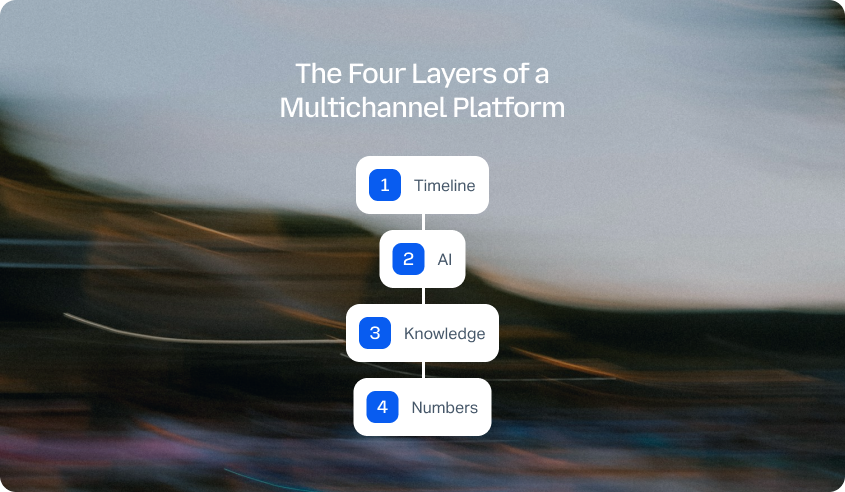
A unified inbox is the easy quarter of the job, and it's table stakes now. Every platform in this comparison can put email, chat, and social in one queue. That isn't what fragmentation means anymore.
Four things actually have to be unified, and most platforms manage one of them.
A platform that unifies layer one and leaves two, three, and four exactly where they were is a shared inbox with a routing engine. That's a useful product, and it isn't what the reader was sold when they added channels.
Each layer has its own cost when it stays fragmented. Layer 3 is the least obvious and the most expensive. When knowledge lives in three places, a policy change has to be made three times, and one of them gets missed, which is how a bot ends up quoting a returns window that changed last quarter. A shared self-service knowledge base should give agents, customers, AI, and self-service portals access to the same trusted information, with strong search functionality helping people find answers faster.
The same principle applies to the AI layer. Intelligent routing can direct customer inquiries based on intent and priority, while the strongest platforms keep that context available whether a customer contacts support during business hours or switches to another channel later.
“By month three, most teams have stopped asking whether their channels are connected. They already know the answer is no. The inbox looks unified, but the AI still only knows what happened on the channel it's sitting in, the knowledge base still has three versions of the same policy, and someone is still rebuilding last month's report in a spreadsheet. Consolidating the view was the easy part. Nobody warns you the hard part is still ahead.” — Radu Dumitrescu, Head of Presale & Digital Transformation at BlueTweak
AI on Voice: The Test Most Multichannel Platforms Fail
There's a fast way to check all four layers at once: ask any vendor whether their AI works on a phone call. Not whether they support voice as a channel, almost all of them do. Whether the AI does.
The answer is usually no, and the reason is structural rather than a gap someone forgot to close. Most support platforms grew out of ticketing, added chat, and sourced voice from a third party later. The AI layer was built on text, and voice arrived as an integration bolted on afterward. The automation stops at that boundary.
The consequence is the part nobody writes about. Voice is typically the highest cost per contact in the operation, and the channel where automation would pay back fastest. It's also the one the AI never reaches. Teams end up automating the cheap channel and staffing the expensive one, which is close to the opposite of what they were sold.
Three questions worth asking any vendor on this list:
- Does the AI resolve voice conversations end to end, or only transcribe them?
- Does it assist the agent live, during the call itself?
- How many languages does conversational voice cover, asked separately from the translation figure? Vendors tend to quote the bigger number.
BlueTweak's conversational AI covers 30+ languages, with real-time transcription and translation available separately across 100+ languages, agents replying in languages they don't speak. Speech recognition follows live calls to surface relevant information to the agent as the conversation happens, rather than after the fact.
See how voice support works when it's part of the same interaction model as every other channel. Book a demo and explore how a connected support operation can improve customer retention across the various channels your customers actually use.
What to Look for in a Multichannel Customer Service Solution
Each of these is a question worth putting to a vendor directly, not a feature to take their word for.
Channel coverage that names the surfaces. Ask which social and messaging surfaces are native rather than integrated through a third party. "Social" isn't an answer. A bad answer sounds like "yes, we do social." A good one names WhatsApp, Instagram, or whichever surfaces are actually built in.
Cross-channel continuity over time. Ask whether a call from three months ago surfaces when the same customer emails today. Bad: the agent starts from a blank thread. Good: the earlier case is visible before the agent types a word.
AI scope by channel. Covered above, and it's the criterion that separates this list more than any other.
One knowledge base, or three. Ask whether agent macros, bot answers, and the public help center draw from the same content, and what happens when a policy changes.
Reporting from one model. Ask whether cross-channel metrics are measured directly or calculated afterward from per-channel exports.
Which channels are in the price. Voice and social are the two most commonly gated. Entry tiers in this category run roughly $7 to $25 per agent per month, and almost none include the full channel set.
Multi-brand separation. Ask whether running two brands means two accounts. For franchise groups, retail groups, agencies, and BPOs, this decides the shortlist on its own.
Language coverage, as two numbers. Transcription and translation is one figure, conversational voice is another. A vendor quoting a single number is quoting the bigger one.
Agent experience. Ask how many tabs an agent has open on a normal day. It's a blunt question, and it's the most honest measure of unification there is.
How We Evaluated These Multichannel Customer Service Solutions
BlueTweak publishes this guide, and BlueTweak appears in the list below. We're not neutral, and we'd rather say so plainly in the first line than bury it in a footnote, especially since at least one other ranking of multichannel platforms currently in search results discloses paid placements within the page itself. No vendor paid for inclusion here, ours or anyone else's.
Rankings are based on vendor documentation, public pricing pages, and G2 and Capterra review summaries, reviewed in Q3 2026. Channel support, AI scope, and tier structures change frequently, tier structures especially, so treat this as a starting shortlist rather than a final answer. Verify current capability with a demo before committing to anything on it. Where pricing isn't published, we've written "Not published, verify with vendor" rather than estimating.
The BlueTweak Four-Layer Unification Test
To keep the comparison consistent, every product on this list is scored against the same framework: how much of the operation it actually unifies, not just how many channels it covers.
The timeline carries the lowest weight on purpose. A connected customer history used to be the differentiator in this category. In 2026, it's close to table stakes, most platforms here already get it right, so it's necessary but no longer decisive.
The AI layer carries three times that weight, because that's where the real gap sits. A platform can unify a customer's history perfectly and still run automation that only works on the channels it was built for first, usually text, rarely voice. That's what actually separates a unified platform from one that unified the easy parts.
Best Multichannel Customer Service Software at a Glance
If you're comparing 12 platforms, you shouldn't have to dig through every product page to work out which ones are worth a closer look. This quick comparison focuses on four practical buying criteria, including whether voice is genuinely native, how broadly AI is applied, whether the platform has a knowledge base, and who it's best suited to.
Pricing & feature disclaimer
Pricing, features, AI capabilities, integrations, and trial availability were verified from publicly available vendor information at the time of publication. Software platforms update their products frequently, so details may change after publication. We recommend confirming the latest pricing and feature availability with each vendor before making a purchasing decision.
This is the quick view, but the most important differences aren't always visible in a feature matrix. A platform can tick the boxes for voice, AI, and a knowledge base while still keeping those capabilities disconnected from the rest of the customer journey.
That's why the sections below apply the four-layer test to every solution, looking at the timeline, AI, knowledge, and reporting rather than simply counting features.
Want to see what a genuinely connected support operation looks like? Try BlueTweak free for 14 days, with no credit card required, and explore how email, voice, chat, and social can work from a single platform.
The 12 Best Multichannel Customer Service Solutions in 2026
With the four-layer framework in place, we can now apply the same test to the platforms themselves. The 12 solutions below are grouped according to how much they actually unify, rather than simply how many communication channels they support.
That distinction matters because a long channel list doesn't necessarily mean a connected customer journey. Some platforms bring the timeline, AI, knowledge, and reporting together, while others are particularly strong on one channel, one customer segment, or one part of the support operation.
Category 1: Unified Across All Four Layers
These platforms go beyond consolidating customer conversations. Their timeline, AI, knowledge, and reporting work from a shared foundation, with the strongest solutions extending AI into voice as well as digital channels.
1. BlueTweak: Best for Unified AI, Knowledge, and Reporting

BlueTweak brings email, voice, chat, WhatsApp, and Facebook Messenger into a single interaction timeline, with one AI layer, one Smart Knowledge Base, and one reporting model behind those interactions. The result is a single platform for managing customer interactions rather than separate tools for each communication channel.
- Timeline: BlueTweak connects customer contacts across channels in one interaction timeline, so an agent can see the history behind a customer inquiry even when that customer switches from one support channel to another. That continuity also persists over time, meaning a call in January can connect to an email in March with the earlier interaction still visible.
- AI in Voice: BlueTweak's AI applies across channels rather than operating as a separate chatbot or automation tool for each one. This includes conversational voice across 30+ languages, as well as real-time transcription and translation
The key distinction is voice. BlueTweak's conversational AI extends beyond text-based customer support, while real-time assistance can surface relevant information during live calls. That makes voice a useful test of whether the platform has actually unified its AI layer or simply added AI to its digital channels. - Knowledge: BlueTweak's Smart Knowledge Base acts as one verified source for agents, suggested replies, chat, and voice. Suggested replies are grounded in that approved content rather than generated freely, helping teams maintain consistent answers when policies, products, or processes change.
- Reporting: BlueTweak's reporting uses a single interaction model, allowing customer service operations to measure performance across channels rather than stitching together separate channel reports. Teams can track metrics such as response times, resolution, workload, SLAs, agent performance, and customer satisfaction across the wider operation.
Native voice, not resold: BlueTweak's voice capability is built around its proprietary softphone rather than a separate third-party voice product. That matters because the voice channel is part of the same interaction model as the rest of the platform, rather than sitting alongside it as a separate system.
Multi-brand support: BlueTweak can also support multiple brands or departments within a single instance, with reporting separated by brand. That's particularly useful for organizations running several customer-facing operations from one support function, without requiring a separate platform for every brand or department.
Limitation: BlueTweak is a smaller vendor than Zendesk, Salesforce, or Freshworks, with a smaller integration marketplace and fewer public case studies. If your evaluation is gated on app ecosystem breadth or a specific native connector, check the integration list first, and note that custom integrations are built quickly but are not the same as a native connector on day one. On security specifically, BlueTweak currently supports role-based access control, with SSO and MFA on the roadmap rather than shipped today. Teams with SSO or MFA as a hard requirement should confirm current status directly before committing.
Pricing: BlueTweak is priced at €65 per agent per month, with ticketing, omnichannel support, AI, workforce management, quality assurance, analytics, and APIs included in the subscription.
Want to see what the numbers could look like for your operation? Use the BlueTweak ROI Calculator to estimate the potential impact based on your own support operation.
“Most teams don't have a channel problem, they have a fragmentation problem. They've already invested in email, chat, voice, and social, but the real value comes when those interactions, the AI supporting them, the knowledge behind every answer, and the data used to measure performance all work from the same foundation. That's where we believe support teams can move from simply managing more channels to actually delivering a more connected customer experience.” — Radu Dumitrescu, Head of Presale and Digital Transformation, BlueTweak
BlueTweak in Action
Conectys, a global BPO, used BlueTweak to improve how its teams accessed customer data and managed reporting across its support operation. The implementation reduced data retrieval times by 30%, increased reporting efficiency by 40%, improved customer satisfaction scores by 35%, and reduced resolution times by 25%, demonstrating how connecting the underlying support operation can deliver benefits beyond simply consolidating communication channels.
Verdict: BlueTweak is one of the few platforms in this comparison that properly unifies the timeline, AI, knowledge, and reporting layers, including voice.
Want to see what your channels look like in one timeline, with one AI behind them? Book a BlueTweak demo or start a free 14-day trial with no credit card required.
2. Zendesk: Best for Broad Ecosystem and Mature Tooling

Zendesk is the category's default reference point, built around ticketing and expanded over the years into a full customer service suite covering email, chat, voice, and social messaging, backed by the largest integration marketplace on this list and its own AI layer.
- Timeline: Zendesk's Suite plans bring channels into a shared agent workspace with a unified customer view, and its ticketing and routing are mature enough that most teams have no complaints here. This is Zendesk's most consistently strong layer across tiers.
- AI in Voice: Zendesk AI Agents ship with every Suite plan for basic deflection, with a more capable Advanced tier priced separately on a per resolution basis. Voice specific AI capability, including generative AI on calls, sits on Zendesk's higher Enterprise tier rather than the entry Suite plans, so teams should confirm exactly which AI features apply to voice before assuming coverage matches what's advertised for chat and email.
- Knowledge: Zendesk's knowledge base powers both self service and AI Agents, with content reused across the help center, chat, and automated resolutions from a shared source. Zendesk's AI Agent defaults to the help center as its knowledge source, but can also be connected to Confluence, external websites, or other help centers, so whether it stays a single source of truth depends on how a team configures it.
- Reporting: Reporting improves meaningfully at higher tiers, with cross channel dashboards and more advanced analytics reserved for Professional and above. Teams comparing entry level Suite pricing against a fuller reporting picture often underestimate how much of that capability sits above the tier they're evaluating.
Limitation: The capability that makes Zendesk worth buying, meaning AI Agents with voice coverage, agent side Copilot, and advanced reporting, sits several tiers and several add ons above entry pricing. Copilot adds a separate per agent fee on top of the Suite plan, and AI Agent usage bills per resolution once the included allowance runs out.
Pricing: Zendesk Suite, the omnichannel offering, starts at roughly $55 per agent per month for Team, rising to $115 for Professional, with Enterprise priced on request, all based on annual billing. Voice and workforce tooling are separate add on bundles, and AI Agent usage bills per resolution on top. Verify current packaging directly with Zendesk, since tiers and add-on pricing shift frequently.
Verdict: Zendesk unifies the timeline and knowledge layers well, but the AI and reporting depth that make the multichannel promise real live in tiers most buyers don't budget for at signup.
3. Salesforce Service Cloud: Best for Operations Already Standardized on Salesforce

Salesforce Service Cloud extends Salesforce's CRM into customer service, giving teams already running Salesforce a service desk built on the same customer data, case history, and platform tooling as their sales and marketing operations.
- Timeline: Because Service Cloud shares a data model with the rest of Salesforce, the customer timeline benefits from context most standalone help desks can't match, including purchase history, prior sales interactions, and account data alongside support cases. This is Salesforce Service Cloud's clearest strength.
- AI in Voice: Salesforce's AI layer, Agentforce, doesn't unlock until the Enterprise edition, and it's billed separately from the seat price, either per conversation or through a consumption based Flex Credits model. Voice specific Agentforce actions draw credits at a higher rate than standard actions, and voice support itself runs through a separate Service Cloud Voice add on. Teams should model AI and voice costs on top of the edition price rather than assuming either is included.
- Knowledge: Salesforce Knowledge is available from the Enterprise edition up and can ground both agent facing answers and Agentforce responses in the same content, though teams on the cheaper Starter Suite or Pro Suite editions don't get access to it.
- Reporting: Reporting benefits from the same shared data model as the timeline, with dashboards that can pull in the wider customer record rather than just support metrics. This is genuinely strong for teams that already have Salesforce reporting practices in place.
Limitation: The multichannel benefit is largely conditional on already owning or committing to the wider Salesforce platform. Implementation is heavier and slower than most other products on this list, and Salesforce's AI economics mean a mid-sized team can end up paying several times its base license cost in Agentforce usage once AI is switched on at any real scale.
Pricing: Service Cloud editions run from roughly $25 per user per month (Starter Suite) up to around $175 for Enterprise and $350 for Unlimited, with a bundled Agentforce edition priced separately again at roughly $550. Verify Enterprise and Unlimited pricing directly with Salesforce.
Verdict: Salesforce Service Cloud offers real timeline and reporting depth on the back of the wider CRM, but its AI and voice costs scale sharply, and the platform only makes sense once you're already committed to Salesforce as your system of record.
Category 2: Unified Timeline and Knowledge, AI Strongest on One Channel
These platforms do a good job consolidating the agent view and maintaining customer or knowledge context, but their AI is more strongly associated with a particular channel or interaction type. The important distinction is where each platform's strengths actually apply, rather than treating all AI capabilities as equivalent.
4. Intercom: Best for Product-Led, In-App Customer Support

Intercom combines customer messaging, help desk functionality, AI support, and a knowledge base around an in-app customer experience. It's particularly well suited to SaaS companies where customers can get support directly inside the product.
- Timeline: Intercom connects customer conversations and user information in a shared workspace, giving agents context around previous interactions. Its customer record is strongest when support is centered on conversations taking place through Intercom's own messenger.
- AI in Voice: Intercom's Fin AI Agent is a major strength, particularly for automated customer support and self-service. It can use a company's knowledge to answer questions and hand conversations to human agents when needed. The limitation is that Intercom's strongest AI experience is closely tied to its messaging and digital support environment rather than providing the same depth of AI support across every channel.
- Knowledge: Intercom provides a knowledge base that can power both customer self-service and AI-generated answers. This gives teams a stronger shared knowledge layer than platforms where chatbot content, help center articles, and agent resources are maintained separately.
- Reporting: Intercom provides reporting across conversations, support performance, and AI interactions. However, teams with significant support volume outside Intercom's core messaging environment should look closely at how much of that activity is represented in the same reporting model.
Limitation: Intercom's product-led approach isn't ideal for every support operation. If a large proportion of your customers reach support by phone or email, its in-app messenger and AI strengths become less central to the customer journey.
Pricing: Intercom's entry plans (starting at $29 per seat/month) provide the core customer service platform, while AI Agent usage is priced separately (Fin is priced at $0.99 per outcome). Teams should factor AI resolution costs into the total cost rather than evaluating the subscription price alone.
Verdict: Intercom is a strong choice for digital-first support, but its AI advantage is less compelling when voice and other channels dominate the customer journey.
5. Freshdesk: Best for Budget-Conscious Teams Wanting Fast Setup
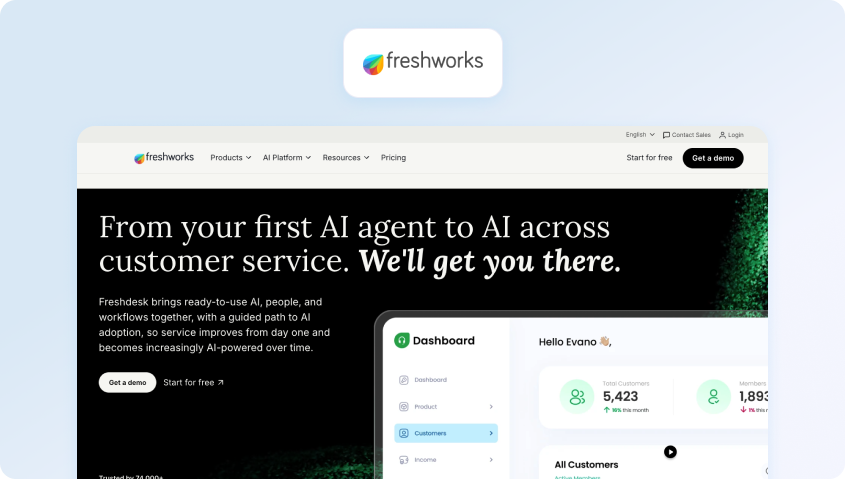
Freshdesk is a widely used customer support platform offering ticketing, automation, self-service, AI, and support across multiple communication channels. It's particularly attractive to teams that want to get a support operation running quickly without starting with the cost or implementation burden of an enterprise platform.
- Timeline: Freshdesk gives agents a centralized view of tickets and customer conversations, helping support teams manage interactions from multiple channels. However, voice is delivered through Freshcaller, so teams need to examine how their overall customer history is connected when interactions move between products.
- AI in Voice: Freshdesk's Freddy AI provides features including automated responses, ticket summaries, suggested replies, and AI-powered customer service. Its AI is increasingly integrated across the Freshworks ecosystem, but channel coverage and AI functionality vary by plan and product.
- Knowledge: Freshdesk includes a knowledge base for customer self-service and agent support, giving teams a central place to manage help content. This is one of the platform's stronger layers, particularly for teams that want to reduce repetitive support requests.
- Reporting: Freshdesk provides reporting and analytics for support performance, including metrics around tickets, agents, SLAs, and customer satisfaction. The potential fragmentation comes from the separate products used for different channels, particularly voice.
Limitation: Freshdesk's broad channel offering can involve separate Freshworks products, with voice handled through Freshcaller. That can make the underlying operation less unified than a platform where voice, digital channels, AI, and reporting all live in the same system.
Pricing: Freshdesk’s paid plans start at $15 to $19 per agent per month. Voice through Freshcaller is separately packaged, so teams should check the current plan and channel requirements rather than assuming the entry price covers every channel.
Verdict: Freshdesk offers a compelling low-cost starting point, but its channel architecture can leave some of the underlying operation fragmented.
6. Kustomer: Best for high-volume ecommerce customer timelines

Kustomer is a CRM-style customer service platform built around a persistent customer timeline. It's particularly suited to ecommerce and other high-volume operations where agents need a detailed view of customer history, orders, and previous interactions.
- Timeline: This is Kustomer's strongest layer. Kustomer's customer timeline brings conversations and customer information together, giving agents context across interactions rather than treating every support request as an isolated ticket.
- AI in Voice: Kustomer IQ provides AI-powered customer intent detection, self-service, and automation. Its strength is closely tied to understanding customer intent and using that information to support the service workflow, although teams should assess exactly which channels and AI capabilities are included in their chosen package.
- Knowledge: Kustomer supports knowledge-driven self-service and AI, helping customers find answers without always requiring a human agent. The knowledge layer is strongest when used alongside Kustomer's customer and intent data.
- Reporting: Kustomer provides reporting and analytics for support performance, customer service activity, and operational metrics. As with any platform in this category, teams should check whether the reporting they need is available across every channel and at their selected pricing tier.
Limitation: Kustomer doesn't offer a free trial, and costs can increase as support operations scale beyond the base package. That makes it particularly important to model expected customer volume and channel requirements before choosing it.
Pricing: Kustomer uses custom pricing models and as such, capabilities can be tailored to individual needs and requirements. Teams should confirm current channel, AI, and automation allowances before comparing the headline price with competitors.
Verdict: Kustomer's persistent customer timeline is a genuine strength, but its value is strongest for operations that can justify its cost at scale.
7. HubSpot Service Hub: Best for teams already running HubSpot
HubSpot Service Hub adds customer service capabilities to the wider HubSpot CRM platform, making it particularly attractive to companies that already use HubSpot for marketing, sales, and customer data. Its biggest advantage is continuity between those functions rather than customer support in isolation.
- Timeline: HubSpot's CRM provides a strong shared customer record, connecting service interactions with the wider history of a customer or prospect. This can give agents valuable context beyond the immediate support request.
- AI in Voice: HubSpot's AI capabilities support customer service tasks including conversation assistance, content generation, summarization, and automation. However, teams should distinguish between AI available across the HubSpot platform and capabilities specifically designed for customer-facing support.
- Knowledge: Service Hub includes a knowledge base that can support customer self-service, while HubSpot's wider content ecosystem can provide additional context. This gives teams a strong foundation for keeping customer-facing information connected to the broader CRM.
- Reporting: HubSpot provides service reporting around tickets, SLAs, customer feedback, team performance, and other support metrics. The broader CRM context is an advantage, although some advanced reporting and service functionality sits behind higher tiers.
Limitation: HubSpot's pricing can jump significantly between tiers, and teams requiring channels such as SMS may need third-party integrations. That means the attractive entry point doesn't necessarily represent the cost of the full multichannel customer service operation.
Pricing: HubSpot offers Service Hub across multiple tiers (including a free tier), with more advanced automation, reporting, and customer service capabilities reserved for higher plans (paid plans start at $7 per month/seat). Teams should also account for the cost of additional seats, usage, and third-party channel integrations when calculating the real total.
Verdict: HubSpot Service Hub is particularly compelling when the rest of your customer data already lives in HubSpot, but the economics become less attractive as advanced service requirements grow.
Category 3: Deep on a Channel or a Segment
Not every strong customer service platform needs to be equally broad. These solutions are particularly compelling when their strongest channel or customer segment matches your operation, even if they don't provide the same level of cross-channel unification.
They're also where shared inbox software naturally enters the comparison. For some teams, a genuinely collaborative inbox is more valuable than paying for a broader platform with capabilities they don't need.
8. Gorgias: Best for Shopify-First E-Commerce Customer Support
Gorgias is a helpdesk built around e-commerce, with deep Shopify integration that surfaces order context inside every ticket and automation designed around e-commerce-specific requests like order status, returns, and subscription changes.
- Timeline: Gorgias unifies email, chat, and social conversations in one inbox, with order data pulled in from Shopify so agents aren't switching tools to check a purchase.
- AI in Voice: Gorgias AI Agent handles automated resolutions as a separate add-on, billed per resolution on top of the base plan.
- Knowledge: A knowledge base is available for self-service, though it's a secondary layer compared to the ecommerce-specific automation that's the product's real strength.
- Reporting: Gorgias includes Revenue Statistics from the Pro plan up, tying support activity directly to sales impact, which is a genuinely useful angle for ecommerce specifically. Below Pro, reporting is more basic and doesn't carry that revenue lens.
Limitation: Voice and SMS are priced as usage-based add-ons whose exact rates aren't published on Gorgias's pricing page, and AI Agent resolutions bill separately once you exceed your plan's allowance. Brands running meaningful voice or SMS volume should get exact figures in writing before committing, since third-party estimates put both well above the sticker price at scale.
Pricing: Plans run from around $40 per month (Starter, 50 tickets) through Basic (roughly $77 per month for 300 tickets), Pro (around $471 per month for 2,000 tickets), and Advanced (around $1,227 per month for 5,000 tickets), with custom Enterprise pricing above that. Voice, SMS, and AI Agent usage are all billed on top.
Verdict: Gorgias is the strongest e-commerce-specific option on this list, but its per-ticket pricing model and gated voice and SMS mean the real cost climbs fast for brands with genuine omnichannel volume.
9. Front: Best for collaborative shared inbox workflows
Front is shared inbox software built around email collaboration, meaning assignment, internal comments, and shared drafts inside a familiar inbox layout, rather than a broader multichannel platform trying to unify voice, AI, and reporting across channels.
- Timeline: Front connects conversations within its shared inboxes well, but it doesn't build the kind of persistent, cross-channel customer base history that a CRM-style timeline does. The strength is team coordination on a thread, not a unified customer record over time.
- AI in Voice: Autopilot (automated resolution) and Copilot (suggested replies) are available as paid add-ons on the Starter and Professional plans, and included by default on Enterprise. Autopilot bills separately per resolution.
- Knowledge: A basic internal knowledge base is available from the Growth tier up, mainly to support agents rather than power a broader AI layer.
- Reporting: Front provides analytics on response times, volume, and team performance, with more advanced reporting reserved for higher tiers. Since Front's model is per-inbox rather than a unified interaction record, reporting reflects team activity well but doesn't build toward the kind of cross-channel metric BlueTweak and the category leaders offer.
Limitation: Front's model is rooted in email and messaging, and native telephony isn't part of the product, so voice and AI reach across channels aren't what you're buying here.
Pricing: Starter runs around $25 per seat per month and is limited to a single channel type, Professional is around $65, and Enterprise is around $105, all billed annually.
Verdict: Front is shared inbox software, not a multichannel platform, so voice and AI across channels were never the product. If a genuinely good collaborative email experience is what you actually need, it's one of the best in the category.
10. Help Scout: Best for Small Teams Prioritizing Simplicity

Help Scout keeps things clean and human, a support-focused shared inbox paired with a genuinely solid knowledge base, and it stays deliberately simpler than its broader helpdesk peers.
- Timeline: Conversations from email, live chat, and social channels like Messenger and Instagram sit in one shared inbox, with WhatsApp added at the Plus tier. There's no voice channel, so the timeline stops at digital channels.
- AI in Voice: AI Answers resolves customer questions from the knowledge base, billed at roughly $0.75 per resolution after a trial period. AI Drafts and Summarize are reserved for the Plus tier and above.
- Knowledge: Docs, Help Scout's knowledge base, is one of the platform's genuine strengths, powering both self-service and agent-facing answers from the same content. This is shared inbox software done well, with the knowledge layer doing real work rather than sitting on the side.
- Reporting: Basic reporting is available on the Standard tier, with more detailed metrics and customization added at Plus and Pro. It's serviceable for a small team's needs, but not built for measuring performance across a channel mix broader than email, chat, and social.
Limitation: No native voice channel at all, and automation is limited on the entry Standard tier. WhatsApp and more advanced routing require the Plus plan.
Pricing: A free plan covers up to 5 users, the Standard plan runs at $25 per user per month, Plus around $45, and Pro around $75, all billed annually. AI Answers are billed separately at $0.75 per resolution.
Verdict: Help Scout is shared inbox software done right for small teams, but the lack of a voice channel and the automation ceiling on lower tiers mean it stops scaling right where this comparison's four-layer test starts to matter.
11. LiveAgent: Best for Broad Channels at Low Cost

LiveAgent packs ticketing, live chat, native voice, and social channels into one plan at one of the most aggressive price points in this comparison.
- Timeline: LiveAgent brings email, chat, calls, and social messages into a single unified inbox, and reviewers consistently praise its departmental routing and workload distribution.
- AI in Voice: An AI chatbot and AI answer assistant are included on every plan tier, though the depth is basic compared to purpose-built AI layers elsewhere on this list.
- Knowledge: A built-in knowledge base is available across plans.
- Reporting: Basic reporting is available across every plan, but advanced analytics and call monitoring features, like supervisor dashboards, are gated to higher tiers and need additional configuration to set up.
Limitation: Multiple recent reviews cite user interface complexity and an aging, occasionally overwhelming feature set, along with a mobile app that lags the category. Additional social channels are priced on top of the base plan, which narrows the price advantage faster than the entry price suggests.
Pricing: Promotional pricing plans start at $10 per agent per month, with the full call center (voice, IVR, SLA rules) available from the Medium plan ($19 per agent per month), Large running at $33 per agent per month, and Enterprise at $46 per agent per month. Prices normally range from $15 (or $19 monthly) for Small, to $69 (or $85) for Enterprise.
Verdict: LiveAgent is one of the cheapest ways to get broad channel coverage including voice, but the interface and mobile experience lag the category leaders, and add-ons close the price gap faster than the sticker suggests.
Category 4: Genuinely Multichannel, and Priced Accordingly
These platforms offer a broad range of communication channels, but those channels can operate more independently than they do in the leading platforms above. That's not automatically a problem: for some teams, broad coverage at a competitive price is exactly the trade-off they're looking for.
12. Zoho Desk: Best for Teams Already Using Zoho

Zoho Desk is part of Zoho's wider software suite, connecting to Zoho CRM, Zoho SalesIQ, and Zoho Analytics for teams that already run their business on Zoho, and it undercuts most of this list on price at every comparable tier.
- Timeline: Conversations across email, chat, social, and phone are consolidated into one workspace, and CRM context from the wider Zoho suite adds depth for teams already inside that ecosystem. Cross-channel unification here is more modest than the category leaders above.
- AI in Voice: Zia, Zoho's AI assistant, provides sentiment detection, ticket categorization, and automated replies, but it's reserved for the Enterprise tier rather than included from entry pricing.
- Knowledge: A multilingual knowledge base is available, though reviewers consistently note that Zoho Desk's reporting and analytics lack the depth and flexibility of rivals on this list.
- Reporting: Zoho Desk includes real-time dashboards and customizable reporting, and ties into Zoho Analytics for teams already in that ecosystem. That said, this is one of the more consistently flagged weak points in reviews, reporting and analytics are repeatedly described as lacking the depth and flexibility of category leaders.
Limitation: Reporting and analytics lack depth compared to competitors, the interface has a steep learning curve, and several advanced features, including Answer Bot and sentiment AI, are gated to the $40 per agent Enterprise tier. Telephony and multi-department support don't arrive until the Professional tier either.
Pricing: A free plan covers up to 3 agents, then Express runs around $7 per agent per month, Standard around $14, Professional around $23, and Enterprise around $40, all billed annually.
Verdict: Zoho Desk offers broad channel coverage at the lowest price on this list, but cross-channel context and unified reporting are weaker than the leaders, and the value case depends heavily on already running the wider Zoho suite.
How Much Should Multichannel Customer Service Software Cost?
Published entry prices for customer service software typically start between $7 and $25 per agent per month, but the cost of a genuinely multichannel setup can be considerably higher once you include voice, social channels, AI, and other advanced capabilities. Almost none of the entry tiers in that range include the full channel set.
The problem is that entry tiers often cover only a subset of the channels you need. Voice and social support are among the channels most commonly gated behind higher plans or separate products, meaning the platform you thought would consolidate your support channels can still leave important parts of the operation fragmented.
AI is another common paywall. Some platforms include basic automation in their entry plans but reserve more advanced AI, AI agents, conversation intelligence, or higher usage limits for more expensive tiers or separate add-ons. The automation layer is important though as it is one of the things that can make multichannel customer service more efficient in the first place.
For a realistic comparison, don't multiply the entry price by your number of agents and stop there. Instead, model the tier that includes your actual channel mix and the AI capabilities you need, multiply that by your seats, then add any separate costs for voice, social, AI usage, additional contacts, or other required features.
For example, if you need email, chat, social, and phone support, the cheapest plan that supports email and chat isn't your real cost. Your real cost is the plan that includes all four channels, plus the AI required to automate or assist those interactions.
That makes the multi-channel help desk price less about the advertised per-agent figure and more about what's actually included in the seat price.
For many teams, the biggest cost isn't the initial setup. It's paying separately for voice, social, AI, and the channel-specific training needed when agents have to learn multiple interfaces.
Why Teams Choose BlueTweak

More channels don't automatically mean better customer service. The teams that see the biggest operational gains are the ones that connect those channels to the context, knowledge, AI, and reporting that sit behind every interaction.
Faster Resolutions
Agents have the customer's history and interaction context in front of them when they open a conversation, reducing the need to search across systems or ask customers to repeat information.
Customers Stop Repeating Themselves
A connected interaction timeline means a conversation doesn't become a new thread every time a customer moves from email to chat or voice.
Agents Stop Switching Tabs
Email, voice, chat, WhatsApp, and Facebook Messenger can be managed from a single workspace, keeping agents focused on the customer interaction rather than navigating between channel-specific tools.
Numbers You Can Act On
Reporting is based on a single interaction model rather than disconnected per-channel exports, giving customer service operations a clearer view of trends, performance, and where customers are encountering friction.
See every channel in one timeline, with one AI behind them. Book a BlueTweak demo or start a 14-day free trial , no credit card required.
Which Multichannel Customer Service Solution Is Right for You?

There's no single best platform for every support operation. The right choice depends on the channels your customers actually use, the systems your team already has in place, and how much of the underlying customer service operation you need to unify.
- Need AI, knowledge, timeline, and reporting unified across channels, including voice? Choose BlueTweak.
- Need the broadest ecosystem and mature enterprise tooling? Choose Zendesk.
- Already standardized on Salesforce? Choose Salesforce Service Cloud.
- Already running HubSpot? Choose HubSpot Service Hub.
- Support happens primarily inside your product? Choose Intercom.
- Running a Shopify-first ecommerce operation? Choose Gorgias.
- Want genuinely strong shared inbox software? Choose Front.
- Prioritize simplicity for a small support team? Choose Help Scout.
- Want broad channel coverage at the lowest cost? Choose LiveAgent or Zoho Desk.
But there's a bigger lesson in the comparison.
If you've already consolidated your communication channels and the customer experience still feels fragmented, the channels probably aren't the problem. You've unified one layer, but the AI, knowledge, and numbers behind those interactions may still be operating independently.
That's why the most revealing question isn't how many channels a support platform supports. It's whether its AI works when a customer picks up the phone. A strong AI voice experience should feel like part of the same customer conversation, with low response latency that keeps interactions flowing naturally, natural conversation quality that makes automated support feel usable, and speech recognition that can handle various accents and background noise without losing context.
A customer shouldn't have to explain the same problem again because they changed channels. An agent shouldn't have to switch between five systems to understand what happened. And a support leader shouldn't have to stitch together separate reports to understand the customer journey.
You were told to add channels, so you added channels. If the promised improvement didn't arrive, that isn't necessarily a failure of execution. It's what happens when one layer of the operation is unified and three aren't. The platforms worth considering are the ones that connect voice, chat, email, and messaging with the same AI, knowledge, and reporting, using modern speech recognition and natural-sounding speech synthesis to make conversations feel consistent across every channel.
Want to see what that looks like in practice? Book a BlueTweak demo and see how every channel can work from one timeline, with one AI behind them.

As Head of Digital Transformation, Radu looks over multiple departments across the company, providing visibility over what happens in product, and what are the needs of customers. With more than 8 years in the Technology era, and part of BlueTweak since the beginning, Radu shifted from a developer (addressing end-customer needs) to a more business oriented role, to have an influence and touch base with people who use the actual technology.



