



TL;DR
Choosing the right help desk ticket management software means balancing customer experience, automation, operational efficiency, and cost. This guide compares 20 leading platforms for 2026, including AI-powered solutions, service desk tools, and omnichannel customer support platforms. We evaluate each option based on channels, AI capabilities, pricing, integrations, reporting, workforce management, and scalability for teams managing 20–100 agents.
Support teams rarely struggle because they lack another inbox. They struggle because customer conversations are fragmented across email, chat, voice, and social channels, leaving agents without the context they need to resolve issues quickly.
As organizations grow, outdated help desk systems often create more work rather than reducing it. Agents spend time switching between tools, managers lack visibility into performance, and customers repeat the same information across multiple interactions.
Modern help desk ticket management software solves this by bringing conversations, automation, AI assistance, analytics, and operational tools into one platform. Solutions like BlueTweak combine omnichannel ticketing with knowledge-base-grounded AI, workforce management, and quality assurance to help mid-market teams improve efficiency without adding unnecessary complexity.
In this guide, we compare 20 leading help desk and service desk platforms to help you find the right fit for your team.
At A Glance: Top 5 Help Desk Ticket Management Platforms
If you're short on time, the table below compares the five strongest help desk ticket management platforms based on pricing, AI capabilities, omnichannel support, and operational features. For a more detailed breakdown, including 20 leading solutions, keep scrolling to the full reviews below.
| Platform | Best for | Starting price | AI capabilities | Voice support | WFM/QA |
|---|---|---|---|---|---|
| BlueTweak | Mid-market teams needing AI + voice | €65/agent/month | Included | Native | Included |
| Freshworks | Affordable customer support | $19/agent/month | Add-on | Limited | Limited |
| Zoho Desk | Zoho ecosystem users | $14/user/month | Higher tiers | Integration | Limited |
| Intercom | SaaS customer engagement | $29/seat/month | Strong AI chatbot | No native voice | No |
| Zendesk | Enterprise support teams | $19/agent/month | Add-ons | Partner-based | Add-ons |
Looking for a help desk platform that combines AI, voice, analytics, and workforce management in one place? Book a BlueTweak demo to explore the platform and see how it can streamline your workflows.
Choose Help Desk Ticketing That Fits Your Channels, AI Needs, and Operations
Finding the right help desk ticket management software is about more than finding a tool that can collect customer requests. As support operations grow, teams need a platform that can connect conversations across channels, reduce repetitive work, and give managers the visibility needed to improve service quality.
The right solution depends on your team's size, support model, and operational goals. A small team handling email requests may only need shared inbox functionality, basic automation, and a knowledge base. However, growing customer support teams managing hundreds of interactions across voice, chat, email, and social channels typically need more advanced capabilities, including AI-powered assistance, workforce management (WFM), quality assurance, and real-time reporting.
It's also important to understand the difference between customer-facing help desk platforms and internal service desk solutions. Customer support platforms focus on managing customer interactions, improving response times, and delivering personalised experiences. Service desk tools are typically designed for internal teams across multiple departments, supporting areas such as IT requests, employee support, asset management, and workflow management.
When comparing help desk ticketing software, consider:
- Omnichannel support: Can agents manage voice, email, chat, SMS, and social conversations from one workspace? Does the platform preserve customer context when conversations move between channels?
- AI capabilities: Does the software offer practical AI features such as ticket summarisation, suggested replies, automated classification, chatbots, and knowledge-base-grounded answers?
- Operational tools: Are reporting, analytics, workforce management, and quality assurance included, or do they require expensive add-ons?
- Scalability: Can the platform support your team as you grow without forcing you into complex migrations or increasing costs?
- Security and administration: Does it provide the controls needed to protect customer data, including MFA, audit logs, user permissions, and data residency options?
- Total cost of ownership: Beyond the advertised subscription price, consider AI usage fees, integrations, implementation costs, and additional modules.
The 20 help desk ticket management solutions below represent a range of approaches, from lightweight customer support tools to enterprise service desk platforms. Use this guide to compare each option based on capabilities, pricing, and the operational needs that matter most for your team.
Why Teams Are Investing in Help Desk Ticket Management Software in 2026
Organizations typically start searching for help desk ticket management software when their existing tools can no longer support growing customer expectations. What works for a small team managing email tickets often creates bottlenecks once support operations expand across voice, chat, email, and social channels.
“The biggest mistake we see during platform evaluations is teams benchmarking against their current pain points rather than their next growth stage. A system that handles 20 agents across two channels today will create entirely new bottlenecks at 60 agents across five channels… and by the time you feel that friction, you’ve already lost months of operational efficiency.” — Radu Dumitrescu, Head of Presale & Digital Transformation, BlueTweak
Support teams today are increasingly moving away from disconnected tools that separate voice, digital channels, AI, and reporting. Instead, they are looking for unified platforms that give agents a complete customer view, automate repetitive work, and provide managers with the insights needed to improve service quality.
AI capabilities are also becoming a key differentiator. Rather than relying only on chatbots and predefined rules, teams are adopting features such as ticket summarisation, call transcription, knowledge-base-grounded suggested replies, and AI-powered workflow automation.
For larger support operations, analytics, quality assurance, and workforce management are becoming equally important. These capabilities help teams forecast demand, optimize schedules, monitor service quality, and improve customer outcomes as they scale.
20 Help Desk Ticket Management Software Options for 2026
Below are the 20 best help desk ticketing software it management platforms teams evaluate when selecting help desk ticket management solutions. Pricing and features are based on public vendor documentation as of January 2026. Custom pricing tiers note: “Contact sales” for verification.
1. BlueTweak: Best for Mid-Market Omnichannel Teams

BlueTweak is an all-in-one CCaaS platform unifying voice, chat, email, and social messaging with AI-powered assistance, workforce management, and quality modules. Built for mid-market support teams (20-100 agents) and BPO operations, it delivers KB-grounded AI preventing hallucinations while enabling accurate, instant answers across multiple support channels.
Best for: Support teams managing 20–100 agents across voice, chat, email, and social channels that need AI assistance, workforce management, and quality tools without stitching together multiple platforms.
Key features:
- Native voice (call center, IVR, multilingual AI voicebot, call transcription, translation)
- Chat with an AI customer service chatbot and real-time translation
- Email with AI proposed reply, canned responses, and AI ticket summary
- KB-grounded AI assistance with a public knowledge base and hierarchy
- Ticketing system with sentiment analysis, spam identification, and custom ticket fields
- Built-in workforce management (forecasting, scheduling) and quality module
- Prebuilt and custom dashboards with advanced reporting
- Security (audit log, custom agent roles, MFA, data location options)
- Open APIs with a sandbox environment
“The biggest challenge we see isn't handling more tickets… it's handling more complexity. As support teams grow, adding another point solution for voice, AI, reporting, or workforce management only creates more silos. The organizations seeing the best results are consolidating customer interactions into a single platform, where AI, automation, and operational insights work together to help agents resolve issues faster and deliver a more consistent customer experience.” — Radu Dumitrescu, Head of Presale & Digital Transformation, BlueTweak
Pros:
- Single platform eliminates separate voice, chat, AI, and analytics tools; reduces vendor management overhead
- KB-grounded AI delivers accurate suggested replies and prevents generic AI responses
- Built-in WFM and QA cut add-on costs compared to platforms charging $25-$50/agent/month for these modules
- Transparent pricing with no hidden usage caps or surprise charges
- Fast deployment (weeks vs. months) with dedicated onboarding and open APIs
- Multilingual capabilities across voice and text with real-time translation (35+ languages)
- Built for BPOs with a multi-tenant, multi-brand configuration in one instance
Cons:
- Newer brand compared to legacy incumbents like Zendesk or Salesforce
- Optimized for mid-market (20-100 agents); very large enterprises with 500+ agents may need customization
- AI usage scales with support ticket volume; requires forecasting for budget planning
- Smaller third-party marketplace compared to Zendesk's 1,200+ apps
BlueTweak in Action:
One example is BlueTweak's work with a leading packaging manufacturer that needed to modernise its customer support operation while managing enquiries across multiple channels. By consolidating customer support and feedback into a single platform, the business gained the tools it needed to improve service quality, identify operational bottlenecks, and make more informed decisions using real-time reporting and dashboards.
The results were significant. BlueTweak's quality management module helped reduce response times, contributing to a 20% decrease in customer complaints, while enhanced dashboarding and reporting increased team efficiency by 15%. By bringing customer support and feedback together in one place, the company also achieved a 28% improvement in Net Promoter Score (NPS), demonstrating how a unified customer service platform can improve both operational performance and long-term customer loyalty.
Pricing:
- €65/agent/month (includes ticketing, voice, email, chat, social messaging, AI-powered assistance, workforce management, quality assurance, reporting, and integrations)
Note: AI usage is charged separately on a transparent, pay-per-interaction basis, making it easier to predict costs as support volumes grow. BlueTweak doesn't gate core platform features behind higher pricing tiers, and all plans include unlimited users and integrations.
2. Freshdesk: Best for affordable small team support
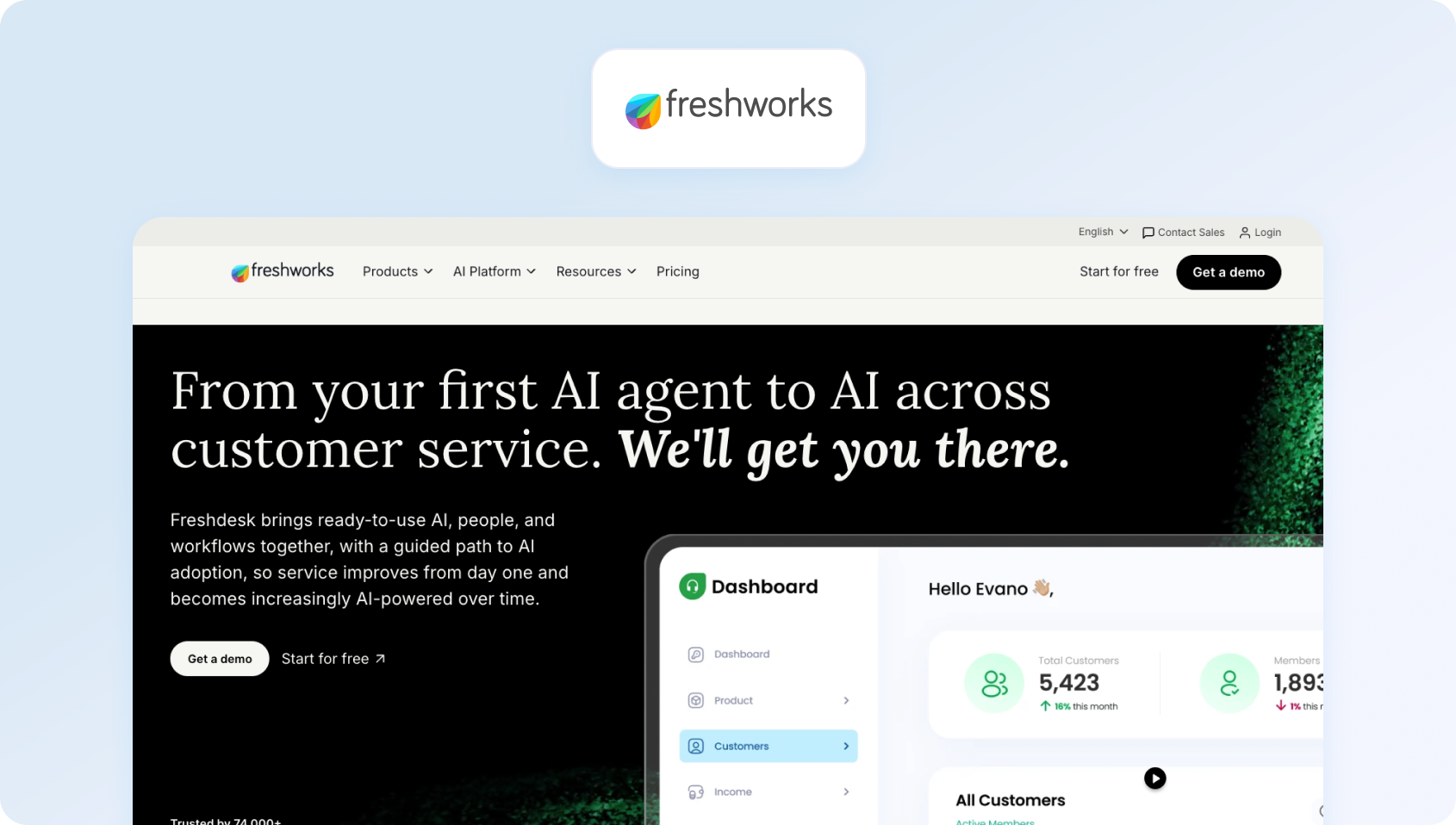
Freshdesk is a cloud-based help desk solution offering ticketing, automation, and customer self-service capabilities. It provides basic omnichannel support with AI add-ons for chatbot functionality and agent copilot features.
Best for: Freshdesk is best suited for smaller organizations looking for an easy-to-deploy ticketing platform with automation, knowledge base functionality, and basic omnichannel support. It works well for teams that need more help than a shared inbox but don’t require advanced contact centre capabilities.
Key features:
- Ticketing system with automation and SLA management
- Email and social media ticketing
- Knowledge base with SEO-optimized FAQ articles
- Team collaboration features (collision detection, internal notes)
- Basic reporting and analytics dashboards
- Marketplace apps for seamless integration
- AI Copilot (add-on: $29/agent/month)
- AI Agent sessions (add-on: $100 per 1,000 sessions)
Pros:
- Generous free plan for small teams testing help desk functionality
- Affordable entry pricing compared to enterprise platforms
- Intuitive interface with minimal learning curve
- Decent marketplace for popular business tool integrations
- Strong automation capabilities in lower pricing tiers
Cons:
- Voice support not native; requires Freshdesk Omni upgrade or third-party integrations
- Premium features and AI require add-ons that quickly inflate costs
- Limited workforce management capabilities for larger support teams
- Reporting less comprehensive compared to enterprise-grade help desk systems
- No native call center features without additional products
Pricing:
- Free: Basic ticketing for up to 10 agents
- Growth: $19/agent/month (annual billing)
- Pro: $49/agent/month
- Enterprise: $79/agent/month
Note: Freshdesk offers a free plan for small teams, while paid plans progressively add automation, omnichannel support, AI capabilities, and advanced customisation. Keep in mind that the total cost can increase as you add AI features, additional channels, and higher-tier functionality.
3. Zoho Desk: Best for businesses using the Zoho ecosystem

Zoho Desk is a context-aware help desk system with ticketing, automation, and self-service features. It integrates deeply with the Zoho business suite and includes the AI assistant Zia in the upper pricing tiers.
Best for: Zoho Desk is ideal for organizations already invested in Zoho's business applications and looking for a cost-effective help desk solution. It offers strong value for smaller support teams that want workflow automation and multichannel support without enterprise-level pricing.
Key features:
- Ticketing system with workflow automation
- Multi-channel support (email, phone, live chat, social)
- Knowledge base with community forums
- AI assistant (Zia) for automation and data-driven insights
- SLA management with custom workflows
- Reporting and analytics dashboards
Pros:
- Extremely affordable pricing for help desk capabilities
- Deep Zoho suite integration for unified business operations
- AI assistant included in higher tiers without a separate add-on
- Good value for cost-conscious small teams
- Solid automation features across price points
Cons:
- User interface feels dated compared to modern platforms
- Voice support requires Zoho PhoneBridge integration (not native)
- Limited WFM features for larger contact centers
- Smaller third-party integration marketplace than competitors
- Learning curve for advanced customization options
Pricing:
- Free: Up to 3 agents with basic help desk features
- Standard: $14/agent/month (annual billing)
- Professional: $23/agent/month (annual billing)
- Enterprise: $40/agent/month (annual billing)
Note: Zoho Desk offers one of the most affordable pricing structures on the market, with a generous free plan for smaller teams and paid tiers that introduce advanced automation, AI capabilities, live chat, and multi-brand support as your customer service operation grows.
4. Intercom: Best for SaaS teams driving customer engagement

Intercom merges live chat, a custom AI chatbot (Fin AI), and help desk ticketing, with an emphasis on proactive engagement. It handles basic email and messaging but lacks native voice capabilities.
Best for: Intercom is designed for SaaS businesses that prioritise conversational customer support, proactive messaging, and AI-powered chat. It's particularly well suited to customer success and product-led growth teams focused on onboarding and customer engagement rather than traditional ticket management.
Key features:
- Fin AI chatbot (GPT-powered, KB-grounded, text-only)
- Live chat and customer messaging
- Product tours and proactive outreach campaigns
- Basic ticketing workflows
- Help center with knowledge base articles
- Customer data platform for context
- Team inbox for agent collaboration
- Analytics dashboards
- Multilingual support (45+ languages)
Pros:
- Excellent for conversation-driven, proactive customer support
- Modern chatbot UX with strong AI capabilities
- Great for customer onboarding and product education
- Multilingual bot functionality
- Clean, contemporary user interface
Cons:
- No native voice or voicebot support
- Costs escalate quickly as contact volume increases
- Limited traditional help desk ticketing features
- Not suitable for teams needing comprehensive WFM
- Unpredictable AI resolution fees during high-volume periods
Pricing:
- Essential: $29/seat/month (annual billing)
- Advanced: Custom pricing
- Expert: Custom pricing
- Fin AI Agent: $0.99 per resolved conversation
Note: Intercom combines per-seat licensing with usage-based AI pricing. While the Essential plan includes core customer support features, advanced automation, analytics, security, and multi-brand capabilities are reserved for higher-tier plans, with Fin AI billed separately based on the number of conversations it resolves. This means costs can increase as AI usage and support volumes grow.
5. Kustomer: Best for customer-centric enterprise support teams

Kustomer is a CRM-based customer service solution that features timeline views displaying the complete interaction history across communication channels. It emphasizes a unified customer context for complex service journeys.
Best for: Kustomer is best suited to organizations that want a complete view of every customer interaction across multiple channels. It works well for businesses delivering high-touch customer service where agents benefit from having detailed customer history available in a single timeline.
Key features:
- Customer timeline with full interaction history
- Omnichannel support (email, chat, voice, SMS, social)
- Workflow automation and intelligent routing
- Knowledge base functionality
- Reporting and analytics tools
- API access and integrations
Pros:
- A unified customer timeline provides exceptional context for support agents
- Strong platform for high-touch, complex customer journeys
- Omnichannel support included without add-ons
- Effective for relationship-driven support models
- Good workflow automation capabilities
Cons:
- Higher price point than many help desk alternatives
- Complex initial setup and configuration requirements
- Smaller brand recognition compared to Zendesk
- Limited native WFM features for larger teams
- Pay-as-you-go voice/SMS costs can be unpredictable
Pricing:
- Custom pricing: Contact Kustomer for a tailored quote
Note: Kustomer provides bespoke pricing based on factors such as team size, communication channels, AI usage, and implementation requirements. It's primarily aimed at mid-market and enterprise organizations, so annual commitments, onboarding, and deployment services can increase the overall investment.
6. Zendesk: Best for enterprise teams needing extensive integrations
Zendesk is a cloud-based help desk platform offering AI add-ons for ticket summarization, intent detection, and chatbot automation. It covers email, chat, and voice (via third-party), but charges separately for advanced AI, WFM, and enhanced voice features.
Best for: Zendesk is a strong choice for larger organizations looking for a mature customer service platform with extensive integrations and enterprise-grade functionality. It's particularly suitable for businesses that value flexibility and a large app marketplace, although many advanced capabilities require additional add-ons.
Key features:
- Omnichannel ticketing with macros and automation
- Knowledge base with multilingual capabilities
- Answer Bot (knowledge-base chatbot, text-only)
- AI-powered workflow automation and routing
- Zendesk Talk (voice via third-party integration)
- Workforce management (add-on: $25/agent/month)
- Quality assurance (add-on: $35/agent/month)
- Advanced reporting tools
- Marketplace with 1,200+ integrations
Pros:
- Mature platform with extensive third-party integrations
- Massive marketplace ecosystem (1,200+ apps)
- Enterprise-grade security and compliance certifications
- Familiar interface reduces training time for many teams
- Strong documentation and community resources
Cons:
- Total cost balloons when adding AI, WFM, and QA features
- Voice is partner-dependent (not native calling)
- Per-agent pricing scales poorly as support teams expand
- Steep learning curve for advanced configuration
- Many essential features are locked behind premium tiers
Pricing:
- Support Team: $19/agent/month (annual billing)
- Suite Team: $55/agent/month (annual billing)
- Suite Growth: $89/agent/month (annual billing)
- Suite Professional: $115/agent/month (annual billing)
- Suite Enterprise: From $169/agent/month (annual billing)
Note: Zendesk's higher-tier plans introduce more advanced AI, workforce management, quality assurance, and reporting capabilities. While entry-level pricing covers core help desk functionality, organizations requiring a fully featured contact centre should expect additional costs as AI, voice, WFM, and QA features are added.
7. Help Scout: Best for email-first customer support teams
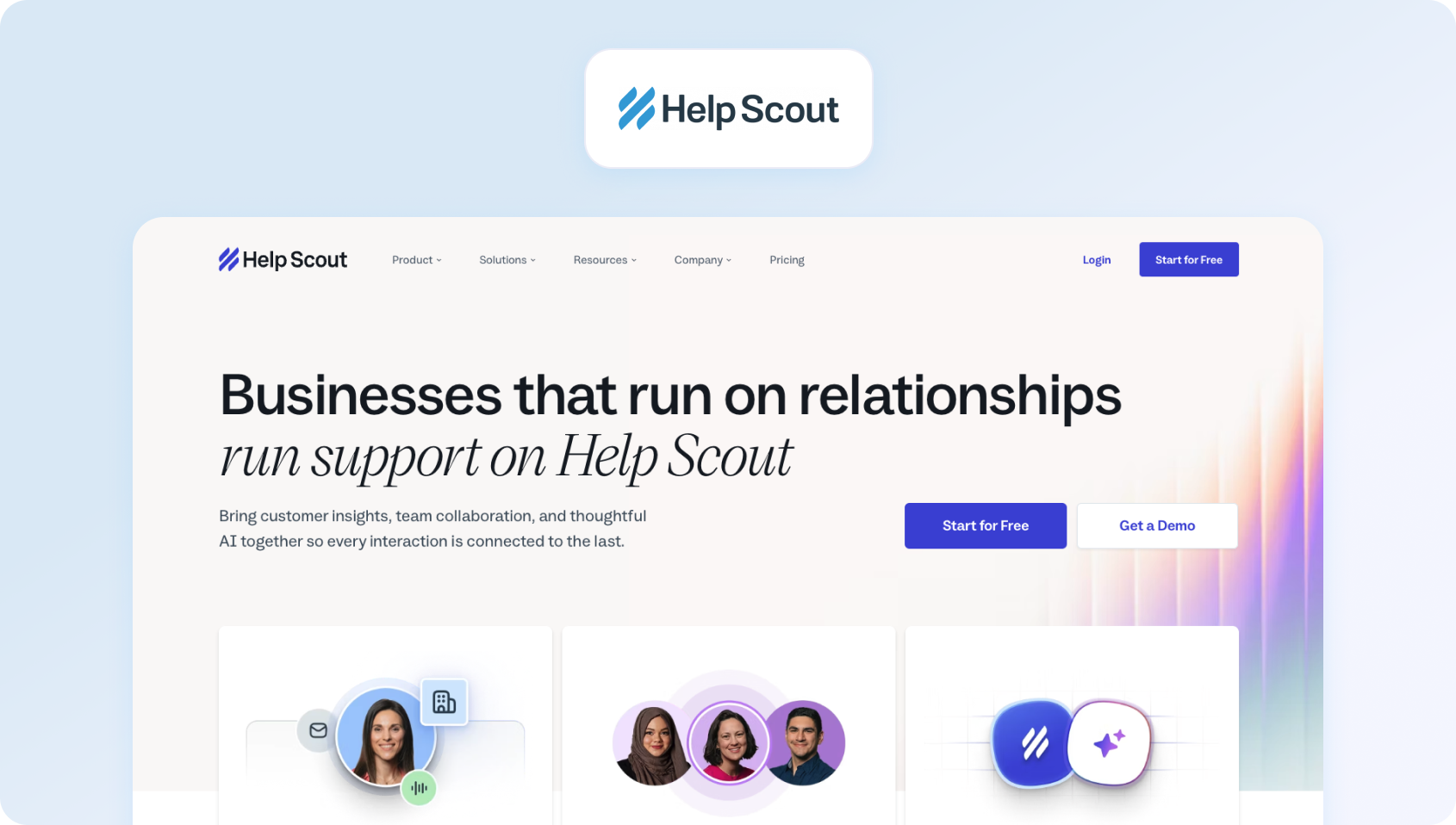
Help Scout is an email-centric help desk featuring a shared inbox, a knowledge base (Docs), and live chat (Beacon widget). It emphasizes straightforward, human-focused customer conversations.
Best for: Help Scout is designed for smaller support teams that manage most customer enquiries through email and value simple, human conversations. It offers an intuitive experience for businesses that don't require complex omnichannel routing or advanced automation.
Key features:
- Shared inbox for email management
- Knowledge base (Docs) for customer self-service
- Live chat widget (Beacon)
- Customer profiles with conversation history
- Collision detection prevents duplicate responses
- Internal notes for team collaboration
- Basic analytics and reporting
Pros:
- Clean, uncluttered user interface
- Strong focus on personalized, email-first customer support
- Affordable for small support teams
- Quick setup with minimal configuration
- Good knowledge base capabilities
Cons:
- No native voice or SMS support capabilities
- Limited automation compared to full-featured help desk software ticket management
- Basic reporting and analytics functionality
- Not designed for complex, multi-channel operations
- Lacks advanced routing and WFM features
Pricing:
- Free: Up to 5 users
- Standard: $25/user/month (annual billing)
- Plus: $45/user/month (annual billing)
- Pro: $75/user/month (annual billing)
Note: Help Scout's paid plans progressively add more advanced workflows, reporting, integrations, collaboration tools, and enterprise-grade security. AI Answers is priced separately based on usage, so organizations expecting high AI adoption should factor these additional costs into their overall budget.
8. Salesforce Service Cloud: Best for Salesforce-centric enterprise organizations
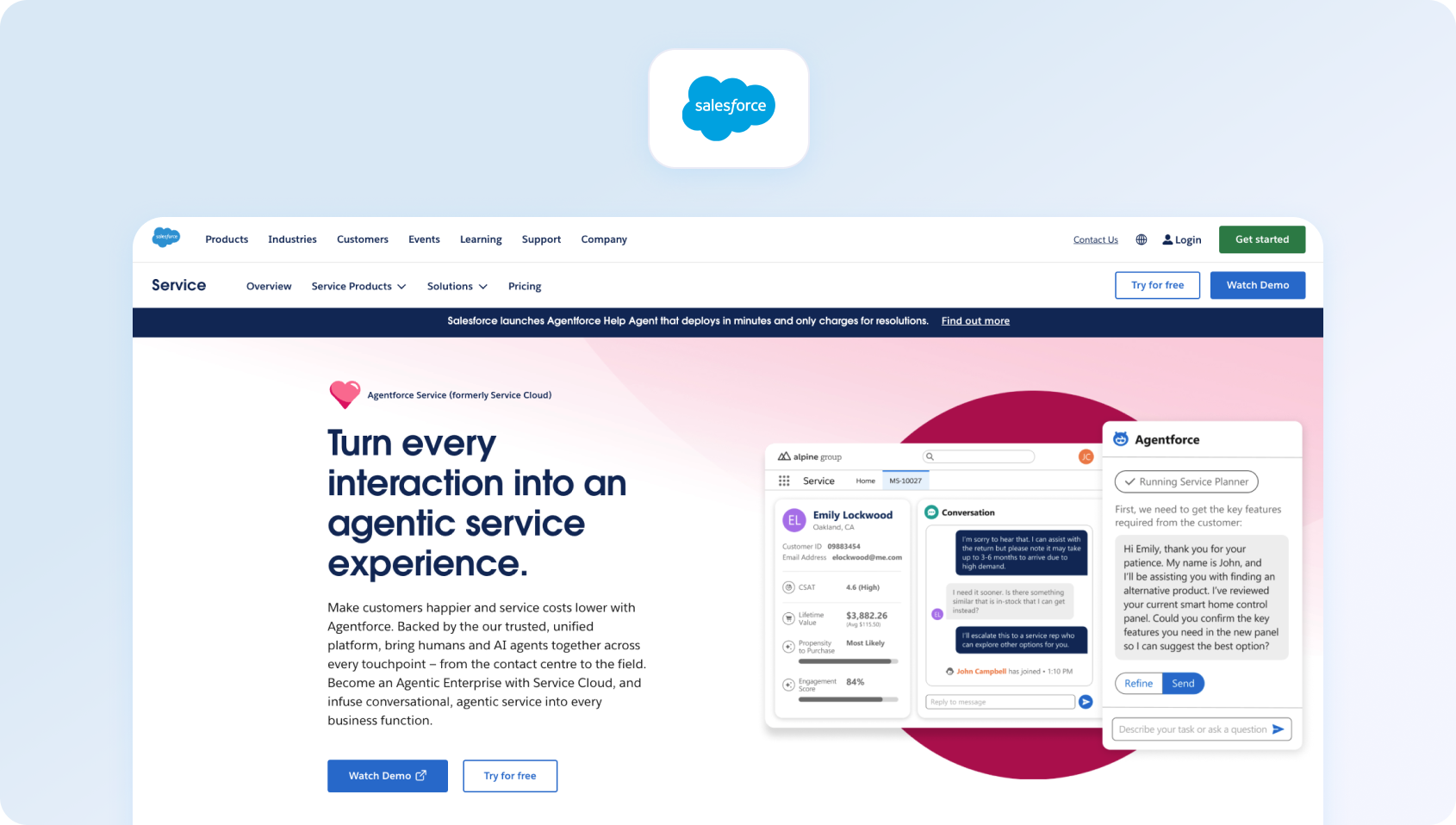
Salesforce Service Cloud is an enterprise CRM-based customer service platform with omnichannel capabilities and AI-powered Einstein. Built for large organizations already using Salesforce products.
Best for: Salesforce Service Cloud is ideal for enterprises already using the Salesforce ecosystem and wanting to unify sales, service, and customer data. It's best suited to organizations with complex workflows and the resources to manage a highly configurable platform.
Key features:
- Case management (ticketing) with omnichannel routing
- Knowledge base with article management
- AI Einstein for automation and predictive insights
- WFM (add-on), analytics, custom dashboards
- Extensive customization options
- Deep Salesforce ecosystem integration
Pros:
- Deep integration with Salesforce Sales Cloud, Marketing Cloud ecosystem
- Highly customizable for enterprise-specific workflows
- Enterprise-grade security features and compliance
- Comprehensive CRM capabilities with unified customer data
- AI-powered Einstein delivers advanced automation
Cons:
- Expensive, especially with required add-ons
- Complex setup requiring specialized Salesforce expertise
- Steep learning curve for administrators and support agents
- Overkill for teams not already invested in Salesforce
- Implementation often requires months and consulting services
Pricing:
- Starter Suite: $25/user/month
- Pro Suite: $100/user/month (annual billing)
- Enterprise: $165/user/month (annual billing)
Note: Salesforce Service Cloud offers scalable pricing for businesses of all sizes, with higher tiers adding more advanced automation, AI, customisation, and self-service capabilities. Organizations should also factor in the cost of optional products such as Digital Engagement, Service Cloud Voice, Workforce Engagement, and additional AI features, which may require separate licences or premium plans.
9. Gladly: Best for brands prioritising personalised customer experiences
Gladly is a customer service platform built around people, not tickets. It maintains lifelong conversation threads for each customer across all customer communication channels.
Best for: Gladly is built for customer service teams that focus on long-term relationships rather than traditional ticket-based support. It works particularly well for premium retail and consumer brands delivering personalised service across multiple channels.
Key features:
- Conversation-based (no traditional ticket numbers)
- Omnichannel support (voice, SMS, email, live chat, social)
- Customer profile with complete conversation history
- Self-service capabilities
- Reporting and analytics
- E-commerce and CRM platform integrations
Pros:
- Unique people-centric approach to customer support
- Lifelong conversation threads eliminate ticket management fragmentation
- Strong for high-value, relationship-driven customer service
- True omnichannel platform with native voice support
- Good for luxury or premium brand positioning
Cons:
- Custom pricing is typically expensive for mid-market
- Smaller integration marketplace than established competitors
- Requires a mindset shift from traditional ticketing workflows
- Limited automation compared to AI-first platforms
- Less suitable for high-volume, transactional support
Pricing:
- Custom pricing: Contact Gladly for a tailored quote
Note: Gladly offers bespoke pricing based on factors such as team size, support channels, and implementation requirements. Designed primarily for mid-market and enterprise customer service teams, organizations should also account for additional costs associated with Gladly Voice and AI-powered capabilities when estimating the total investment.
10. LiveAgent: Best for budget-conscious omnichannel support teams

LiveAgent is a multi-channel help desk combining ticketing, live chat, and call center features via VoIP integration.
Best for: LiveAgent is well suited to organizations looking for an affordable help desk with live chat, ticketing, and voice capabilities in one platform. It's a practical choice for businesses that want broad channel coverage without the higher costs associated with enterprise solutions.
Key features:
- Ticketing system with automation
- Live chat functionality
- Call center with IVR (VoIP integration)
- Knowledge base for customer self-service
- Email and social media support
- Automation rules engine
- Reporting and analytics
Pros:
- Very affordable help desk pricing
- Native call center features with IVR
- All-in-one platform covering multiple channels
- Good value for budget-conscious operations
- Includes voice without expensive add-ons
Cons:
- The user interface feels dated compared to modern help desk software
- Limited AI and automation capabilities (mostly rule-based)
- Smaller integration marketplace
- Less robust WFM and QA compared to enterprise platforms
- May need significant customization for complex workflows
Pricing:
- Small: $15/agent/month (annual billing)
- Medium: $29/agent/month (annual billing)
- Large: $49/agent/month (annual billing)
- Enterprise: $69/agent/month (annual billing)
Note: LiveAgent offers competitively priced plans that scale with your support team's requirements, alongside a 30-day free trial. Higher-tier plans introduce additional automation, reporting, and built-in call centre capabilities, while AI features such as AI Answer Assistant and AI Chatbot are available to help improve agent productivity.
11. Dixa: Best for conversation-driven customer service operations

Dixa is a conversational customer service software with omnichannel customer support and a unified agent desktop.
Best for: Dixa is designed for businesses that want to manage customer conversations across voice and digital channels from a single workspace. It's well suited to growing support teams looking for native voice alongside modern routing and quality monitoring features.
Key features:
- Omnichannel (phone, email, live chat, social)
- Unified agent desktop with smart routing
- Knowledge base integration
- Quality monitoring tools
- Reporting and analytics
- Third-party integrations
Pros:
- True omnichannel platform with native voice
- A conversation-centric approach maintains the customer information context
- Good analytics and performance indicators
- Modern interface optimized for agent efficiency
- Built-in quality monitoring
Cons:
- Pricing can be expensive for mid-market teams
- Smaller brand recognition than Zendesk or Salesforce
- Limited public feature documentation
- May require longer contractual commitments
- Smaller third-party integration ecosystem
Pricing:
- Growth: Custom pricing
- Professional: Custom pricing
- Enterprise: Custom pricing
Note: Dixa provides tailored pricing based on your team's size, communication channels, and feature requirements rather than publishing fixed licence costs. Plans can include native voice, digital channels, AI-powered customer service, workforce engagement, and analytics, allowing organizations to build a package that matches their customer support operation. Additional AI capabilities and telephony costs may apply depending on your deployment.
12. Front: Best for collaborative shared inbox workflows
Front is a collaborative inbox platform for teams managing shared email, SMS, and social messages with modern workflow capabilities.
Best for: Front is ideal for teams that manage large volumes of email and messaging through shared inboxes while collaborating internally. It's best suited to businesses that prioritise team collaboration over traditional contact centre capabilities.
Key features:
- Shared inbox for email and messaging
- Collaboration tools (comments, task assignments, mentions)
- Workflow automation and rules engine
- 100+ business app integrations
- Basic analytics and API access
Pros:
- Excellent for email-heavy support operations
- Strong team collaboration features
- Modern, clean user interface
- Good integration library (100+ apps)
- Powerful workflow automation
Cons:
- No native voice support—requires integrations
- Limited traditional help desk ticketing capabilities
- Expensive at higher tiers
- Not designed for contact center operations
- Per-seat pricing scales poorly
Pricing:
- Starter: $25/seat/month
- Pro: $65/seat/month
- Enterprise: $105/seat/month
Note: Front's plans add progressively more advanced automation, collaboration, security, and AI capabilities as you move up the pricing tiers. While it's well suited to teams managing shared inboxes, organizations should factor in the cost of optional AI add-ons if they plan to rely heavily on AI-powered assistance
13. Re:amaze: Best for e-commerce customer support teams
Re:amaze is a helpdesk and messaging platform for online businesses, consolidating multi-channel customer support into a shared inbox.
Best for: Re:amaze is designed specifically for e-commerce businesses that want to centralise customer conversations and automate common support requests. Its native e-commerce integrations make it particularly attractive for Shopify and WooCommerce stores.
Key features:
- Multi-channel support (email, social, SMS, live chat, voice via integrations)
- Shared inbox with automated responses
- Chatbots for routine tasks
- Knowledge base (FAQ)
- Customer profiles with purchase history
- Basic reporting tools
Pros:
- Affordable for small e-commerce support teams
- E-commerce platform integrations (Shopify, WooCommerce)
- Unified inbox consolidating customer requests
- Flat-rate Starter plan is good for very small teams
- AI resolutions included in monthly pricing
Cons:
- Voice requires third-party integrations (not native)
- Limited advanced automation and AI capabilities
- Basic reporting compared to enterprise help desk software
- Smaller brand with fewer development resources
- Not ideal for non-e-commerce industries
Pricing:
- Starter: $59/month (up to 500 active conversations)
- Basic: $29/team member/month (annual billing)
- Pro: $49/team member/month (annual billing)
- Plus: $69/team member/month (annual billing)
Note: Re:amaze combines flat-rate and per-user pricing, giving e-commerce businesses flexibility as their support operation grows. AI Agent is included across all plans, although additional usage charges apply once the monthly AI resolution allowance has been exceeded.
14. Crisp: Best for startups needing live chat software

Crisp is an all-in-one messaging platform with live chat, chatbots, and a shared inbox for startups and small businesses.
Best for: Crisp is aimed at startups and smaller businesses looking for an affordable live chat platform with basic customer support functionality. It's a good choice for companies that want to improve customer engagement without investing in a full contact centre platform.
Key features:
- Live chat with chatbot automation
- Shared inbox and knowledge base
- Automated marketing campaigns
- CRM integrations
- Basic analytics dashboards
Pros:
- Affordable with a functional free tier
- Quick setup and implementation
- Modern, user-friendly interface
- Good for basic customer engagement
- Mobile app for on-the-go support
Cons:
- No native voice or phone support
- Limited automation tools compared to enterprise platforms
- Basic reporting capabilities
- Doesn't scale well to mid-market needs
- Small integration ecosystem
Pricing:
- Free: $0/month
- Mini: $45/workspace/month
- Essentials: $95/workspace/month
- Plus: $295/workspace/month
- Enterprise: Custom pricing
Note: Crisp uses a flat per-workspace pricing model rather than charging per agent, with each paid plan including a set number of seats and monthly AI credits. Higher tiers unlock more advanced omnichannel support, AI capabilities, analytics, and customer service tools, while additional charges may apply for extra seats, AI usage beyond the included credits, and optional add-ons.
15. Hiver: Best for Google Workspace support teams
Hiver is a Gmail-based help desk transforming Gmail into a collaborative customer service tool.
Best for: Hiver is ideal for businesses that want to manage customer support directly from Gmail without introducing a separate help desk interface. It's particularly well suited to smaller teams already working within Google Workspace.
Key features:
- Shared inbox within the Gmail interface
- Email assignments and collision detection
- Email templates and automation
- Basic analytics
Pros:
- Works directly in Gmail; no new interface to learn
- Simple setup with minimal training
- Affordable for small teams
- Familiar environment reduces friction
- Good for Google Workspace users
Cons:
- Email-only (no chat, voice, or SMS)
- Very limited features compared to full help desk solutions
- Basic reporting and analytics
- Not suitable for omnichannel requirements
- Limited scalability for growing teams
Pricing:
- Free: Basic email collaboration for small teams
- Growth: $25/user/month (annual billing)
- Pro: $55/user/month (annual billing)
- Elite: $85/user/month (annual billing)
Note: Hiver offers a free plan alongside scalable paid tiers for growing support teams. Businesses already using Gmail can manage customer support directly from their inbox, while Hiver Omni adds omnichannel capabilities such as voice, live chat, WhatsApp, Slack, AI features, and more advanced automation. Voice support is available as an add-on from the Growth plan.
16. Tidio: Best for small e-commerce businesses

Tidio is a live chat and chatbot platform for e-commerce sites that combines chat widgets with basic automation.
Best for: Tidio is designed for small online retailers that want to add live chat, chatbots, and basic automation to their websites. It's a good entry-level option for businesses focused on customer engagement rather than comprehensive ticket management.
Key features:
- Live chat widget with chatbots
- Email integration
- Mobile app
- Visitor tracking analytics
Pros:
- Free plan for basic live chat functionality
- Easy installation on e-commerce platforms
- Affordable entry-level pricing
- Mobile app included
- Good for simple customer engagement
Cons:
- Limited analytics compared to full platforms
- Very limited ticketing and help desk features
- No native voice support
- Conversation-based pricing can be confusing
- Not suitable for comprehensive omnichannel support
Pricing:
- Free: $0/month
- Starter: From $29/month
- Growth: From $59/month
- Plus: From $749/month
- Premium: Custom pricing
Note: Tidio offers a flexible pricing model that scales with conversation volume rather than charging solely per user. Higher-tier plans introduce more advanced automation, AI-powered customer service with Lyro AI, analytics, and support capacity, while additional charges may apply for AI usage, chatbot workflows, and increased conversation limits as your business grows.
17. Richpanel: Best for self-service e-commerce support
Richpanel is an e-commerce help desk with a self-service portal focused on reducing ticket volume through automation.
Best for: Richpanel is best suited to e-commerce brands looking to reduce ticket volumes through self-service and automation. Its customer portal and order management capabilities make it particularly valuable for businesses handling large numbers of order-related enquiries.
Key features:
- Multi-channel support (email, chat, social, SMS)
- Self-service portal (order tracking, returns processing)
- Help desk with ticketing and automation
- Shopify and e-commerce platform integrations
Pros:
- Strong self-service portal for e-commerce operations
- Significantly reduces support ticket volume
- E-commerce-specific features and workflows
- Good Shopify integration with native order management
- Helps customers resolve common issues independently
Cons:
- No native voice support—text channels only
- Pricing can escalate with ticket volume
- Limited WFM and advanced analytics
- Optimized for e-commerce; less suitable for other industries
- Smaller brand with limited resources
Pricing:
- Helpdesk Seats: $99/seat/month
- AI Support Agents: $0.20 per AI-handled conversation
Note: Richpanel separates pricing for human agents and AI automation. Helpdesk Seats include the unified omnichannel inbox, AI copilot, and migration support, while AI Support Agents are charged on a pay-per-conversation basis and can automate common customer requests such as refunds, order tracking, subscriptions, and cancellations. Organizations planning to scale AI-powered support should factor both seat licensing and AI conversation volume into their overall costs.
18. Jira Service Management (Atlassian): Best for enterprise IT service management
Jira Service Management is Atlassian's ITSM platform built on the Jira foundation, emphasizing IT service delivery, incident management, change management, and asset tracking with deep developer collaboration.
Best for: Jira Service Management is designed for IT teams managing internal service requests, incidents, assets, and change management processes. It's an excellent choice for organizations already using Atlassian products and following ITIL best practices.
Key features:
- Incident, problem, change, and asset management
- Service catalog and request management
- Knowledge base powered by Confluence integration
- Virtual Service Agent (AI chatbot for Slack/Teams)
- Alerts and on-call scheduling
- Multi-channel support (portal, email, chat)
- Automation rules engine
- ITIL-aligned workflows
- Atlassian marketplace integrations (1,000+ apps)
Pros:
- Deep integration with Jira Software and Confluence
- Robust ITSM capabilities following ITIL best practices
- Strong asset and configuration management
- Virtual agent for Teams/Slack automation
- Generous free tier for small teams
- Excellent for IT-developer collaboration
Cons:
- Steep learning curve compared to customer support platforms
- Complex interface requiring significant configuration
- Best suited for IT service management vs. customer support
- Advanced AI features are only available in Premium/Enterprise tiers
- Can feel overwhelming for non-technical support teams
Pricing:
- Free: Up to 3 agents
- Standard: $20/agent/month (annual billing)
- Premium: $40/agent/month (annual billing)
- Enterprise: Custom pricing
Note: Jira Service Management offers a free plan for small IT teams, with paid tiers introducing more advanced IT service management capabilities, including AI-powered service management, asset management, virtual agents, automation, and enhanced analytics. Organizations already using the Atlassian ecosystem will benefit most from the platform, although Marketplace apps and premium features can increase the overall cost.
19. Freshservice (Freshworks): Best for internal IT support teams
Freshservice is Freshworks' ITSM platform for internal IT service delivery, with incident, change, problem, and asset management aligned with ITIL frameworks.
Best for: Freshservice is built for IT departments managing employee support, infrastructure, and internal service delivery. It's well suited to organizations looking for modern IT service management with automation and asset management capabilities.
Key features:
- Incident, problem, and change management
- Service catalog with request fulfillment
- IT asset management and CMDB
- Knowledge base integration
- SLA management and escalations
- Intelligent routing and workload management
- Integration with Microsoft Teams and Slack
- Project management module
- Freddy AI Agent and Copilot (Enterprise only)
Pros:
- Comprehensive ITSM feature set aligned with ITIL
- User-friendly interface compared to legacy ITSM tools
- Strong asset and configuration management
- Good automation capabilities
- Teams/Slack integration for service requests
- Scales well for growing IT departments
Cons:
- AI features are only available in the Enterprise tier
- Primarily designed for internal IT vs. customer support
- Can be complex for simple help desk needs
- Customization requires technical expertise
- Integration capabilities are less extensive than those of competitors
Pricing:
- Starter: From $19/agent/month (annual billing)
- Growth: From $49/agent/month (annual billing)
- Pro: From $95/agent/month (annual billing)
- Enterprise: Custom pricing
Note: Freshservice offers tiered pricing that scales from core IT service management to enterprise-grade automation and AI capabilities. Higher plans introduce features such as asset management, advanced workflow automation, AI-powered assistance, analytics, and governance tools. Organizations should also factor in the cost of premium AI functionality and additional Freshworks products where required
20. Kayako: Best for straightforward multichannel customer support
Kayako is a customer service platform with a unified inbox and customer journey tracking.
Best for: Kayako is aimed at businesses looking for an uncomplicated help desk with multichannel communication and customer journey visibility. Its flat-rate pricing also makes it an attractive option for smaller organizations wanting predictable software costs.
Key features:
- Unified inbox (email, live chat, social, phone via integrations)
- Customer experience journey view
- Live chat widget, built-in knowledge base, automation
- SLA management and reporting
Pros:
- Very affordable flat-rate pricing
- Customer journey view provides context across communication channels
- Easy setup with minimal training requirements
- Straightforward interface without complexity
- Good for small to mid-sized support teams
Cons:
- Voice support requires third-party integrations (not native)
- Limited advanced features and AI capabilities
- Basic WFM and analytics—no native workforce management
- Smaller brand with less market presence
- Small integration marketplace
Pricing:
- Kayako One: Custom pricing
- Kay AI: $1 per AI-resolved ticket
Note: Kayako provides tailored pricing for its customer service platform, with Kayako One including features such as ticketing, a unified inbox, knowledge base, automation, analytics, and AI capabilities. Rather than charging per agent for AI, Kay AI uses a usage-based pricing model based on successful AI resolutions. This can offer good value for organizations with high automation rates, although businesses should consider both platform costs and expected AI usage when comparing providers.
How to Choose the Right Help Desk Ticket Management Software in 2026
Comparing help desk platforms can quickly become overwhelming, especially when different vendors prioritise different areas. Some focus on customer conversations, others on IT service management, while some are designed for enterprise-scale operations with complex workflows.
Once you have shortlisted potential solutions, the next step is evaluating which platform aligns with your support model, operational requirements, and long-term goals. The following criteria can help you compare vendors beyond pricing and feature lists.
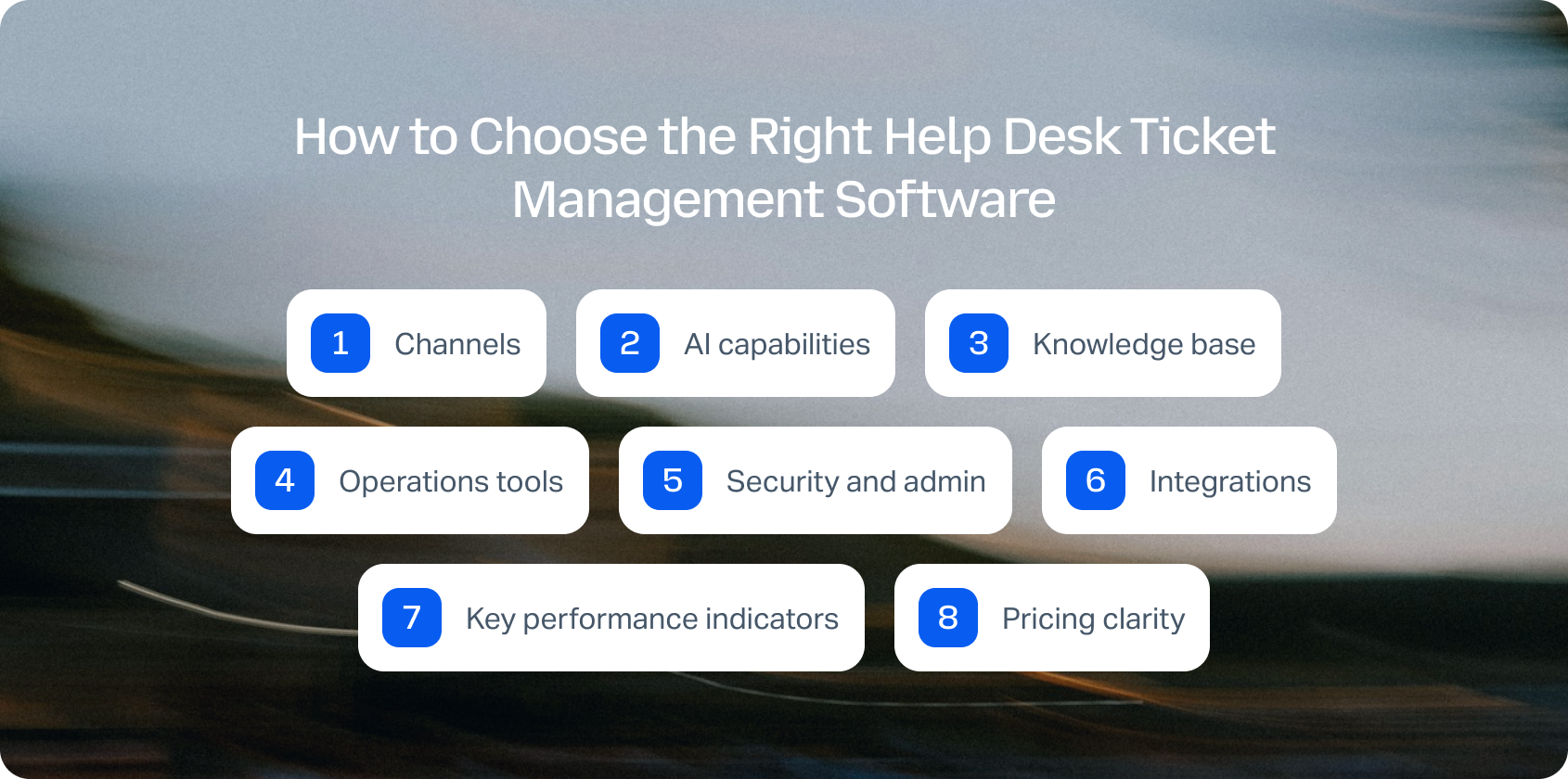
Channels: Native calling, SMS/MMS, chat, email, team messaging, and video support. Verify seamless voice ↔ chat/email handoff, maintaining customer context across channel switches.
AI capabilities: Move beyond basic automated ticket routing. Evaluate call transcription, AI-powered ticket summary generation, proposed reply suggestions, real-time agent coaching, and post-call notes. Platforms with KB-grounded AI assistance (such as BlueTweak's knowledge base integration) deliver accurate, consistent, and instant answers rather than generic responses.
Knowledge base: KB-grounded assistance ensures faster, more consistent agent responses. Verify centralized knowledge base integration rather than scattered documentation across multiple systems.
Operations tools: Workforce management for forecasting and scheduling, QA modules evaluating agent performance, SLA dashboards, and advanced reporting. Help desk solutions that bundle these features (like BlueTweak) significantly reduce third-party add-on costs.
Security and admin: Multi-factor authentication (MFA), audit logs, custom agent roles, and data residency controls are non-negotiable for compliance and data security.
Integrations: CRM, e-commerce platforms, marketing tools, and BI seamlessly integrate with the platform, extending platform value. Open APIs and webhooks enable custom workflows without vendor lock-in.
Key performance indicators: Track FCR, AHT, Containment Rate, Abandon Rate, Agent Concurrency, Sentiment Scores, and MOS for voice quality. Your best help desk software should provide tools for measuring and optimizing these customer support metrics.
Pricing clarity: Per-seat vs. usage-based pricing affects budgeting. Avoid platforms locking critical AI features behind expensive add-ons. Transparent pricing (like BlueTweak's €65/agent/month with all the tools included) simplifies forecasting and prevents surprise costs.
ITSM vs. CX help desk distinction: Understand the difference between IT service management platforms (Jira Service Management, Freshservice) optimized for internal employees and IT operations versus customer experience platforms (BlueTweak, Zendesk, Freshdesk) designed for external customer support. ITSM tools emphasize asset tracking, change management, and ITIL compliance. CX platforms prioritize omnichannel customer inquiries, live chat, and exceptional customer service.
Metrics to Measure Help Desk Performance
The right help desk platform shouldn’t only make it easier to manage tickets, it should improve measurable business outcomes. Before selecting a solution, define which metrics matter most for your team.
| KPI | What it measures |
|---|---|
| First Call Resolution (FCR) | How often issues are resolved during the first interaction without follow-up |
| Containment Rate | The percentage of conversations resolved through automation or self-service |
| Call Deflection | How effectively customers are redirected to digital channels or self-service |
| Abandon Rate | The percentage of customers who leave before reaching an agent |
| Agent Concurrency | How many conversations an agent can manage simultaneously |
| Sentiment Scores | Customer tone and satisfaction indicators across interactions |
| Transfer Rate | How frequently conversations are moved between teams or agents |
| Average Handle Time (AHT) | The time required to resolve customer interactions |
For larger organizations, especially those managing multiple brands or departments, administration capabilities become increasingly important. Verify that platforms support multi-brand routing, reporting, self-service portals, and appropriate permissions.
Avoid relying on marketing claims alone. Review official technical documentation to confirm capabilities such as multi-tenant support, security controls, and data management features.
Not sure whether your current help desk is giving you everything you need? Book a personalised demo to see how BlueTweak compares on AI, omnichannel support, workforce management, reporting, and total cost of ownership.
How We Evaluated These Help Desk Ticket Management Solutions
We reviewed public vendor documentation, pricing pages, official help centers, trust pages, and marketplace listings for each platform. Features were verified against vendor websites and cross-referenced with published case studies.
Pricing information comes from publicly available pages as of January 2026. Custom pricing tiers note: “Contact sales” for verification.
Pros and cons derive from documented features, user feedback on verified review platforms, and evidence from public sources.
This evaluation relies on publicly available information. Pricing, features, and capabilities may change. Always verify details directly with vendors before final decisions.
Must-Have Capability Checklist
- Voice + messaging with help desk handoff
- KB-grounded answers or strong knowledge base integrations
- AI for call transcription, summarization, and proposed reply
- Analytics and custom reporting
- WFM/QA native or via first-party module
- Security/admin: MFA, audit logs, custom roles
- Integrations + open APIs
- Pricing including core AI (not add-ons only)
- Surveys/CSAT module tracking customer satisfaction
BlueTweak meets all criteria with transparent pricing of €65/agent/month.
Scoring Rubric
Evaluate each platform on these dimensions:
| Criteria | What to Look For |
|---|---|
| Fit for 20–100 agents | Scales without high cost or complexity |
| Voice and omnichannel depth | Native calling, SMS, chat, email, and social with seamless handoffs |
| AI coverage | Agent assist (suggested replies, summarisation) plus knowledge base grounding |
| WFM and QA | Built-in workforce management and quality assurance |
| Time to value | Implementation speed and ROI timeline |
| Total cost to operate | Per-agent pricing, usage fees, and add-on costs |
| Security and control | Roles, audit logs, MFA, and data residency |
How to Choose the Best Help Desk Ticket Management Software
After comparing the leading help desk ticket management software platforms, the right choice ultimately depends on your team's size, support channels, operational complexity, and long-term goals. Use the evaluation framework above to compare each solution based on omnichannel capabilities, AI functionality, reporting, workforce management, integrations, security, and total cost of ownership rather than price alone.
If your priority is delivering fast, consistent customer support across voice, chat, email, and social channels without managing multiple disconnected tools, look for a platform that combines these capabilities in a single solution. Features such as knowledge-base-grounded AI, built-in workforce management, quality assurance, and transparent pricing can reduce complexity while improving both agent productivity and customer satisfaction.
For mid-market support teams managing 20 to 100 agents, BlueTweak brings together omnichannel ticket management, native voice, AI-powered assistance, advanced analytics, and workforce management in one platform. Instead of stitching together separate products as your team grows, you can scale customer support with predictable costs and a faster time to value.
Ready to see BlueTweak in action? Start your 14-day free trial today, no credit card required, and experience how AI-powered ticket management can help your team resolve issues faster, improve service quality, and deliver better customer experiences.

As Head of Digital Transformation, Radu looks over multiple departments across the company, providing visibility over what happens in product, and what are the needs of customers. With more than 8 years in the Technology era, and part of BlueTweak since the beginning, Radu shifted from a developer (addressing end-customer needs) to a more business oriented role, to have an influence and touch base with people who use the actual technology.





