



TL;DR
Contact center quality management is about more than scoring customer interactions. It's the process of evaluating conversations, coaching contact center agents, and improving service quality over time. Today's best AI tools for contact center quality management all promise automated scoring across voice and digital channels. The bigger questions are whether those insights actually improve agent performance, and whether your quality program measures AI-handled conversations alongside human ones.
Most contact centers already know manual QA falls short. Reviewing a tiny sample of customer interactions leaves performance trends hidden, coaching opportunities missed, and service quality dependent on chance rather than evidence.
That's why AI-powered quality assurance has become a core part of modern contact center operations. Today's call quality monitoring software does much more than automate scoring. Platforms like BlueTweak are shifting the conversation beyond automated scoring alone, helping teams connect quality assurance, workforce management, customer satisfaction, and AI-assisted support inside one operational system instead of another disconnected layer.
This guide compares the best AI tools for contact center quality management based on what matters most in 2026: how well they evaluate conversations, whether findings turn into meaningful agent coaching, and whether quality management extends to AI-handled interactions as customer expectations continue to evolve.
What Is Contact Center Quality Management?
Contact center quality management is the practice of evaluating customer conversations against defined standards, then using those evaluations to coach agents, meet compliance obligations, and improve service quality over time. It combines scorecards, calibration, coaching workflows, performance reporting, and continuous improvement into one ongoing process.
It's easy to confuse this with similar terms, but each serves a different purpose:
- Contact center quality assurance is the evaluation step, measuring individual customer interactions against defined quality standards.
- Contact center quality management is the complete improvement loop, turning those evaluations into coaching, performance improvement, and measurable outcomes.
- Both sit within workforce engagement management, alongside scheduling, forecasting, and workforce management that help teams plan and improve center operations.
This article focuses on evaluating individual conversations and acting on the results. If you're looking for broader conversation intelligence across every interaction, we'll cover that separately in our dedicated guide.
Here's the important shift: every serious quality management platform can now score conversations automatically across voice and digital channels. The more useful comparison is what happens after the score. Does it help agents improve? Does it create actionable insights for QA leaders? And as AI agents handle more customer interactions, does the quality program measure their performance too?
If you're exploring how quality management fits into a unified support platform, BlueTweak's Customer Service Quality Assurance platform brings QA, reporting, and coaching workflows together inside the same operational system.
What Is Auto QA?
Auto QA, or automated quality assurance, uses AI to evaluate customer interactions against a predefined scorecard automatically, at a scale manual review simply can't match. Instead of QA analysts listening to a small sample of calls, AI quality assurance tools can analyze conversations across voice and digital channels, link scores back to the exact moment in the transcript that triggered them, and surface actionable insights much faster.
That scale comes with an important caveat. Auto QA is only as good as the scorecard behind it. A poorly designed evaluation process applied to 100% of interactions is still a poorly designed evaluation process, just with much more data. The best AI QA tools combine automated scoring with calibration, flexible scorecards, and human oversight, so teams improve service quality rather than simply generating more QA data.
Coverage Is Solved. Two Questions Replaced It
For years, the biggest promise in contact center quality management was simple: score every customer interaction instead of reviewing a tiny manual sample.
That promise has largely been fulfilled. Today's leading AI quality assurance tools can evaluate conversations across voice and digital channels at a scale traditional QA never could. Automated scoring, transcript analysis, and customer sentiment detection are becoming standard features rather than competitive advantages.
The problem is that most teams didn't redesign what happened after they gained that visibility.
Instead of reviewing 1% of interactions, they're reviewing dashboards containing thousands of automated evaluations. The volume of QA data has exploded, but the coaching cadence often hasn't changed. More quality scores don't automatically lead to better customer experience, stronger agent performance, or more consistent service quality.
That's why the buying conversation has shifted. The best AI tools for contact center quality management are no longer competing on whether they can analyze customer interactions. They're competing on whether those insights actually change behavior, and whether quality management extends to AI-handled conversations as well as human ones.
Question One: Does the Finding Change Anything?
A quality finding only matters if it moves through the entire improvement loop. Four things have to connect:
- The finding reaches the agent, instead of staying inside a QA dashboard.
- It becomes a coaching conversation, with clear next steps rather than a score alone.
- It informs training or real-time guidance, so future customer interactions improve.
- Someone can see whether behavior actually changed, turning quality management into continuous improvement rather than administration.
Break any one of those links and the process becomes little more than data collection. That's why one question can reveal more about a vendor than an hour-long demo:
"Walk me through what happens to a failed evaluation on a Tuesday morning."
Can the manager schedule coaching immediately? Does the agent receive contextual feedback with transcript evidence? Does the finding influence future guidance? Or does it simply appear in next month's report?
Those answers matter because quality management isn't about creating more QA data. It's about improving first call resolution, reducing repeat contacts, and helping contact center agents deliver consistently better customer interactions.
Question Two: Who Is Scoring the AI?
This is the question most buying guides still avoid.
Imagine a support operation where AI now handles a third of customer conversations. If your quality assurance program only evaluates human agents, it's effectively covering two thirds of your customer experience.
Human agents receive regular quality reviews. The AI often gets reviewed only after a customer complains. The challenge is that AI conversations fail differently.
A human might occasionally give the wrong answer. A misconfigured AI can give the same wrong answer to every customer who asks the same question until someone notices. The failure isn't random, it's systematic, which means traditional sampling catches it later than most teams realize.
Good AI quality management closes that gap by extending the same quality discipline across automated conversations.
That means:
- Applying consistent scorecards to AI-handled interactions where the platform supports it.
- Measuring customer satisfaction on AI-handled contacts separately, rather than blending those results into overall CSAT.
- Reviewing escalation quality, including whether the AI handed conversations to human agents at the right moment.
- Creating a clear path from a quality finding back to the knowledge base, prompt, or configuration that caused it.
For teams adopting automation gradually, quality management works best when AI isn't treated as a separate system. Bringing conversational AI customer service into the same operational workflow as human support makes it easier to measure AI-handled conversations, review escalation quality, and improve both experiences over time.
The market is already moving in this direction. Some vendors now evaluate their own AI voice agents within the same quality framework used for human conversations, and AI agent quality management is increasingly appearing as a standalone evaluation criterion for contact center leaders.
For teams adopting automation gradually, this matters even more. A human-in-the-loop customer support approach gives operations teams the confidence to expand AI responsibly, while keeping quality management connected to every stage of the customer journey instead of treating AI as a separate system.
“The biggest blind spot in modern QA isn't the conversations you don't sample anymore. It's the conversations your AI is already handling without entering the same quality loop as your human agents.” — Radu Dumitrescu, Head of Presale & Digital Transformation at BlueTweak
Contact Center Quality Management Tools at a Glance
By this point, one thing should be clear: every platform below can evaluate customer interactions. The more useful distinction is how each one turns those evaluations into better outcomes.
Some tools specialize in the deepest possible automated scoring while layering over your existing contact center. Others build quality management directly into the same platform where agents handle conversations, making it easier to connect QA, coaching, workforce management, and reporting without another console. A third group focuses on real-time guidance, helping agents improve while the conversation is still happening.
The table below gives you a quick way to narrow your shortlist before diving into the detailed reviews. We've prioritized each vendor's strongest use case, and where AI conversation coverage couldn't be confirmed through vendor documentation, we've marked it as ‘Verify with vendor’ rather than guessing.
| Tool | Type | AI conversation coverage | Best for |
|---|---|---|---|
| BlueTweak | Quality management inside the platform | Post-contact CSAT on AI-handled contacts | Teams wanting quality, workforce management, and reporting in one operational system |
| Zendesk QA | Quality management inside the platform | AI agents scored on configurable scorecards; combined score for mixed AI/human conversations; voice scored separately via Voice QA | Zendesk teams adding automated scoring |
| NICE Enlighten AI | Quality management inside the platform | Quality Management product content (reviewed August 2026) covers human agent evaluation only; no documented AI-agent scoring found | Organizations already using NICE CXone |
| Observe.AI | Auto QA and conversation intelligence | Auto QA product content (reviewed August 2026) describes evaluation of agent-customer interactions; no documented scoring of Observe.AI's own AI Agent conversations found. | Automating QA across voice and digital channels |
| Level AI | Auto QA and conversation intelligence | Same custom scorecards applied to AI/virtual-agent conversations as human ones, across voice, chat, email | Consolidating QA and analytics on one layer |
| CallMiner | Auto QA and conversation intelligence | Vendor support states scorecards apply consistently to human and AI-handled conversations. CallMiner's OmniAgent (virtual agent) sits as a separate product from Coach/Analyze. | Regulated industries with deep compliance needs |
| AmplifAI | Quality management plus performance | Yes, same rubric applied to chatbots, voice bots, and AI agents from any vendor, documented as a named product feature | Connecting QA with coaching and performance management |
| Rippit (formerly MaestroQA) | Dedicated QA platform | Yes, Universal Experience Score and automated bot monitoring apply the same evaluation signals to bot-handled, human-handled, and hybrid conversations | Deep scorecard customization |
| ScorebuddyCX | Dedicated QA platform | Yes, dedicated "QA for Bots" product line scores AI chatbots alongside human agents in the same workflow, with bot findings routed to configuration fixes rather than agent coaching | QA with built-in training workflows |
| Playvox | WEM with integrated QA | No public documentation found confirming or ruling out AI-agent scoring; verify with vendor | Combining QA with workforce management |
| Balto | Real-time quality platform | Yes, own voice agents | Live guidance during conversations |
| Cresta | Real-time quality platform | Yes, explicitly states AI agents "require the same oversight tools" as humans, with the same QM frameworks and behavioral detection applied to both under a unified platform | High-value inbound conversations with live guidance |
Pricing and Feature Disclaimer
Pricing, AI capabilities, scoring coverage, and integrations change regularly. This comparison reflects publicly available information at the time of publication. Where details weren't published or couldn't be independently confirmed, we've noted this and recommend verifying the latest information with the vendor before making a purchasing decision.
Rather than ranking these tools purely on feature count, the detailed reviews that follow apply the same evaluation framework throughout. We'll look at what happens after the score, how each platform supports agent coaching, where AI conversations fit into the quality loop, and the tradeoffs buyers should understand before making a decision.
If you're looking for a platform that combines quality management, workforce management, reporting, and AI-assisted support in one operational system, BlueTweak lets you see how that works on real conversations. Start a 14-day free trial , no credit card required, and explore how quality insights reach agents instead of staying in another dashboard.
12 Top Contact Center Quality Management Tools
Not every quality management platform solves the same problem. Some products build quality management directly into the platform where customer conversations happen, eliminating another ingestion step and another console. Others specialize in the deepest possible automated scoring while layering over the contact center technology you already run.
We'll start with the integrated platforms, where quality management lives inside the same operational system as voice, email, chat, reporting, and workforce management. The tradeoff is simple: you get the QA your platform provides, but you avoid stitching together another tool.
Category 1: Quality Management Inside the Platform Handling the Conversations
These platforms build quality management into the same system where customer conversations already happen. That means no ingestion step, no second console, and fewer gaps between quality reviews, coaching, workforce management, and reporting. The tradeoff is that you're buying the quality capabilities your platform provides, rather than adding a specialist QA layer to an existing contact center.
1. BlueTweak: Best for Unified Quality and Coaching Workflows

BlueTweak takes an integrated approach to contact center quality management by keeping QA, workforce management, reporting, and customer conversations inside one operational system. Instead of moving quality findings into another tool, managers can connect evaluations directly to coaching and day-to-day operations.
BlueTweak also addresses one of the category's newest buying questions: how to measure AI-handled conversations. Post-contact CSAT runs on AI-handled interactions as well as human ones, making satisfaction a quality signal for AI performance while remaining a coaching signal for human agents. It's worth noting that this isn't a full AI QA suite, but it is a practical way to measure automated conversations that many platforms still treat as a blind spot.
Key features
- Transcript-based QA: Reviewers evaluate the actual conversation through diarized transcripts across 100+ languages instead of relying on reconstructed notes.
- AI conversation measurement: Post-contact CSAT captures customer satisfaction on AI-handled interactions as well as human ones.
- Unified reporting: Quality, satisfaction, workforce, and operational metrics share one interaction model.
- Integrated workforce management: Forecasting, scheduling, and monitoring sit alongside QA, making coaching easier to schedule and track.
- Agent dashboard: Personal performance metrics, schedules, and wellbeing tracking give agents a clear place to receive feedback.
- Multi-brand support: Separate quality reporting for different brands or departments inside a single platform.
How the coaching loop works
Quality findings stay inside the same operational system, making it easier to move from evaluation to coaching instead of leaving insights stranded in another dashboard. AI-handled conversations are measured through dedicated post-contact CSAT rather than a full AI scoring framework.
Pricing
BlueTweak offers transparent pricing through its own platform, with quality management included as part of the broader customer support platform rather than sold as a standalone QA add-on.
Before comparing total cost with platforms that charge separately for AI features, workforce management, or reporting, try BlueTweak's ROI Calculator to estimate the impact on your own support operation.
Pros
- One operational system instead of another QA layer.
- Strong coaching workflow through integrated workforce management.
- Unified reporting across quality, staffing, and customer satisfaction.
- Multi-brand support inside one instance.
Cons
- Moving to BlueTweak means adopting its customer support platform rather than adding QA to an existing stack.
Best for
Teams already reconsidering their support platform that want quality, workforce management, and customer satisfaction connected in one operational model, while measuring AI-handled conversations instead of treating them as a blind spot.
“Quality management shouldn't end with a score... The real value comes when that insight reaches the agent, improves the next conversation, and gives you visibility into the growing share of customer interactions handled by AI as well as humans.” — Radu Dumitrescu, Head of Presale & Digital Transformation at BlueTweak
BlueTweak in Action
Conectys, a global customer experience outsourcing provider, adopted BlueTweak to bring quality management, reporting, and workforce management into one operational system after struggling with fragmented data and inconsistent client reporting. The results went beyond faster reporting: data retrieval time fell by 30%, reporting efficiency increased by 40%, customer satisfaction scores improved by 35%, and resolution times dropped by 25%, while operational costs fell by 20%. The biggest operational shift was that managers could connect quality insights with coaching and reporting from the same interaction model instead of stitching data together across multiple systems.
If you're rethinking your support platform, see how BlueTweak connects quality management, workforce management, and AI-assisted support inside one operational system. Book a demo to see quality scored where the work happens, on your AI as well as your agents.
2. Zendesk QA: Best for Existing Zendesk Support Teams
For teams already using Zendesk, Zendesk QA offers a relatively quick way to add automated quality assurance without introducing a separate QA platform. Quality reviews happen against Zendesk tickets and conversations, making it easier to fold evaluations into existing support workflows.
Key features
- Native ticket reviews: Evaluations happen directly against Zendesk conversations.
- Built-in workflows: Quality reviews connect with existing support processes.
- Automated scoring: AI-assisted evaluations reduce manual review effort.
How the coaching loop works
Quality findings remain inside Zendesk's support workflows, making coaching easier than exporting data elsewhere. AI conversation coverage should be verified against current Zendesk documentation.
Pricing
Zendesk Quality Assurance (QA) is available as an optional add-on in the wider Zendesk ecosystem. It costs $35 per agent per month when billed annually, but it does require an existing base Zendesk plan to start; pricing varies by plan and add-ons.
Pros
- Quick implementation for existing Zendesk customers.
- Native integration with support workflows.
- No additional QA console required.
Cons
- Assumes Zendesk as your underlying platform.
- Scorecard flexibility trails dedicated QA platforms.
- AI conversation coverage should be verified with the vendor.
Best for
Teams already invested in Zendesk that want integrated quality management without introducing another standalone tool.
3. NICE Enlighten AI Quality Management: Best for Established NICE CXone Operations

NICE Enlighten AI Quality Management connects quality evaluations with CCaaS, workforce management, analytics, and real-time guidance inside the NICE CXone ecosystem. That creates one of the strongest coaching loops in this category, especially for organizations already standardized on NICE.
Key features
- Native CXone integration: QA works alongside CCaaS and workforce management.
- Real-time guidance: Coaching can extend from post-call reviews into live support.
- Enterprise analytics: Quality insights connect with broader operational reporting.
- Compliance support: Built for organizations with complex governance requirements.
How the coaching loop works
NICE creates one of the strongest closed coaching loops in this category, with findings capable of feeding into real-time guidance and structured coaching plans. AI conversation coverage should be confirmed against current vendor documentation.
Pricing
Reported CXone suite pricing ranges from roughly $110 to $249 per user per month, depending on package, but organizations should verify current pricing directly with NICE.
Pros
- Excellent coaching workflow inside CXone.
- Deep workforce management integration.
- Strong compliance capabilities.
Cons
- The value case depends heavily on already owning NICE CXone.
- Pricing can become significant as broader CXone capabilities are added.
- AI conversation coverage should be verified with the vendor.
Best for
Organizations already standardized on NICE CXone that want quality management tightly connected to broader contact center operations.
Category 2: Auto QA and Conversation Intelligence Specialists
These platforms offer some of the deepest automated scoring in the category while layering over the contact center technology you already run. That's their biggest advantage: you keep your existing CCaaS, CRM, and telephony stack while adding AI-driven quality management on top. The tradeoff is another platform to integrate and another console to manage, but for teams prioritizing scoring depth over replacing their support platform, these tools are among the strongest options available.
4. Observe.AI: Best for Enterprise-Grade Auto QA at Scale
Observe.AI is one of the best-known AI quality assurance tools in the contact center space, combining Auto QA, conversation intelligence, and real-time agent assistance on top of an existing contact center stack. Rather than replacing your CCaaS platform, Observe.AI integrates with it and uses AI to evaluate conversations, surface customer sentiment, and identify coaching opportunities across voice and digital channels.
The platform's biggest strength is connecting quality evaluations with evidence. Auto QA links every score back to the exact transcript moment that triggered it, while coaching recommendations can be generated from recurring behavior rather than isolated examples. Coverage claims remain vendor-reported, but the platform positions itself around evaluating the full interaction dataset rather than manual sampling.
Key features
- Auto QA: Vendor-reported automated scoring across voice and digital conversations.
- Transcript evidence: Every score links back to the exact moment in the conversation.
- Real-time Agent Assist: Live prompts, compliance alerts, and next-best actions during conversations.
- Conversation intelligence: Intent, sentiment, and topic detection across customer interactions.
- PII redaction: Sensitive information is automatically masked inside transcripts.
How the coaching loop works
Observe.AI connects automated evaluations with personalized coaching, allowing managers to coach against consistent behavior patterns instead of one-off conversations. The platform also extends quality management into AI-powered operations tooling, although buyers should verify current AI conversation coverage against vendor documentation.
Pricing
Pricing isn't publicly available and requires contacting Observe.AI for a demo and quote.
Pros
- Strong transcript-backed Auto QA.
- Excellent real-time guidance capabilities.
- Mature conversation intelligence alongside quality management.
Cons
- Pricing isn't transparent.
- Some reviewers report limitations around scorecard customization and reporting flexibility.
- Adds another platform alongside your existing contact center stack.
Best for
Organizations wanting deep automated scoring and coaching without replacing their existing contact center platform.
5. Level AI: Best for Unified QA and Conversation Intelligence

Level AI combines contact center quality management with conversation intelligence, giving teams a single layer for post-call evaluations, customer insights, and performance trends. The platform emphasizes connecting quality management with broader operational visibility instead of treating QA as an isolated workflow.
Its biggest strength is consolidating customer interactions into one analytical view while keeping the existing contact center infrastructure in place.
Key features
- Post-call AI evaluations: Automated quality reviews after conversations end.
- Conversation intelligence: Intent, sentiment, and behavioral analysis.
- Compliance monitoring: AI helps identify compliance risks across interactions.
- Performance dashboards: Quality trends become visible over time.
- Cross-platform integration: Works alongside existing contact center technology.
How the coaching loop works
Level AI connects post-call evaluations with coaching workflows and performance reporting. AI conversation coverage should be verified directly with the vendor before making platform comparisons.
Pricing
Pricing isn't publicly available and prospective customers will need to contact the Level AI sales team or schedule a demo to receive the latest pricing.
Pros
- Strong balance of QA and conversation intelligence.
- Good compliance capabilities.
- Clear performance trend reporting.
Cons
- Less emphasis on real-time agent guidance than specialist live-assist platforms.
- Pricing requires contacting sales.
- Another integration layer rather than a full operational platform.
Best for
Organizations wanting QA and conversation intelligence in one analytical layer.
6. CallMiner: Best for Compliance-Heavy Contact Centers

CallMiner is one of the longest-established names in conversation analytics and quality management, making it particularly strong for regulated industries where compliance and root-cause analysis matter as much as coaching. The platform supports both automated and manual scoring, allowing organizations to balance AI evaluations with human oversight where needed.
Its biggest strength isn't simply finding quality issues, it's helping organizations understand why those issues keep happening across thousands of customer interactions.
Key features
- Omnichannel ingestion: Voice and digital conversations feed one quality program.
- Flexible scoring: Supports automated and manual evaluations.
- Root-cause analysis: Identifies recurring operational problems.
- Weighted scorecards: Quality scoring reflects multiple evaluation criteria.
- Speech analytics: Deep conversation analysis across large datasets.
How the coaching loop works
CallMiner combines automated insights with manual QA workflows, giving supervisors flexibility in how coaching is delivered. AI conversation coverage should be confirmed against current product documentation.
Pricing
Callminer is another who doesn’t share pricing details publicly. Contact the vendor for accurate pricings.
Pros
- Excellent compliance capabilities.
- Mature speech analytics.
- Flexible scoring workflows.
Cons
- Configuration can take significant time before value is realized.
- Pricing requires vendor consultation.
- More operational complexity than lighter-weight QA tools.
Best for
Regulated organizations needing compliance-first quality management.
7. AmplifAI: Best for Performance-Driven Coaching
AmplifAI takes a different angle from many AI QA tools by focusing heavily on what happens after a quality finding. Instead of stopping at automated evaluations, it connects QA with performance management, coaching workflows, recognition, and gamification to help managers turn quality insights into measurable agent development.
That emphasis on performance management makes AmplifAI particularly interesting for organizations where improving agent behavior matters as much as measuring it.
Key features
- Auto QA: Automated evaluations at scale.
- AI coaching: Coaching recommendations connect directly to quality findings.
- Performance management: Agent development sits alongside QA.
- Gamification: Recognition and rewards reinforce coaching.
- Multi-system integrations: Connects with CCaaS, CRM, and other operational systems.
How the coaching loop works
AmplifAI arguably delivers one of the clearest coaching loops in this category by feeding quality findings directly into coaching, recognition, and performance workflows. AI conversation coverage should be verified directly with the vendor.
Pricing
AmplifAI doesn’t publicly publish a fixed price list; costs are customized based on your organization size, deployment scope, and integration complexity. Contact the vendor for an exact quote.
Pros
- Strong connection between QA and coaching.
- Excellent performance management workflows.
- Recognition features reinforce behavior change.
Cons
- Value depends heavily on how well it integrates with your existing stack.
- Requires another platform alongside your contact center technology.
- Many published comparisons originate from AmplifAI itself, so vendor claims should be evaluated carefully.
Best for
Organizations wanting quality management tightly connected to coaching and long-term performance improvement.
Category 3: Dedicated QA and Coaching Platforms
These platforms are purpose-built for QA teams rather than full contact center operations. They offer some of the deepest scorecard customization, calibration workflows, and coaching controls in this guide, while assuming you already have a phone system, help desk, and contact center platform in place.
8. Rippit (formerly MaestroQA): Best for Highly Customized QA Workflows

Rippit, formerly MaestroQA, has evolved from a traditional quality assurance platform into a broader conversation analytics platform while retaining many of the QA workflows that made it popular with support teams. The rebrand reflects a wider product vision, but the core experience around scorecards, calibration, and coaching remains intact.
Its biggest strength is flexibility. Few platforms in this category give QA teams as much control over evaluation criteria, workflows, and integrations while working alongside existing help desks and telephony systems.
Key features
- Deep scorecard customization: Build detailed evaluation criteria for different teams and workflows.
- Calibration tools: Keep reviewers aligned on scoring standards.
- Broad integrations: Connect with Zendesk, Salesforce, Intercom, Genesys, Five9, and other platforms.
- PII redaction: Protect sensitive customer information during reviews.
- Data warehouse integrations: Export QA data for broader reporting and analysis.
How the coaching loop works
Rippit connects quality findings with coaching workflows, although its strength lies more in structured QA operations than fully automated coaching. The platform is increasingly positioned around broader conversation insights alongside quality management.
Pricing
Rippit doesn’t publish public pricing for its enterprise tiers, operating primarily on a custom-quote model based on the number of graded agents. To learn more about pricing, contact the vendor directly.
Pros
- Exceptional scorecard flexibility.
- Extensive integration ecosystem.
- Mature calibration workflows.
Cons
- Less AI-first than some newer Auto QA competitors.
- Pricing requires contacting sales.
- The shift toward conversation analytics may change how QA-first buyers evaluate the platform.
Best for
Teams needing highly customized QA workflows without replacing their existing contact center technology.
9. ScorebuddyCX: Best for QA with Built-in Training
ScorebuddyCX combines contact center quality assurance with an integrated learning management system, making it particularly strong for organizations that want failed evaluations to become structured training rather than isolated feedback. More recently, ScorebuddyCX has expanded the platform with AI Auto Scoring, conversation analytics, and real-time assistance while keeping coaching at the center of the experience.
That combination of QA and training is what differentiates Scorebuddy from many competitors focused primarily on scoring depth.
Key features
- AI Auto Scoring: Vendor-reported automated evaluations across conversations.
- Built-in LMS: Assign training directly from QA findings.
- Real-time Agent Assist: Support agents during live conversations.
- Custom scorecards: Adapt evaluations to different teams and channels.
- Coaching workflows: Track development alongside quality performance.
How the coaching loop works
ScorebuddyCX creates one of the clearest links between QA and training by allowing coaching sessions and learning assignments to follow directly from quality evaluations. AI conversation coverage should be verified against current vendor documentation.
Pricing
ScorebuddyCX no longer publishes prices publicly. The platform offers Foundation, Accelerate, and Elite plans, with pricing available on request based on your users, feature requirements, and package selection.
Pros
- Excellent connection between QA and training.
- Integrated learning management system.
- Flexible scorecard configuration.
Cons
- No native telephony or call recording.
- Requires integrations with your existing contact center stack.
- Advanced AI capabilities depend on product tier.
Best for
Organizations wanting QA, coaching, and structured training in one platform.
10. Playvox by NiCE: Best for Digital-First Workforce Engagement
Following its acquisition by NiCE, Playvox now sits within the NiCE portfolio as Playvox by NiCE, with a stronger emphasis on digital-first workforce engagement management than traditional contact center QA. Rather than replacing your contact center platform, it layers workforce management, quality management, coaching, and AI-powered forecasting over existing CRM and support systems like Salesforce and Zendesk.
Its biggest strength is connecting workforce planning with quality management. Forecasting, scheduling, coaching, and quality insights work together, helping managers turn operational data into coaching opportunities instead of treating QA as a separate process.
Key features
- AI-powered forecasting: Predict staffing needs across digital and voice channels.
- Quality Management: Move beyond basic QA with structured coaching workflows.
- Real-time operational visibility: Monitor team performance across channels.
- CRM integrations: Connect natively with Salesforce and Zendesk.
- Performance coaching: Translate quality insights into personalized development plans.
How the coaching loop works
Playvox by NiCE connects quality findings with workforce management and coaching, making it easier to schedule development activities around real operational demand instead of treating coaching as a separate task. AI conversation coverage should be verified directly with NiCE.
Pricing
Playvox by NiCE no longer publishes pricing publicly. Organizations need to request a quote based on their requirements.
Pros
- Strong workforce management and QA integration.
- Excellent digital-first forecasting and scheduling.
- Native Salesforce and Zendesk integrations.
Cons
- Now sits within the broader NiCE ecosystem rather than operating as a standalone vendor.
- Requires another platform alongside your existing contact center technology.
- AI conversation coverage isn't clearly documented publicly.
Best for
Organizations wanting workforce management and quality management working together across digital-first customer support operations.
Category 4: Real-Time Quality
These platforms move quality management into the conversation itself rather than waiting until the interaction ends. That creates the shortest possible coaching loop: identify a behavior, guide the agent immediately, and reinforce better habits before the next customer interaction.
11. Balto: Best for Real-Time Coaching During Conversations

Balto built its reputation around real-time Agent Assist, and that remains its biggest differentiator today. Instead of treating quality as a post-call exercise, Balto surfaces guidance, compliance prompts, and knowledge while conversations are still happening, then feeds those same signals into coaching and quality management afterward.
Importantly, Balto is also one of the clearest examples of the emerging AI QA trend discussed earlier in this guide. The platform now monitors its own AI voice agents within the same quality framework used for human agents, making it one of the strongest current examples of AI agent quality management in the market.
Key features
- Real-time Agent Assist: Live prompts during customer conversations.
- AI voice agents: Automated conversations monitored alongside human interactions.
- Custom scorecards: Evaluate quality against configurable standards.
- Compliance prompts: Surface required disclosures during live calls.
- Coaching workflows: Connect live performance with ongoing development.
How the coaching loop works
Balto arguably delivers the shortest coaching loop in this guide. Real-time guidance becomes QA evidence, QA findings feed coaching automatically, and those insights influence future prompts inside the same quality framework. AI voice agents also participate in that same loop.
Pricing
Balto doesn't publicly list pricing information; contact the vendor directly for a quote.
Pros
- Outstanding real-time coaching.
- Strong compliance support.
- Clear leadership in AI agent quality management.
Cons
- Real-time guidance is the primary focus, so broader post-interaction analytics are less extensive than some full-stack platforms.
- Pricing requires contacting sales.
- Best value depends on organizations wanting live coaching rather than reporting-first QA.
Best for
Organizations prioritizing real-time coaching and AI agent quality management.
12. Cresta: Best for AI-powered Inbound Contact Centers

Cresta is broader than a traditional QA platform. It combines Agent Assist, Quality Management, Conversation Intelligence, AI Agents, and coaching into a wider AI contact center platform, making it particularly attractive for organizations investing heavily in AI-assisted customer interactions.
Its biggest strength is combining live guidance, post-interaction analysis, and AI-powered workflows inside one conversational AI layer, particularly for inbound contact centers where real-time assistance can improve performance quickly.
Key features
- Agent Assist: Live support across voice and chat.
- Quality Management: AI-assisted post-call evaluations.
- Conversation Intelligence: Performance insights across customer interactions.
- Knowledge Agent: Surface relevant information during conversations.
- AI Agent platform: Build and orchestrate AI-powered customer conversations.
How the coaching loop works
Cresta connects quality management, coaching, and live assistance across its broader AI platform, although some coaching workflows depend on additional platform configuration. AI conversation capabilities are significantly broader than many QA-first products.
Pricing
Pricing isn't publicly available at Cresta and prospective customers will need to contact the sales team for their latest pricing details.
Pros
- Broad AI platform beyond traditional QA.
- Strong Agent Assist capabilities.
- Powerful conversation intelligence features.
Cons
- Strongest fit is AI-driven inbound contact centers rather than general support QA.
- Pricing isn't transparent.
- Some advanced workflows require additional platform configuration.
Best for
Organizations investing in AI-assisted inbound customer support and broader conversational AI capabilities.
Before You Choose a Platform
One theme runs through every tool in this guide: automated scoring is no longer the differentiator. Every serious platform can evaluate customer interactions at scale. The bigger question is what happens after the score.
The strongest products connect quality findings to coaching, workforce management, and measurable performance improvement. They're also beginning to answer the next buying question the market is moving toward: how do you measure AI-handled conversations alongside human ones?
Whether you choose an integrated platform like BlueTweak, a specialist Auto QA tool like Observe.AI, a dedicated QA platform like Rippit or Scorebuddy, or a real-time coaching platform like Balto, the best choice depends less on coverage percentages and more on how effectively your quality program turns customer interactions into better outcomes for both agents and customers.
How We Evaluated These Quality Management Tools
BlueTweak publishes this guide and appears in the list. We think that's worth stating upfront, especially in a category where many vendor roundups rank themselves first without saying so. No company paid for inclusion, and every platform was evaluated using the same framework.
Our research combined vendor documentation, pricing pages where available, G2 and Capterra review themes, and publicly available product information reviewed during 2026. Where pricing wasn't published, we've stated "Not published, verify with vendor" rather than estimating.
One important limitation applies across the category: coverage claims are almost always vendor-reported, including BlueTweak's. We've labeled those claims accordingly instead of presenting them as independently verified.
The BlueTweak Quality Management Scorecard
We weighted our evaluation criteria around what we believe actually changes customer experience, not simply what looks strongest in a feature checklist.
| Criterion | Weight | What high looks like |
|---|---|---|
| The coaching loop | 25% | Findings reach agents, become coaching sessions, and behavior change is measurable |
| AI conversation coverage | 20% | AI-handled conversations are evaluated or measured alongside human ones |
| Scoring coverage | 15% | Automated evaluations across interactions rather than a small manual sample |
| Channel scope | 15% | Voice, email, chat, and messaging use one quality framework |
| Evidence and calibration | 10% | Transcript-linked evidence with strong calibration workflows |
| Where the insight lands | 10% | Quality management sits close to daily operations instead of another disconnected console |
| Compliance and data controls | 5% | PII redaction, role-based access, audit logs, and retention controls |
Notice what carries the most weight. The coaching loop and AI conversation coverage together account for nearly half the score because they're the areas where buyers can still make meaningful distinctions between platforms in 2026.
Call Center Quality Monitoring: What to Measure and How
Call center quality monitoring is the ongoing process of reviewing customer interactions, evaluating them against consistent standards, and tracking performance over time across agents, teams, and channels. Modern quality monitoring software combines automated evaluations with human calibration, helping contact center leaders identify patterns that would otherwise stay hidden inside thousands of conversations.
The important shift is that monitoring shouldn't stop at phone calls. Most contact centers now handle customer interactions across voice, email, chat, messaging apps, and social channels. A quality program that only measures calls is no longer measuring the majority of customer experience.
Build a Scorecard Around the Outcomes That Matter

The strongest quality programs don't try to measure everything equally. They focus on criteria that consistently predict better customer satisfaction and operational performance.
Group your scorecard around four core areas:
- Compliance and required disclosures: Did the agent follow regulatory requirements, required scripts, and internal policies?
- Accuracy: Was the information correct, complete, and grounded in approved knowledge?
- Resolution: Did the customer achieve the outcome they needed, or did they have to come back later?
- Conduct: Did the interaction demonstrate empathy, clarity, professionalism, and appropriate tone?
This final category deserves special attention. Conduct is where automated scoring is still less reliable than factual evaluation, making human calibration particularly important.
Why Calibration Determines Whether Anyone Trusts QA
Calibration is one of the most overlooked parts of contact center quality assurance.
Two QA analysts can review the same conversation and arrive at different scores. That's normal. The problem is leaving those differences unresolved.
Without regular calibration sessions, quality scores lose credibility, agent coaching becomes inconsistent, and performance data becomes difficult to trust. Calibration keeps reviewers aligned on how the scorecard should be applied, making automated evaluations and manual reviews reinforce each other instead of creating conflicting feedback.
Agent Performance Management Goes Beyond Quality Scores
A quality score is a snapshot. Agent performance management is the trend behind it.
Instead of asking whether someone scored 82 this week, strong QA leaders ask:
- Is performance improving over time?
- Are coaching sessions changing behavior?
- Which recurring patterns appear across customer interactions?
- Where does real-time guidance create measurable improvement?
The most effective platforms connect quality monitoring with workforce management and performance reporting, allowing managers to schedule coaching, track improvement, and compare quality trends alongside operational metrics like call volume and customer satisfaction.
That's ultimately what separates quality monitoring from quality management. One measures conversations. The other turns those measurements into consistent service quality across every customer interaction.
What to Look For in Contact Center Quality Management Software
Most contact center quality management software now includes AI-assisted scoring, transcript search, and performance dashboards. Those features matter, but they're no longer enough to separate the strongest platforms from the rest.
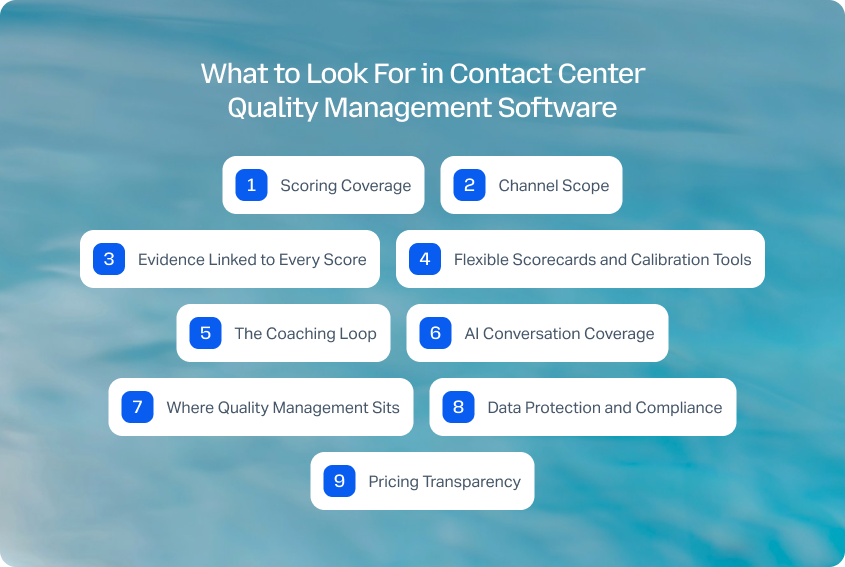
The better comparison is whether the platform helps QA teams turn evaluations into measurable performance improvement. Here's what to look for before you shortlist a vendor.
Scoring Coverage
Ask what percentage of customer interactions the platform scores automatically, and which channels are included.
Full coverage sounds impressive, but it's only useful if voice, chat, email, and messaging are evaluated consistently. A platform that scores every phone call while ignoring digital channels still leaves blind spots in modern contact center operations.
Channel Scope
Many tools began as call center quality assurance platforms before expanding into digital support.
Ask whether voice and digital channels share the same quality framework, or whether digital conversations are treated as a secondary feature. The more consistent the scorecard across channels, the easier it becomes to compare agent performance fairly.
Evidence Linked to Every Score
A quality score without evidence creates unnecessary disputes.
The strongest QA software links every evaluation back to the exact moment in the transcript that triggered it. That gives QA analysts, managers, and contact center agents a shared point of reference during coaching instead of arguing over a number.
Flexible Scorecards and Calibration Tools
Your evaluation process should adapt to your business, not the other way around.
Look for platforms that let QA teams customize scorecards, adjust weighting, and run calibration sessions without rebuilding the entire system. Flexibility becomes especially important in regulated industries where compliance requirements evolve over time.
The Coaching Loop
This is the most overlooked buying criterion.
Ask what happens after a failed evaluation. Can managers assign coaching immediately? Can agents see their own performance data? Does the platform track whether coaching improved future quality scores?
A quality program that stops at automated evaluations generates data. A quality program with a coaching loop drives continuous improvement.
AI Conversation Coverage
As AI agents handle more customer interactions, quality management needs to evolve with them.
Ask directly whether AI-handled conversations can be evaluated, whether customer satisfaction is measured separately on AI contacts, and whether quality findings can be traced back to knowledge or configuration issues rather than simply flagging the conversation itself.
Where Quality Management Sits
Some products act as a QA layer over your existing contact center platform. Others build quality management directly into the same system handling customer interactions.
Neither approach is automatically better.
Dedicated QA platforms often provide deeper scoring capabilities, while integrated platforms reduce operational overhead by keeping quality, workforce management, reporting, and customer conversations inside one operational system instead of another disconnected console.
Data Protection and Compliance
Quality management touches sensitive customer data.
Look for practical protections like PII redaction, role-based permissions, audit logs, retention controls, and certifications appropriate for your industry. These become increasingly important as AI analyzes larger volumes of customer conversations automatically.
Pricing Transparency
Finally, understand how you'll actually pay.
Some vendors charge per seat. Others meter automated evaluations or AI usage separately. Make sure scoring volume, quality assurance tools, and reporting features are included in the pricing model you're evaluating, rather than appearing as additional costs later.
How to Choose Contact Center Quality Management Software

The right contact center quality management software depends on what you need the quality program to do after an interaction has been scored.
- For quality, workforce management, and AI-handled interactions in one platform: BlueTweak.
- For the deepest automated scoring over an existing contact center stack: Observe.AI or Level AI.
- For compliance depth in regulated industries: CallMiner.
- For connecting QA directly to performance management and coaching: AmplifAI.
- For deep scorecard control: Rippit (formerly MaestroQA) or Scorebuddy.
- For QA with training built into the workflow: Scorebuddy.
- For the shortest path from QA finding to real-time agent guidance: Balto.
- For teams already using NICE CXone or Zendesk: Their native quality management tools are worth evaluating first.
- For quality management alongside workforce management: Playvox by NiCE.
The important takeaway is that coverage is now table stakes. Evaluating more customer interactions is valuable, but full coverage only creates more scores if there's a process for acting on them. The questions that matter now are whether a finding reaches the agent, whether it becomes coaching or training, and whether someone can see if behavior actually changes.
There's another question buyers should be asking much earlier: who is evaluating the AI? As AI-powered customer service handles a growing share of customer interactions, a QA program that measures only human agents is measuring a shrinking share of the customer experience. The right quality management platform should already have an answer for how AI-handled conversations are evaluated, monitored, and improved.
Why Teams Choose BlueTweak
BlueTweak takes a different approach from standalone QA platforms by putting quality management inside the same operational system as customer conversations, workforce management, reporting, and customer feedback. That means quality findings can be connected to the operational context around them rather than being isolated in another QA console.
| What drives it | Why it matters |
|---|---|
| Quality measured on AI as well as agents | Post-contact CSAT runs on AI-handled and human-handled interactions, giving teams a way to measure satisfaction on automated conversations rather than hiding AI performance inside an overall blended figure. |
| QA against the real conversation | Reviewers work from structured transcripts and interaction context, so coaching is based on what was actually said rather than a reconstructed summary. |
| Quality, workforce, and volume in one model | QA, forecasting, scheduling, reporting, and feedback are connected to the same interaction data, allowing managers to compare quality trends with operational performance. |
| Included as part of the platform | Quality assurance and workforce management are built into the BlueTweak platform rather than positioned as separate premium modules. |
If you're looking for a quality management platform that connects QA with the rest of your support operation, see quality scored where the work happens, on your AI as well as your agents by booking a BlueTweak demo .

As Head of Digital Transformation, Radu looks over multiple departments across the company, providing visibility over what happens in product, and what are the needs of customers. With more than 8 years in the Technology era, and part of BlueTweak since the beginning, Radu shifted from a developer (addressing end-customer needs) to a more business oriented role, to have an influence and touch base with people who use the actual technology.



