



TL;DR
The best CCaaS (Contact Center as a Service) companies don't just give you voice, digital channels, routing, AI, and workforce management. They give you the capabilities your contact center actually needs without hiding them behind premium tiers, long implementations, or restrictive contracts. This guide compares 12 leading contact center as a service companies on what you get for the price, how quickly you can go live, and what you're committing to. BlueTweak stands out for teams that want a single platform for voice and digital interactions, multi-brand operations, AI-assisted service, quality management, and workforce management without assembling a separate stack.
Choosing a CCaaS platform is a bigger decision than comparing feature lists. You're choosing the system your contact center teams will rely on to manage customer interactions, support agents, measure performance, and deliver consistent customer experiences, often for years.
That's why BlueTweak takes a different approach. Rather than asking which CCaaS company has the longest list of contact center capabilities, this guide looks at what actually matters when you're buying: what's included in the price, how quickly you can get the platform running, and how much you're committing before you know it's the right fit.
What Is CCaaS (Contact Center as a Service)?

Contact center as a service (CCaaS) is a cloud-based platform for managing customer interactions across voice and digital channels. It replaces much of the infrastructure associated with traditional contact centers, including on-premises hardware, with software delivered over an internet connection.
A modern CCaaS platform can bring voice calls, interactive voice response (IVR), automatic call distribution, intelligent call routing, self service, workforce management, quality management, analytics, and AI capabilities into one system. Instead of managing separate tools for different communication channels, contact center managers can use a shared platform to oversee customer service operations, agent performance, and contact center performance.
That matters because customer expectations aren't standing still. PwC's 2025 Customer Experience Survey found that 70% of executives believe customer expectations are evolving faster than their companies can adapt. The same research found that 29% of consumers have stopped using or buying from a brand because of poor customer experience.
For contact centers, keeping up doesn't simply mean adding another communication channel or deploying an AI-powered virtual agent. It means giving agents the customer information and context they need, connecting interactions across channels, and making it easier to handle routine inquiries without sacrificing the human support customers need for more complex issues.
The problem is that the CCaaS market has made the technology side easier than the buying decision. Most leading CCaaS providers can offer the core capabilities you expect. The harder questions are commercial:
- Which capabilities are included in the base price?
- What requires an upgrade?
- How long will implementation take?
- What happens if the platform doesn't work for your operation?
That's the comparison this guide focuses on. The right CCaaS solution for you isn't necessarily the one with the most features; it's the one that gives your customer service team the capabilities it needs, at a cost and commitment that make sense for the operation you're actually running.
CCaaS vs. UCaaS vs. CPaaS: What Are You Actually Buying?
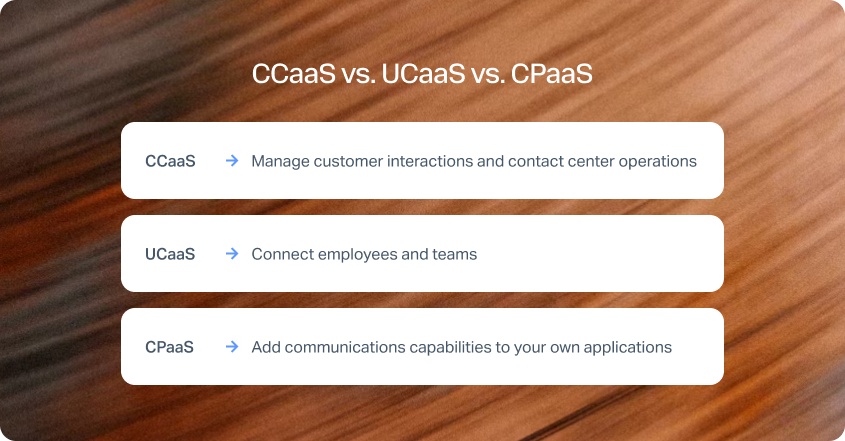
CCaaS, UCaaS, and CPaaS can all play a role in customer communication, but they're built for different jobs. Understanding the difference matters because choosing the wrong type of communications platform can leave you paying for capabilities you don't need while still having to add another system to manage customer interactions.
CCaaS is the right category when your primary challenge is managing omnichannel customer interactions at scale. A CCaaS platform combines the infrastructure and software contact center teams need to handle voice and digital interactions, route customers to the right agent or self-service option, monitor quality, manage workforce operations, and measure performance.
UCaaS, or unified communications as a service, is primarily designed for internal communication. It connects employees through tools such as business calling, messaging, meetings, and collaboration. Some UCaaS providers also offer contact center capabilities, but the depth of routing, quality management, workforce management, and customer interaction analytics can vary considerably.
CPaaS, or communications platform as a service, takes a different approach. Instead of giving a contact center team a complete application, it gives developers APIs and other building blocks for adding communications to business systems. A company might use CPaaS to add SMS notifications to an application, build voice calling into a customer portal, or create a custom communications workflow.
The distinction is useful when comparing CCaaS providers because some vendors sit across more than one category. A platform can have strong unified communications capabilities and still offer a contact center product, but that doesn't automatically make it the right CCaaS solution for a complex customer service operation.
The same applies to CPaaS. A highly flexible communications API can be valuable for an engineering-led organization, but flexibility also means your team may have to build and maintain the customer service experience itself.
For most organizations comparing contact center as a service companies, the question is therefore simple: are you buying a platform to communicate with your employees, a toolkit to build communications into your business systems, or a system specifically designed to manage customer interactions? If it's the latter, CCaaS is the category to evaluate.
Best CCaaS Platforms at a Glance
The 12 providers below cover several different approaches to contact center software, from single-platform CCaaS and enterprise suites to API-first platforms and UCaaS providers that have expanded into customer service.
*Not sold separately, available as part of NICE’s Contact centre plan
Pricing & Feature Disclaimer
Pricing, features, AI capabilities, integrations, and trial availability were verified from publicly available vendor information at the time of publication. Software platforms update their products frequently, so details may change after publication. We recommend confirming the latest pricing and feature availability with each vendor before making a purchasing decision.
The table gives you a quick way to narrow the field, but the right CCaaS platform depends on what your operation actually needs. A voice-led team looking for AI coaching has very different requirements from a multilingual operation managing several brands, while an engineering-led business may prioritize API access and usage-based pricing.
The individual reviews below take a closer look at those differences, including what each provider does particularly well, where it may not be the best fit, and what you should consider before committing.
Want to see what a single-platform CCaaS setup looks like in practice? Explore BlueTweak's voice, digital channels, AI, quality management, workforce management, and analytics, or book a personalized demo to see how it could fit your operation.
The 12 Best CCaaS Providers in 2026
The providers below aren't ranked simply by feature count. Each is evaluated against the commercial and operational questions that matter when you're choosing a CCaaS platform: what's included, how quickly you can get value, how much complexity you're taking on, and where the platform is the strongest fit.
Single-Platform CCaaS: Everything Included
One price, one workspace, no premium tier required to run a normal operation. The trade-off is enterprise feature depth, something worth weighing honestly as you read on.
1. BlueTweak: Best CCaaS Platform for Everything in One Price

BlueTweak is a browser-based, single-platform CCaaS solution that brings voice, chat, email, social, and web forms into one agent workspace and interaction timeline. AI, knowledge management, quality management, workforce management, analytics, and customer satisfaction surveys sit within the same product rather than being split across separate modules.
BlueTweak's voice capability is native to the platform, with a proprietary softphone rather than a resold telephony layer. That means voice and digital interactions can share the same customer history and interaction timeline instead of being connected through another system.
What stands out:
- One integrated platform: Email, chat, and voice sit alongside ticketing, knowledge management, quality management, workforce management, analytics, and other core contact center capabilities.
- Core features included: The €65 per agent/month license includes the core platform rather than requiring teams to purchase separate modules for workforce management, quality, or other essential capabilities.
- AI across voice, chat, and email: AI capabilities include translation, summarization, intelligent routing, sentiment analysis, call transcription, and knowledge base integration.
- Multilingual support: Email and chat translation are available across 100+ languages; for translation and transcription, 30+ for voice conversation, supporting customer service operations serving international markets.
- Native voice: Voice sits within the same platform as digital interactions, giving agents a shared workspace and customer interaction history.
- Multi-brand operations: Multiple brands and departments can operate within one instance, with appropriate separation of access and reporting.
- Workforce and quality management: Workforce management and quality capabilities are included alongside customer service operations, helping managers connect agent performance with customer experience.
- Open integrations: BlueTweak is API-open, making it possible to connect the platform with existing business systems and extend workflows where a prebuilt integration isn't available.
- Flexible AI add-ons: Conversational AI can be added based on actual usage, with separate pricing for fully resolved chat, AI-generated email replies, and voice interactions completed without agent intervention.
- forcing core contact center operations into a stack of premium modules.
BlueTweak Pricing
BlueTweak keeps its core CCaaS pricing straightforward: €65 per agent/month for Email, Chat, and Voice, with core features included in the license. That includes ticketing, intelligent routing, multilingual support, knowledge base functionality, custom agent roles, live analytics, workforce management, quality management, IVR, CSAT, and the core AI capabilities across email, chat, and voice. No seat minimum and no multi-year commitment.
AI add-ons are charged according to usage:
- Conversational AI for Chat: €0.20 per chat session when AI fully resolves the conversation without human intervention
- AI Proposed Reply for Email: €0.40 per email thread when an agent uses an AI-generated response
- Conversational AI for Voice: €0.09 per minute when AI completes the call without agent intervention
This pricing structure makes it easier to calculate the actual cost of a CCaaS implementation. Instead of paying separately for core quality, workforce management, or other operational modules, teams start with one platform license and add usage-based AI where it creates value.
Calculate your potential savings with BlueTweak's ROI Calculator
BlueTweak’s ROI calculator lets support teams enter their own agent costs, technology costs, contact volumes, and expected AI handling rate to estimate potential annual savings, monthly savings, and ROI.
“The best CCaaS platform is most often the one that brings the capabilities your team actually needs into one operational environment… So you can improve customer experience without adding unnecessary complexity to your technology stack.” — Radu Dumitrescu, Head of Presale and Digital Transformation at BlueTweak
BlueTweak in Action
Aeroitalia worked with BlueTweak to address fragmented passenger data, inconsistent support experiences, and difficulties managing and reporting on customer queries. BlueTweak consolidated passenger information and connected voice, chat, email, SMS, and webforms within the support operation, while AI routing and classification helped automate backlog ticket handling. Agents could also automatically transcribe and summarize calls, while sentiment analysis helped teams understand the tone of incoming inquiries. Following the implementation, Aeroitalia reported a 33% increase in customer satisfaction, 45% higher productivity, and a 36% improvement in customer retention.
Best For
Contact center operations running voice and digital interactions across multiple brands, departments, or languages that want a single platform with core capabilities built in rather than assembled through separate products.
Bottom Line
BlueTweak's strongest argument isn't that it has more enterprise features than NICE or Genesys. It's that teams can bring voice, digital channels, AI, knowledge, quality management, workforce management, and analytics together in one platform without starting with a long list of additional modules.
Ready to see what BlueTweak could do for your contact center? Start a 14-day free trial with no credit card required and explore the platform for yourself.
2. Dialpad: Best for AI-Native Contact Centers

Dialpad combines contact center functionality with its AI-native communications platform, giving teams voice and digital channels, routing, analytics, transcription, coaching, and AI-powered customer service tools in one environment. Its Support product is particularly suited to teams that want to deploy and manage contact center operations without a heavy IT burden.
What stands out
- AI built into the platform: Dialpad includes real-time transcription, AI-powered coaching, AI CSAT, summaries, and other conversational intelligence capabilities across customer interactions.
- Fast setup: Teams can create contact centers, assign numbers, and add agents through the online platform, with Dialpad positioning setup as something businesses can manage without extensive IT support.
- Intelligent routing: Customizable IVR and automatic call distribution help route customers to the right department or agent.
- Omnichannel support: Agents can manage calls, chats, and other customer touchpoints from a shared interface, helping teams maintain context across interactions.
- Workforce management: Dialpad offers forecasting, scheduling, and schedule-adherence capabilities through its WFM solution.
- CRM integrations: Integrations with platforms including Salesforce, Zendesk, Zoho CRM, Google Workspace, and Microsoft 365 help agents work with customer information inside their existing business systems.
- AI Agents: Dialpad also offers autonomous voice and digital AI agents designed to handle routine interactions, execute workflows, and escalate to human agents when required.
Dialpad Pricing
Dialpad Support currently starts at $80 per user/month when billed annually for Essentials, rising to $115 per user/month for Advanced and $150 per user/month for Premium. Monthly billing is higher, at $95, $135, and $170 per user/month respectively. Enterprise pricing is available by contacting sales and workforce management is available as an add-on.
Best For
Contact centers that want strong native AI capabilities, quick deployment, and a familiar communications platform without a large implementation burden.
Bottom Line
Dialpad is a strong choice for organizations that put AI, ease of deployment, and voice-led customer service high on their priority list. Its combination of communications and contact center capabilities makes it particularly appealing to teams that don't want a complex enterprise deployment.
3. Zoom Contact Center: Best for Existing Zoom Ecosystems
Zoom Contact Center extends the Zoom platform into customer service, connecting contact center interactions with Zoom Phone, Zoom Workplace, and other business systems. It's a strong option for organizations already invested in Zoom that want to bring customer communications and internal collaboration closer together.
What stands out
- Connected customer journeys: Zoom maintains customer profiles, conversation context, and interaction history across SMS, email, social, chat, voice, and video.
- AI-powered routing: AI can analyze customer intent in real time and route interactions according to skills, availability, and performance data.
- Zoom ecosystem integration: Contact Center works alongside Zoom Phone and Zoom Workplace, giving organizations an opportunity to consolidate employee and customer communications.
- Enterprise-wide orchestration: Agents can access customer data from CRM, ordering, and ticketing systems within the Zoom Workplace desktop experience.
- Analytics and reporting: Supervisors can monitor contact center performance and customer interactions through centralized analytics.
- Self-service and AI: Zoom offers virtual agents and other AI capabilities designed to help customers resolve routine inquiries before escalating to a human agent.
- Security and data controls: Zoom provides capabilities such as automatic masking of sensitive customer information and regional infrastructure options for organizations with specific data-residency requirements.
Zoom Contact Center Pricing
Zoom Contact Center has three pricing tiers; Essentials starts at $65.99 per user/month, billed annually, Premium starts at $106.99 per user/month, and Elite starts at $160.99 per user/month.
Best For
Organizations already using Zoom for business communications that want to extend the same ecosystem into customer service and contact center operations.
Bottom Line
Zoom Contact Center makes the most sense when Zoom is already embedded in your business systems. Its ability to connect customer interactions, employee communications, and business data is a significant advantage, although buyers will need a quote to understand their actual CCaaS costs.
Enterprise CCaaS Leaders
These are the Gartner Magic Quadrant Leaders as of September 2025, and they carry the deepest capability in this category. That depth is also why the commercial questions in this guide matter; enterprise capability here arrives in tiers, not a flat fee.
4. NICE CXone Mpower: Best for Enterprise Contact Center Depth

NICE CXone Mpower is an enterprise-grade CCaaS platform designed for complex contact center operations, combining customer experience, AI, routing, analytics, and workforce management capabilities. It's particularly well suited to large organizations that need extensive control over customer journeys, agent performance, and workforce operations.
What stands out
- Deep workforce management: AI-powered forecasting, scheduling, intraday management, and employee self-service support large and complex contact center teams.
- Advanced routing: CXone supports sophisticated routing and orchestration designed to match customers with the right resource across channels.
- AI-powered customer service: AI can support routing, agent guidance, automation, and self-service across customer interactions.
- Workforce empowerment: Tools for coaching, engagement, productivity, and service quality bring employee performance into the wider CX operation.
- Omnichannel operations: Voice and digital interactions can be managed within the wider CXone environment, giving managers a unified view of customer service operations.
- Analytics and insights: CXone provides extensive reporting and analytics for understanding customer interactions, operational efficiency, and agent performance.
- Enterprise scale: NICE is designed for large-scale deployments and supports complex operational requirements across global contact center environments. NICE currently describes CXone Mpower as supporting more than 25 billion interactions annually.
NICE CXone Mpower Pricing
NICE CXone Mpower isn't sold as a separate, standalone add-on product. Instead, it serves as the foundational, AI-unified framework across NICE's contact center packaging structure. Contact center pricing is structured across four main tiers: Voice at $94 per user/month, Omnichannel at $110 per user/month, Suite at $135 per user/month, and Smart at $169 per user/month, with pricing based on annual contracts.
Best For
Large or complex contact centers that need deep workforce management, sophisticated routing, extensive analytics, and broad enterprise CX capabilities.
Bottom Line
NICE CXone Mpower is one of the strongest options for organizations that need enterprise-scale contact center capabilities and are prepared for a more sophisticated implementation. Its depth is a strength for complex operations, but businesses with simpler requirements may not need that level of platform complexity.
5. Genesys Cloud CX: Best for Complex Omnichannel Orchestration at Enterprise Scale

Genesys Cloud CX is a single-platform enterprise CCaaS solution built around native voice, digital channels, AI, and Workforce Engagement Management (WEM) rather than features stitched together through acquisitions. It's designed for large organizations running complex, high-volume customer operations across many channels and regions.
What stands out
- True single-platform architecture: Genesys Cloud CX's voice, digital channels, and WEM are natively built rather than bolted on through acquired products, which Genesys positions as a differentiator against competitors with a more fragmented technology stack.
- AI Experience tokens: Genesys Cloud CX meters advanced AI features – including voicebots, agent copilots, and supervisor copilots – through a token-based consumption model layered on top of the base per-seat price.
- Predictive and experience orchestration: Genesys Cloud CX's routing uses real-time customer context to guide interactions toward the most appropriate outcome across channels.
- Broad compliance footprint: Genesys Cloud CX holds a wide set of security and regulatory certifications, including FedRAMP and HIPAA, positioned as a differentiator for regulated industries. (Verify the exact current certification count before publishing – sources vary between 27 and 30+.)
- Tiered capability structure: Genesys Cloud CX 1 through 4 progressively add digital channels, quality management, workforce engagement, and journey management as organizations move up tiers.
- Analyst recognition: Genesys Cloud CX has consistently placed as a Leader in recent Gartner Magic Quadrant evaluations for CCaaS. (Verify the specific Forrester Wave claim from your brief – I can't independently confirm "highest current offering score" without the report itself.)
Genesys Cloud CX Pricing
Genesys Cloud CX is priced per named user across four annually billed tiers: CX 1 at $75/user/month, CX 2 at $115/user/month, CX 3 at $155/user/month, and CX 4 at $240/user/month. Advanced AI usage beyond each tier's base token allocation is billed separately, and telephony and implementation costs are typically quoted on top of the license fee.
Best For
Large, complex contact center operations that need deep native omnichannel and workforce capabilities in one platform, and that have the budget and implementation runway enterprise deployments require.
Bottom Line
Genesys Cloud CX is one of the most capable CCaaS platforms available, but that capability comes at a cost – reviewers consistently flag per-user pricing and the jump between tiers (particularly CX 2 to CX 3) as steep for anything short of a large-scale deployment. It's a strong fit when complexity is unavoidable, less so for teams wanting to move quickly on a lean budget.
6. Five9: Best for High-Volume Contact Centers
Five9 is a cloud contact center platform built around managing customer interactions across voice and digital channels. It combines routing, analytics, workforce engagement, AI, and automation with a strong focus on helping large contact centers manage high interaction volumes.
What stands out
- Intelligent routing: Five9 supports skills-based routing, IVR, automatic call distribution, and digital routing to connect customers with the right resource.
- Outbound capabilities: Predictive, progressive, preview, and power dialing support high-volume outbound contact center operations.
- AI-powered service: Five9 offers AI agents, agent assist, workflow automation, and conversational intelligence across customer interactions.
- Workforce engagement: Forecasting, scheduling, quality management, performance management, and coaching help managers optimize agent performance.
- Omnichannel interactions: Voice, email, chat, SMS, social messaging, and other digital channels can be managed within the platform.
- CRM integration: Five9 integrates with major CRM and business systems, giving agents access to customer information and interaction context.
- Enterprise scale: Five9 is designed to support large and complex contact center environments, with the ability to scale agent capacity as operational requirements change.
Five9 Pricing
Five9 has five main pricing tiers: Digital starts at $119 per seat/month and Core pricing starts at $159 per seat/month. For the Plus, Pro, and Enterprise plans, pricing is per-quote. The full cost of the more advanced packages depends on the configuration and commercial agreement.
Best For
Large contact centers with high interaction volumes, particularly those that rely heavily on outbound calling and sophisticated routing.
Bottom Line
Five9 is a mature option for contact centers that need extensive voice, routing, outbound, workforce, and analytics capabilities. Its breadth makes it well suited to complex operations, although buyers should expect a more involved commercial evaluation than with providers offering straightforward public pricing.
7. Talkdesk: Best for AI-Powered Industry Contact Centers
Talkdesk combines cloud contact center software with AI-powered automation and industry-specific capabilities. Its CX Cloud platform covers voice and digital engagement, routing, analytics, workforce management, and AI tools designed to automate customer interactions and support agents.
What stands out
- AI-powered automation: Talkdesk CXA includes AI agents for voice and digital channels, while Copilot supports agents with real-time guidance, knowledge, summaries, and next-best-action recommendations.
- Intelligent routing: Navigator uses real-time context and conversational information to route customers toward the most appropriate outcome.
- Omnichannel support: Voice, email, chat, SMS, and social messaging can be brought together within the wider CX Cloud environment.
- Workforce management: The Elite edition includes workforce management, performance management, screen recording, and automated notifications.
- Industry Experience Clouds: Talkdesk offers purpose-built capabilities for sectors including financial services, healthcare, retail, travel and hospitality, utilities, and government.
- Quality and analytics: Interaction and quality analytics can transcribe and analyze customer interactions for topics, intent, and sentiment.
Talkdesk Pricing
Talkdesk publishes four main CX Cloud editions with their basic plan, Digital Essentials, costing $85 per user/month. Talkdesk notes that their edition prices are based on a minimum three-year commitment and don't include additional telecommunications and usage fees.
Best For
Organizations that want strong AI capabilities alongside industry-specific contact center functionality and workforce management.
Bottom Line
Talkdesk is a strong choice for businesses that want to combine conventional CCaaS capabilities with increasingly sophisticated AI automation. Its industry-specific editions can be particularly valuable when customer service workflows and compliance requirements vary significantly by sector.
API-First CCaaS
Rather than a finished contact center, these providers offer programmable building blocks. The ceiling is enormous, but the real cost of ownership is engineering time – worth factoring in before comparing headline pricing.
8. Amazon Connect: Best for Usage-Based Contact Center Flexibility
Amazon Connect takes a different approach from traditional seat-based CCaaS platforms. Built on AWS, it gives businesses a cloud contact center foundation with usage-based pricing and extensive AI, automation, data, and developer capabilities.
What stands out
- Usage-based model: Amazon Connect doesn't require seat-based licensing, making it possible to scale usage up or down without paying for unused agent capacity.
- AI included: The platform includes agentic self-service, AI agents, real-time agent assist, manager assist, predictive insights, conversational analytics, and automated coaching.
- Unified customer data: Customer information can be brought together across interactions, giving agents and AI systems a more complete view of the customer.
- Workforce capabilities: Forecasting, agent scheduling, performance evaluation, and coaching are included within the platform.
- Self service: AI-powered self-service can handle routine inquiries before escalating customers to human agents.
- Developer flexibility: AWS APIs and integrations give technical teams extensive control over workflows, customer data, automation, and business-system integrations.
- No long-term contracts: Amazon Connect is designed around consumption rather than traditional long-term seat commitments.
Amazon Connect Pricing
Amazon Connect uses pay-as-you-go pricing with no minimums or long-term contracts rather than a per-agent subscription. Published channel pricing starts at $0.038 per voice minute, $0.010 per chat message, $0.014 per SMS or third-party messaging message, and $0.080 per email.
Best For
Engineering-led organizations that want usage-based pricing, extensive AWS integration, and control over how their contact center is built and extended.
Bottom Line
Amazon Connect can be highly cost-effective for businesses that can take advantage of its consumption-based model and technical flexibility. It's less straightforward than a conventional CCaaS platform, though, so organizations without strong internal technical resources may face more implementation complexity.
9. Twilio Flex: Best for Highly Customizable Contact Centers

Twilio Flex is a programmable cloud contact center designed for businesses that want to customize the customer service experience and connect contact center workflows directly to their own applications and data. Rather than imposing a fixed contact center architecture, Flex gives developers building blocks for creating a tailored operation.
What stands out
- Highly programmable: Developers can customize workflows, routing, agent experiences, and customer journeys using Twilio's APIs and tools.
- Custom agent workspace: Businesses can adapt the Flex interface around the information, systems, and workflows their agents actually use.
- Customer data integration: Flex can incorporate data from CRMs and other custom sources to provide agents with contextual customer information.
- Flexible routing: Twilio's TaskRouter and programmable workflows allow businesses to create custom routing logic around skills, customer information, and business requirements.
- Multiple deployment models: Flex supports named-user, active-user-hour, and user-plus-usage pricing, allowing businesses to select a model that fits their workforce.
- Embedded contact center: Twilio's 2026 Flex SDK allows businesses to integrate contact center capabilities directly into their existing applications.
- Global communications infrastructure: Flex sits within Twilio's wider communications platform, giving businesses access to voice, messaging, and other communication services.
Twilio Flex Pricing
Twilio Flex offers several pricing models. User + Usage starts at $35 per monthly active user for Flex deployments on an existing Twilio account, while Named User pricing starts at $150 per named user/month. Active User Hour pricing starts at $1 per active user hour. New dedicated Flex accounts can also start with a free trial offering 5,000 active user hours. Under the usage-based models, underlying Twilio services such as Conversations, TaskRouter, Studio, and Functions are charged separately according to usage.
Best For
Businesses with strong technical resources that want to build a highly customized contact center around their own applications, data, and workflows.
Bottom Line
Twilio Flex is one of the most flexible CCaaS options available, but that flexibility comes with responsibility. It's particularly compelling for engineering-led businesses that want to build their own customer interaction architecture rather than adopt a more prescriptive contact center platform.
UCaaS-Converged CCaaS
These providers' primary product is internal business communications, with a contact center layered on top. That's commercially attractive if you already run their phone system, though routing and workforce management typically trail the dedicated CCaaS leaders.
10. RingCentral RingCX: Best for Unified Business Communications

RingCentral RingCX brings contact center capabilities into RingCentral's wider communications platform, connecting customer interactions with voice, messaging, meetings, and business communications. It's particularly relevant for organizations already using RingCentral that want to extend the same communications environment into customer service.
What stands out
- Unified communications and CCaaS: RingCX sits alongside RingCentral's business communications capabilities, helping organizations connect internal and customer-facing communications.
- AI-powered customer service: AI tools include virtual agents, agent assist, conversation analytics, automated quality management, and AI-powered workforce engagement.
- Omnichannel interactions: Teams can connect voice with more than 20 digital channels, including web, social media, and messaging.
- AI self-service: Intelligent Virtual Agents can handle voice and digital customer interactions before escalating to human agents.
- Outbound capabilities: RingCX supports outbound contact center operations for sales, collections, and proactive customer engagement.
- CRM integrations: RingCX connects with major CRM and business applications, helping agents access customer information without switching between systems.
- Straightforward deployment: RingCentral positions RingCX as an easy-to-deploy contact center platform, making it an option for organizations that don't want a lengthy implementation.
RingCentral RingCX Pricing
RingCX pricing starts at $65 per user/month, with unlimited minutes and core contact center features and AI tools included in one package. RingCentral also offers additional AI capabilities and advanced contact center functionality, while its service terms note that usage fees, subscription packages, and other charges may apply depending on the deployment.
Best For
Organizations already using RingCentral for business communications that want to extend the same platform into customer service and contact center operations.
Bottom Line
RingCX is a compelling option for businesses that want to bring employee and customer communications closer together. Its combination of unlimited minutes, omnichannel capabilities, and AI tools also gives it a relatively straightforward proposition compared with more modular enterprise CCaaS platforms.
11. 8x8 Contact Center: Best for Unified Global Communications
8x8 Contact Center combines omnichannel customer engagement with 8x8's wider unified communications platform. It gives contact center teams access to voice and digital interactions, AI-powered routing, analytics, quality management, and workforce capabilities within a broader communications ecosystem.
What stands out
- Unified communications: Contact Center works alongside 8x8's business communications platform, allowing organizations to connect customer and employee communications.
- AI-powered routing: 8x8 AI Routing matches customers with the best available expert across the organization, with the aim of improving first contact resolution and reducing transfers.
- Omnichannel customer journeys: Voice and digital interactions can be unified so managers can see the wider customer journey rather than isolated channel activity.
- Agent workspace: The 8x8 Agent Workspace brings customer information, interaction tools, and operational workflows into one interface.
- Quality management: Interaction analysis, automated scoring, and targeted coaching help managers identify opportunities to improve agent performance.
- Workforce management: Forecasting, scheduling, adherence monitoring, and shift bidding support workforce planning.
- Proactive engagement: 8x8 supports proactive outreach through one-to-many messaging and two-way customer conversations.
- AI-powered self-service: Intelligent Customer Assistant provides automated customer service designed to resolve routine inquiries and improve first contact resolution.
8x8 Contact Center Pricing
8x8 doesn't currently publish a standard per-user price for its full Contact Center offering. Pricing is quote-based, with the final cost depending on the products, users, channels, and capabilities included in the deployment.
Best For
Organizations that want customer service and unified communications from the same provider, particularly those operating across multiple countries or communication channels.
Bottom Line
8x8 is a strong option for businesses that want to connect contact center operations with broader employee communications. Its AI routing, omnichannel capabilities, analytics, and workforce tools make it particularly relevant to organizations focused on consistent customer experiences across a global operation.
Regulated and Sovereign Deployments
For some operations, the deciding factor isn't features or price, it's where the data sits and which certifications the platform holds. This final category is built for exactly that evaluation.
12. Content Guru: Best for Mission-Critical Contact Centers

Content Guru's storm platform is an enterprise cloud contact center solution designed for high-volume, mission-critical customer interactions. Its focus on scalability, reliability, omnichannel engagement, and regulated industries makes it particularly relevant to public-sector organizations and businesses where contact center availability is critical.
What stands out
- Mission-critical operations: Content Guru is designed for organizations that need highly reliable customer communications, including public-sector and emergency-service environments.
- High-volume omnichannel: storm supports voice and digital channels across large-scale customer service operations.
- Omnichannel and omni-data: Customer interactions and associated data can be brought together across channels to provide a more complete view of the customer journey.
- AI orchestration: Content Guru uses AI across customer interactions while positioning itself as an AI orchestrator designed to give organizations control over how AI is deployed.
- Self-service: Automated customer journeys can handle routine inquiries before escalating more complex interactions to human agents.
- Enterprise scalability: The platform is designed to support large organizations and high interaction volumes across multiple sectors and regions.
- Public-sector and regulated-industry expertise: Content Guru works with organizations including the NHS, DVLA, government bodies, utilities, and emergency services.
- Security and resilience: Content Guru emphasizes highly reliable, highly scalable infrastructure and positions storm for organizations with demanding security, resilience, and data requirements.
Content Guru Pricing
Content Guru doesn't publish rate cards for either of their storm tiers, but the pricing models differ significantly by product. storm CONTACT (the enterprise tier covered in this guide) is fully quote-based, combining one-off professional-services fees, monthly license fees (named or concurrent seats), and usage-based charges for things like third-party integrations and AI tokens. Given the mission-critical, high-customization nature of these deployments, there's no self-serve estimate – you'll need to contact sales directly. For organizations evaluating storm as an enterprise CCaaS option, expect a consultative sales process rather than transparent tiered pricing – a tradeoff for the level of customization mission-critical deployments typically require.
Best For
Large enterprises, public-sector organizations, and regulated contact centers – think healthcare, government, utilities, and emergency services – where reliability, scalability, security, and mission-critical customer communications are non-negotiable. This is specifically storm CONTACT territory; smaller teams should note that Content Guru also offers storm LITE, a separate, simpler tier capped at 200 seats, but it's not the focus of this comparison.
Bottom Line
Content Guru is a particularly strong fit when contact center availability and resilience are non-negotiable. Its enterprise focus and experience with government, healthcare, utilities, and emergency services make it less about simple deployment and more about supporting complex, high-assurance customer operations – which also explains why pricing is fully custom-quoted rather than published. If your organization is closer to SMB scale, it's worth knowing storm LITE exists as a lighter, more predictably priced alternative – but for the mission-critical use case this list is evaluating, storm CONTACT is the relevant product to request a quote on.
Where CCaaS Buying Goes Wrong

The biggest CCaaS buying mistakes rarely happen because a business chose a platform without an automatic call distributor or interactive voice response. Those capabilities are table stakes. Problems usually appear later, when the platform is being implemented, the first invoice arrives, or the contact center discovers that the capabilities it evaluated aren't included in the tier it purchased.
Paywalled Features
A CCaaS provider's entry-level price can look attractive until you start adding the capabilities your operation actually needs.
Workforce management, quality management, advanced analytics, AI capabilities, and other contact center features may sit behind higher pricing tiers or require separate products. That can turn a seemingly cost-effective platform into a much more expensive one once you've configured it for real-world customer service operations.
The key is to compare like for like. Don't compare the lowest advertised price from each provider and assume that's what your operation will pay. Instead, identify the capabilities you actually need, then compare the price of the tier that includes them. If quality management, workforce management, or AI requires an upgrade, that higher tier is the figure that belongs in your comparison.
This also makes it easier to spot the difference between a genuinely cost-effective CCaaS solution and one that only looks cheap at first glance. A lower entry price isn't necessarily better value if you have to keep adding paid features to reach the level of contact center capability you were expecting.
For example, when evaluating a provider, ask:
- Which capabilities are included in this price?
- Which will require an upgrade?
- What will the next tier cost if we need them?
That question gives you a much more realistic basis for comparing CCaaS platforms than the headline price alone.
Costly Coverage
Customer service doesn't stop at your company's primary language or preferred communication channel.
If you're supporting international customers, multilingual customer interactions can introduce additional costs through translation tools, separate AI services, or additional staffing. Similarly, adding voice, chat, email, SMS, or social channels can mean adding separate products if they aren't genuinely supported within the core platform.
That makes channel and language coverage a commercial consideration, not just a feature checklist.
BlueTweak supports translation and transcription across 100+ languages, while conversational voice is available across 30+ languages. These are separate capabilities, and the distinction matters when you're assessing whether a CCaaS platform can support the entire customer journey across different markets.
Fragmented Reporting
A CCaaS platform should give contact center managers a reliable view of what's happening across customer interactions. That becomes difficult when voice and digital channels are running through separate systems.
If voice calls live in one platform while chat, email, and other digital channels live somewhere else, customer data and interaction history can become fragmented. Managers may then have to stitch together reports from different systems to understand contact center performance, first contact resolution, customer satisfaction, or agent performance. The problem is that having more dashboards means the underlying data may not reconcile.
A single-platform approach can reduce that fragmentation by keeping customer interactions, operational data, and reporting within the same system. It also gives teams a clearer foundation for workflow automation and AI, because the technology can work from the same customer information and interaction history.
The One Nobody Talks About: Commitment
The most expensive CCaaS mistake can happen before you've discovered whether the platform is actually right for you.
Large seat minimums, lengthy implementations, professional services costs, and multi-year contracts can force a contact center to make a significant commitment before its teams have had enough time to prove the platform in real-world conditions.
That's particularly risky in a category that's changing quickly. AI capabilities, customer expectations, communication channels, and contact center operations are all evolving, so a platform that looks right at the start of a three-year agreement may not be the platform you want to be running three years later.
Ask a CCaaS provider four questions before signing:
- What's the minimum number of seats or users?
- How long will it take to handle our first live customer interaction?
- Which implementation and professional services costs are additional?
- What's the minimum contract term, and what happens if our requirements change?
These questions can tell you more about the real cost and risk of a CCaaS implementation than the headline subscription price.
BlueTweak takes a different approach by bringing voice, email, and chat into a single platform, with AI assist tooling included by default and cross-channel metrics within the same system. The goal is to reduce the amount of technology that has to be assembled before a contact center can deliver a consistent customer experience.
For buyers comparing CCaaS solutions, that's the distinction worth keeping in mind: you're not just buying contact center software. You're choosing how much complexity, cost, and commitment your customer service operation will carry forward.
How to Choose the Best CCaaS Provider: What to Look For
Choosing the right CCaaS provider means looking beyond the feature list. Most established platforms can handle voice calls, digital channels, automatic call distribution, IVR, analytics, and other core contact center capabilities. The differences become much more important when you look at what those capabilities cost, how they work together, and what you're committing to.
Here are the questions worth asking before you choose a CCaaS solution.
- What does the base price actually include?
Don't compare providers using their lowest advertised price. Ask which voice, AI, transcription, workforce management, quality management, analytics, and survey capabilities are included in the price you'll actually pay. Then ask what the next tier costs. - How many seats do you have to commit to?
A platform can look cost-effective at the per-user level while requiring a large minimum contract. Ask for the minimum number of seats, the minimum contract term, and what happens if your requirements change. - How quickly can you handle a live customer interaction?
Implementation time is part of the cost of a CCaaS platform. Ask how long it takes from signing the contract to handling your first real customer interaction, which parts of the implementation you'll need to manage yourself, and what professional services are charged separately. - Is the voice infrastructure native or assembled?
Voice remains fundamental to contact center operations, even as digital channels expand. Ask whether the provider owns and operates its voice infrastructure or relies on third-party telephony, and how closely voice and digital interactions are connected within the platform. - How does language coverage actually work?
Don't accept a single language figure without asking what it covers. Ask separately how many languages are supported for translation and transcription and how many are supported for conversational voice. The difference can matter significantly if you're managing customer service across international markets. - Can reporting cross channels?
A modern contact center needs more than separate reports for voice, email, and chat. Ask whether customer interaction data comes from a shared model, so managers can understand the entire customer journey and compare performance consistently across communication channels. - Can multiple brands and departments run in one instance?
If your organization operates multiple brands, departments, locations, or markets, ask whether each requires a separate contract or instance. Running multiple operations in one platform can reduce duplicated systems, reporting, and administration. - How open is the platform?
Prebuilt integrations are useful, but they're only one level of integration capability. Ask whether the platform provides open APIs, real-time event streaming, full data export, and a documented path for connecting external systems and AI tools. - What does the platform do for employees as well as customers?
Customer experience depends on the people delivering it. Look at the agent workspace, scheduling, coaching, wellbeing tools, and access to the customer information agents need to do their jobs effectively. If these capabilities are separate paid modules, include that cost in your comparison. - What security and compliance controls are included?
For many organizations, SSO, MFA, role-based access controls, audit logs, SOC 2 Type II, and industry-specific certifications aren't optional. Confirm which controls are included in your chosen tier and which require additional products or configuration.
The best CCaaS platform isn't necessarily the one with the most capabilities. It's the one that gives your contact center the right capabilities without creating unnecessary cost, complexity, or contractual risk.
CCaaS and AI Openness: APIs, Event Streaming, MCP, and Data Portability
AI is changing what businesses expect from their contact center software. But there's another change happening underneath it: buyers are paying more attention to how open their CCaaS platform is.
That's because AI becomes much more useful when it can work with the customer data and interaction history already held by your business systems. If that information is trapped inside a closed platform, adding a new AI tool or moving to a different provider can become difficult and expensive.
There are several levels of openness to consider:
- Prebuilt connectors make it easy to connect common business systems such as CRM platforms. They're useful, but you're limited to the integrations the provider chooses to maintain.
- Open REST APIs give your technical team more control. They can connect the CCaaS platform to business systems that don't have a native connector and build workflows around the platform's capabilities.
- Event streaming takes this further by making interaction data available in real time. That can allow external systems to react to events as they happen, rather than waiting for information to be exported or synchronized later.
- MCP, or Model Context Protocol, represents another emerging layer. It can allow AI assistants to interact with tools and systems in a more standardized way, potentially giving AI access to platform capabilities without requiring a separate custom integration for every use case.
For buyers, the practical test is straightforward. Ask the provider two questions:
- Can we stream customer interaction events out of the platform in real time?
- If we leave, can we export our full transcripts, interaction history, and associated metadata?
The answers tell you a lot about whether you're buying a flexible CCaaS platform or creating another technology dependency.
BlueTweak is API-open, giving businesses a flexible way to connect the platform with their existing business systems and build custom integrations when a prebuilt connector isn't available. The platform also supports fast custom integration delivery, giving teams a practical way to extend their contact center capabilities as their requirements evolve.
That openness matters as AI becomes increasingly embedded in customer service operations. Businesses shouldn't have to rebuild their entire technology stack every time they introduce a new AI capability, business system, or workflow. An open integration approach gives teams more control over how customer data and interaction information move between the systems they rely on.
For buyers comparing CCaaS platforms, it's worth looking beyond the integration list and asking how easily the platform can adapt to the systems you'll need tomorrow, not just the ones you're using today.
Total Experience: Why CCaaS Buyers Are Now Judged on EX as Well as CX
Customer experience and employee experience are often treated as separate priorities. In a contact center, they aren't.
An agent who has to switch between multiple systems to find customer information, work across disconnected communication channels, or wait for basic operational information isn't just having a poor employee experience. Those frustrations can affect response times, agent performance, customer satisfaction, and ultimately the quality of the customer interaction.
That's the idea behind total experience, which considers customer experience and employee experience as parts of the same system.
This is an area where CCaaS platforms can fall short. Workforce engagement management is often treated as an additional module, which means businesses can end up paying extra for the tools designed to improve scheduling, coaching, engagement, and agent performance.
A platform can therefore have sophisticated customer-facing capabilities while making everyday work unnecessarily difficult for the people using it.
BlueTweak takes a different approach by putting workforce management, customer service operations, and customer interaction data in the same platform. The agent dashboard is designed around what agents need throughout their working day, including personal statistics for calls, chats, open tickets, NPS, and first contact resolution. It also includes shift schedules, break and wellbeing tracking, operational news, a team directory, internal job postings, and location-specific holiday calendars.
That doesn't make BlueTweak a full workforce engagement management suite, and it shouldn't be evaluated as one. The advantage is more practical: the tools agents and managers use to run the operation sit alongside ticketing, reporting, quality management, and customer interactions instead of being separated into another system.
Post-contact customer satisfaction can also feed into the quality process. On human-handled interactions, CSAT can surface coaching and performance issues. On AI-handled interactions, it provides an ongoing signal about whether automated customer service is delivering the right experience. BlueTweak's positioning is built around this feedback loop, with CSAT reinforcing AI quality and human handover remaining available whenever it's needed.
This is particularly important as contact centers introduce more AI. The goal shouldn't be to make agents responsible for supervising a growing collection of disconnected AI tools, but to give them a platform where customer information, knowledge, AI assistance, quality management, and workforce operations work together. A better customer experience shouldn't come at the expense of a harder employee experience.
How We Evaluated These CCaaS Providers
BlueTweak publishes this guide and is included in the list, so we'll be transparent about our perspective. No vendor paid for inclusion. We evaluated each CCaaS provider using public pricing and product information, vendor documentation, customer review summaries from G2 and Capterra, and published analyst research, including the Gartner Magic Quadrant for CCaaS and relevant Forrester and IDC evaluations.
We deliberately weighted commercial exposure alongside product capability. That's because a CCaaS platform can have every feature a contact center could want and still be the wrong choice if those capabilities require multiple upgrades, implementation takes months, or the contract leaves little room to change course.
Our evaluation considers:
The weighting here is intentional. Feature depth matters, but so does the cost and commitment required to access it. A platform that gives you everything you need for a contact center operation is more useful than one that makes you buy each capability separately.
Pricing is particularly important because CCaaS pricing changes frequently and much of the enterprise market is quote-based. Published figures should therefore be treated as a starting point for comparison, not a formal quote. Where a provider doesn't publish pricing, we'll say so rather than estimate.
Choosing the Right CCaaS Platform for Your Operation
The 12 providers in this guide take genuinely different approaches to contact center software: single-platform and modular, seat-based and usage-based, quote-only and published. None of that variety is accidental. It reflects real differences in who each platform is built for, and it's exactly why "which CCaaS is best" isn't a question with one answer.
What should carry weight in your decision is less about feature lists and more about the commercial questions this guide has kept coming back to: what's actually included in the price you'll pay, how long before your team is live, how much you're committing to before you know the platform fits, and whether the channels, languages, and reporting you need are genuinely native or bolted on.
Large, complex operations with demanding compliance requirements will find real depth in providers like NICE CXone Mpower, Genesys Cloud CX, or Content Guru, but that depth typically comes with tiered pricing, longer implementations, and more involved commercial evaluations. Engineering-led teams building something bespoke have strong options in Amazon Connect and Twilio Flex, provided they're prepared to own more of the build. And teams that want core contact center capabilities such as voice, digital channels, AI, quality, and workforce management, included in one predictable price, without assembling them from separate modules, are the ones this guide's evaluation criteria were built around.
Whichever direction fits your operation, the questions are the same ones worth asking any CCaaS provider before you sign: what does the base price include, what happens at the next tier, how quickly can you handle a live customer interaction, and what are you actually committing to. Get clear answers to those, and you'll be comparing platforms on the terms that actually matter, not just the ones a pricing page wants you to see first.
Every provider in this guide can handle voice and digital interactions. Not every provider gives you AI, quality management, workforce management, and analytics in the price you evaluated.
See what a CCaaS platform looks like when nothing is bolted on. Book a BlueTweak demo or start a 14-day free trial – no credit card required.

As Head of Digital Transformation, Radu looks over multiple departments across the company, providing visibility over what happens in product, and what are the needs of customers. With more than 8 years in the Technology era, and part of BlueTweak since the beginning, Radu shifted from a developer (addressing end-customer needs) to a more business oriented role, to have an influence and touch base with people who use the actual technology.



