



TL;DR
Suggested reply AI transforms every incoming message into a concise list of relevant replies that agents can review, edit, and send in real-time. Powered by a large language model and grounded in a knowledge base, these systems understand context, maintain brand identity and tone, and help teams save time on routine customer inquiries while keeping complex issues with humans. The result is faster response times, improved customer satisfaction, and stronger customer relationships without sacrificing accuracy or control.
From Blank Page to Confident Send
Queues do not slow down to let agents write. A short question arises, yet the correct answer depends on policies, entitlements, and context that span multiple systems. The result is hesitation at the keyboard and inconsistent replies that stretch resolution times. This is the gap where suggested reply AI earns its keep, not by taking over the conversation, but by removing the blank page, making it a less daunting task.
"The blank page is where most handle time is lost. When an agent opens a ticket and has to construct a reply from scratch — cross-referencing policy docs, checking order data, recalling the right tone — that cognitive overhead compounds across hundreds of interactions a day. Suggested reply AI doesn't replace the agent's judgment; it eliminates the retrieval work so that judgment is the only thing left to apply."— Radu Dumitrescu, Head of Presale & Digital Transformation, BlueTweak
When a ticket opens, an advanced AI response generator assembles a grounded first draft from the knowledge base
, conversation history, and current case data. Agents stay in control. They review, edit, add a link or file, adjust tone to match brand identity, and send. The work shifts from "write from scratch" to "finish well," which reduces cognitive load, keeps messages accurate and polite, and gives humans more time for judgment on complex issues.
This article explains how AI-powered reply suggestions
for support work, where they deliver quick wins, what key features matter, and how to roll them out responsibly.
How Reply Suggestion AI Actually Works
Under the hood,generative AI
performs two key functions: retrieval and generation. Retrieval collects conversation history, relevant articles from the knowledge base, and any approved reference snippets. Generation then uses a large language model to understand the context and write a reply that follows your style and tone.The system can display a few options, such as a concise, thoughtful reply for simple questions or a more detailed draft for complex messages. Safeguards route sensitive cases to a person. Nothing is sent automatically. An agent constantly reviews and approves suggestions before they are sent out.
11 Use Cases That Consistently Drive Results

Suggested reply AI excels in repeatable moments where speed, clarity, and brand consistency are most crucial, ensuring a prompt response to customer queries. The use cases below demonstrate how AI-suggested replies eliminate the blank page, enabling agents to complete tasks efficiently, customers to receive relevant answers more quickly, and operations to remain stable at scale.
1) Order Status and Logistics Updates
An incoming message asks, "Where is my order?" The suggested reply AI pulls carrier scans, dates, and policy wording, then drafts a thoughtful reply with the next step and a friendly sign-off. Agents edit a detail and send it immediately. It is a small win repeated on a larger scale. Response times decrease, rework decreases, and service remains consistent.
2) Account Access and Verification
When accounts lock or MFA fails, accuracy matters. AI suggested responses guide agents through verification steps, edge-case branches, and privacy language. The draft includes only the details that the process permits and proposes a transparent fallback if the user cannot verify. The team maintains compliance while moving at a faster pace.
3) Returns, Eligibility, and Warranties
Policies can be dense. A good response generator turns them into plain-language steps, including eligibility criteria, conditions, and the following steps to take. If the product qualifies, the draft includes the correct link and the single piece of data still needed. If not, the model suggests empathetic language that preserves the relationship.
4) How-To Setup and Configuration
For step-by-step guidance, the AI text response generator provides numbered instructions that avoid jargon and include a quick validation step, ensuring the customer knows the issue has been resolved. Agents can add a short video or article link when helpful, then send a version that fits the user's specific needs and device.
5) Outage and Incident Communication
During incidents, clarity and tone are crucial, especially when addressing customer inquiries effectively. Suggested reply AI assembles a calm, factual update with the current status, scope, and next checkpoint. It helps teams maintain a steady cadence without having to hand-type each message, which reduces duplicated work and keeps communications consistent across all channels.
6) Billing Questions and Plan Changes
Money conversations can escalate. Suggested replies acknowledge the concern, summarize charges in plain language, and direct the user to the exact self-service path or the verified policy. Agents keep control and can edit for nuance, which leads to more positive outcomes and improved customer satisfaction.
7) B2B Technical Triage
In technical contexts, the AI tool proposes a minimal, reproducible checklist, requests logs with the necessary redactions, and offers a concise hypothesis based on conversation data. That keeps the ticket moving toward the correct queue with all prerequisites captured, so engineers spend less time asking for the same information.
8) Multilingual Support at the Same Quality
Global teams often face a language mismatch. With guardrails and an approved glossary, AI-suggested replies can propose the same accurate answer in a different language while preserving brand identity and tone. Agents confirm intent and send a localized reply that feels native to the customer.
9) De-escalation and Empathy at Tense Moments
When sentiment turns, a high-level, on-brand template helps. The system suggests language that names the impact, commits to a timeline, and avoids defensive phrasing. Humans add context that only they can see. The blend of speed and care improves customer satisfaction without sounding robotic.
10) Knowledge Gaps and Unknowns
Sometimes the perfect reply is an honest one. A good model will generate a short acknowledgment, a clarifying question, and a commitment to follow up. It also tags the missing articles, allowing the knowledge base to be updated. That loop makes future suggestions better.
11) Post-Resolution Follow-ups
After closing, an on-brand follow-up confirms the fix, invites quick feedback, and provides a link to helpful resources. Consistent, considerate closers build stronger customer relationships and reduce reopen rates.

What Good Looks Like: Key Features That Matter
Great AI-powered suggested reply for support
share a few traits. They understand context from the whole conversation, not just the last line. They stay grounded in verified knowledge, which keeps replies accurate and aligned with policy. They let admins define tone rules and brand identity so every reply sounds like your team on its best day. They offer multiple options, ranging from a concise, thoughtful reply to a more comprehensive pathway draft. Finally, they make maintenance simple. Owners can update content and immediately see the responses generated change for the better.Equally important are guardrails. Sensitive flows such as refunds, identity checks, and legal notices should route to human-only playbooks due to the challenges in implementing AI for customer support
. Reply suggestions should "know what it does not know," flagging low confidence and proposing questions instead of overconfident answers. That is how teams maintain quality and trust while gaining speed.
Where BlueTweak Helps
BlueTweakcombines tickets, the knowledge base, and reply suggestions in one workspace, reducing context switching for agents. The system can surface the right article, propose relevant replies based on case metadata and conversation history, and allow agents to review and send them in real-time. Program owners define tone, align suggestions with procedures, and track usage and impact (e.g., handle time, first-contact outcomes, and customer satisfaction) from the same workspace. It functions as an AI-powered drafting layer designed to maintain control while increasing speed.
From SOPs to Running Workflows
Speed without structure is brittle. Teams get the best from suggested reply AI when standard operating procedures exist for the top ticket types. Those straightforward procedures become the source of truth for the model and the agent: what to ask, what to check, and how to close. Once captured, the SOP is linked to the knowledge base and stored alongside the ticket. The model can then generate replies that reflect the exact process, rather than relying on improvisation. Over time, feedback from agents and end users refines each SOP, keeping the suggested replies aligned with reality.
BlueTweak Keeps SOPs Alive in the Flow
With BlueTweak, SOP steps appear as guided actions within the case, so AI-generated responses follow the same steps agents use, rather than being stored in a separate document elsewhere. When an SOP is updated and published, the feature reflects the change immediately, helping the team stay aligned without the need for additional meetings.
How To Roll It Out

Follow these steps to launch suggested reply AI effectively — starting small, validating quality, then expanding with confidence.
| Phase | Action | Goal |
|---|---|---|
| 1. Prepare | Define your most common ticket types in writing; add verified KB articles and tone examples for apologies, denials, and follow-ups | Give the model a grounded source of truth before it generates anything |
| 2. Launch | Enable suggested replies for one channel or region only; review a sample of drafts each week | Validate quality in a controlled scope before scaling |
| 3. Refine | Encourage agents to mark suggestions helpful or not and leave a one-line note when something sounds off; use that signal to update content and rules | Continuously improve accuracy without tweaking prompts endlessly |
| 4. Expand | Roll out to additional channels, languages, or queues; for multilingual needs, start with one language and an approved glossary | Scale what works while keeping terminology consistent |
| 5. Launch prep | During new product launches, seed the model with the launch FAQ and the three most likely failure paths | Clarity first, automation second |
Measuring the Impact That Actually Matters
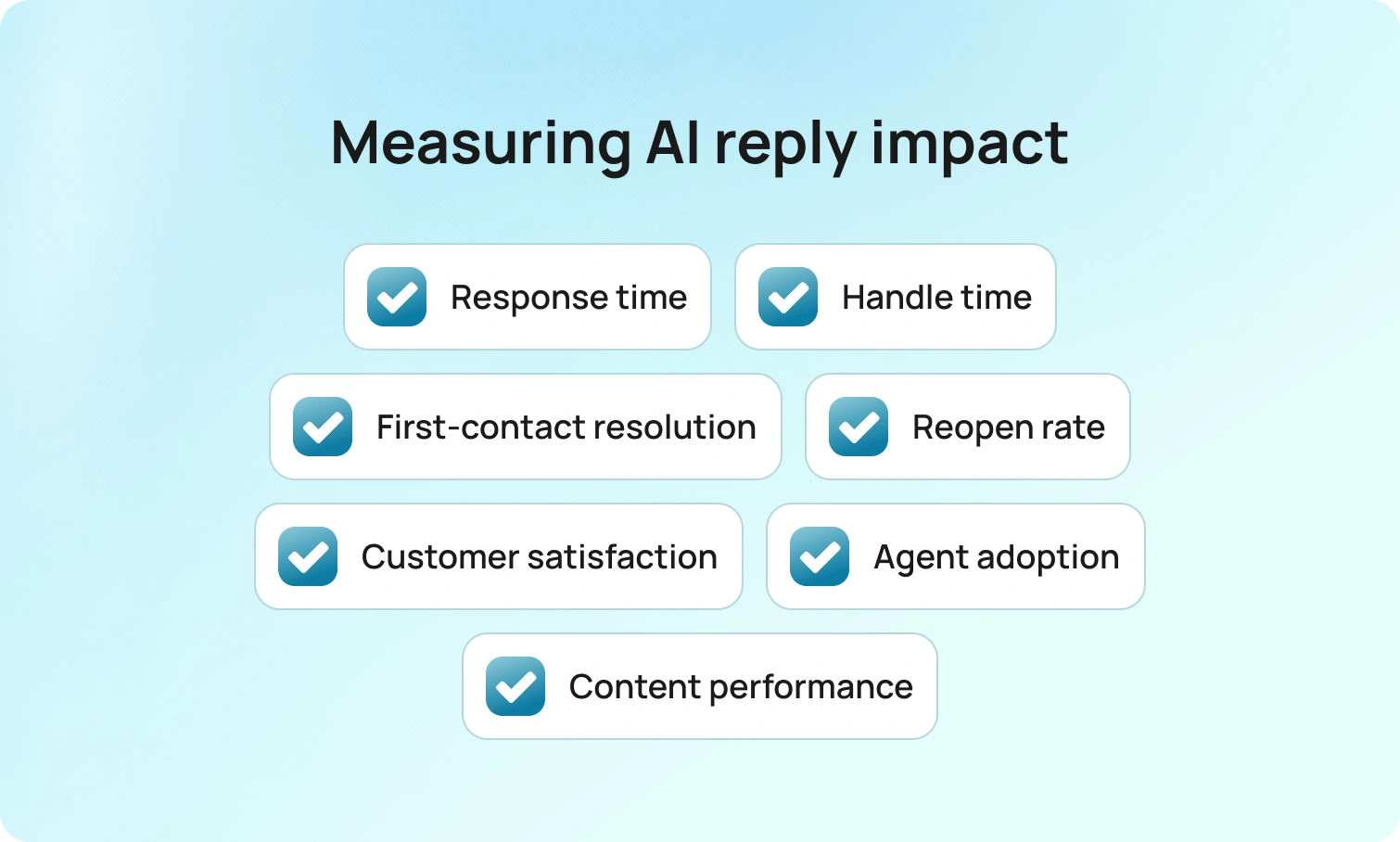
Dashboards do not answer customers. Messages do. Track this short set of metrics to know whether your suggested reply AI is working.
| Metric | What to Watch | Expected Direction |
|---|---|---|
| Time to first response | How quickly agents send the first reply after a ticket opens | ↓ Drops — first draft appears immediately |
| Handle time | Total time spent per ticket, including writing and review | ↓ Falls for routine tasks — agents edit, not write |
| First-contact resolution | Tickets resolved without a follow-up message from the customer | ↑ Rises in SOP-covered cases |
| Reopen rate | Tickets reopened because the first reply missed something | ↓ Declines as drafts include the missing step |
| Customer satisfaction | CSAT scores across AI-assisted interactions | → Holds or improves — replies stay relevant and polite |
| Suggestion acceptance rate | How often agents use a suggestion vs. writing from scratch | ↑ Rises as content and tone rules improve |
Program signals matter too. Watch where agents edit most frequently and which articles drive the best outcomes. Those insights tell you which content to refine and where to expand coverage next. BlueTweak presents that view in the same place agents work, which shortens the path from insight to action.
Guardrails, Governance, and Brand Voice
Trust comes from consistency. Establish clear guidelines for tone and wording, including how to effectively acknowledge frustration and decline requests without causing harm. Keep knowledge articles concise and up-to-date, using the exact wording the organization is comfortable with. Maintain audit trails so leaders can see how a particular answer was produced. Ensure nothing auto-sends by default. AI-suggested replies should always serve as a drafting layer, requiring human approval. Do these things well, and the team can move fast while staying accurate.
Conclusion: Faster Replies, Still Human
Suggested reply AI is not about replacing people. It is about removing the blank page so humans can focus on judgment, empathy, and complex issues. When a model can understand context, propose relevant responses, and stay grounded in a knowledge base, teams respond more quickly, write more accurate messages, and maintain a consistent brand identity across channels and languages.That combination leads to improved customer satisfaction and calmer operations within the business, as the process moves with less friction and greater clarity. BlueTweak helps teams reach that state by consolidating tickets, knowledge, and AI-suggested replies in one workspace, where control and speed can coexist.Request a BlueTweak walkthrough
to observe a ticket's progress from intake to resolution, including reply suggestions, knowledge grounding, and guided steps that work together. Discover how your team can save time, reduce costs, and deliver a better experience in every reply.
FAQ

As Head of Digital Transformation, Radu looks over multiple departments across the company, providing visibility over what happens in product, and what are the needs of customers. With more than 8 years in the Technology era, and part of BlueTweak since the beginning, Radu shifted from a developer (addressing end-customer needs) to a more business oriented role, to have an influence and touch base with people who use the actual technology.



